Installing the Ribbon
The
printer ribbon
is
a black plastic cartridge, and will be easy to
install. Take the printer ribbon
out
of
its packing materials, and open
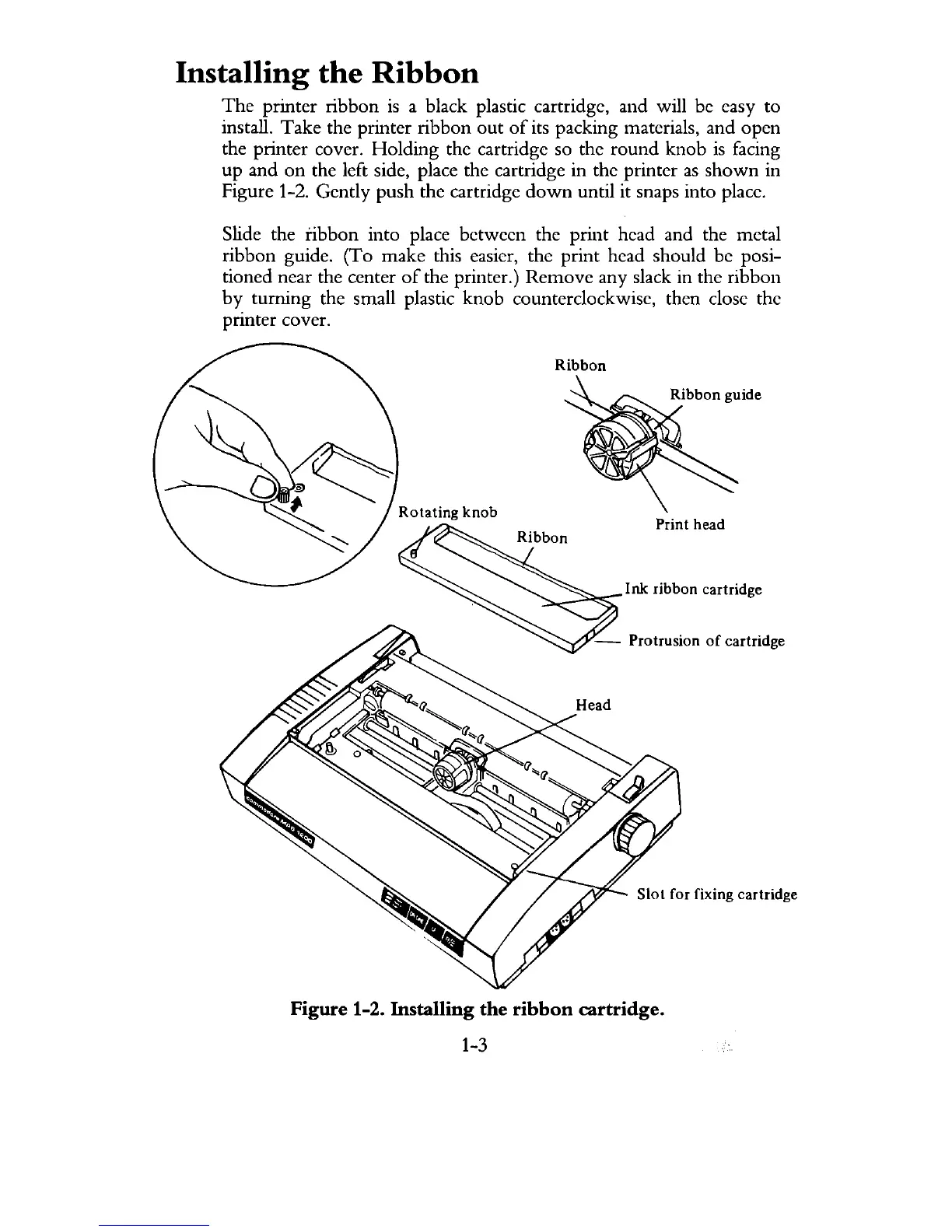
the printer cover. Holding the cartridge so the round knob
is
facing
up and
on
the left side, place the cartridge in the printer
as
shown
in
Figure 1-2. Gently push the cartridge
down
until it snaps into place.
Slide the ribbon into place between the print head and the metal
ribbon guide. (To make this easier, the print head should be posi-
tioned near the center
of
the printer.) Remove any slack in the ribbon
by
turning the small plastic knob counterclockwise, then close the
printer cover.
Ribbon
Print head
Ink ribbon cartridge
- Protrusion
of
cartridge
S101
for fixing cartridge
Figure 1-2. Installing the ribbon cartridge.
1-3



 To Next Page