EasyManua.ls Logo

Commodore MPS 1200 - CONNECTING YOUR COMPUTER

Commodore MPS 1200
250 pages
Print Icon
To Next Page IconTo Next Page
To Previous Page IconTo Previous Page
Loading...
CONNECTING
YOUR
COMPUTER
Your
printer
and
computer
communicate
by
means
of
a serial
cable,
which
comes in the
box
with
your
MPS
1200. This cable
connects
from
one
of
the
two
serial ports
on
the right side
of
the
printer
to the serial
port
on
your
computer
or
disk drive (usually
on
the
back
of
a
Commodore
computer
or
drive).
WARNING:
Before connecting any cables,
make
sure the
power
to
both
the
computer
and
printer
is
OFF,
to avoid damaging
either unit.
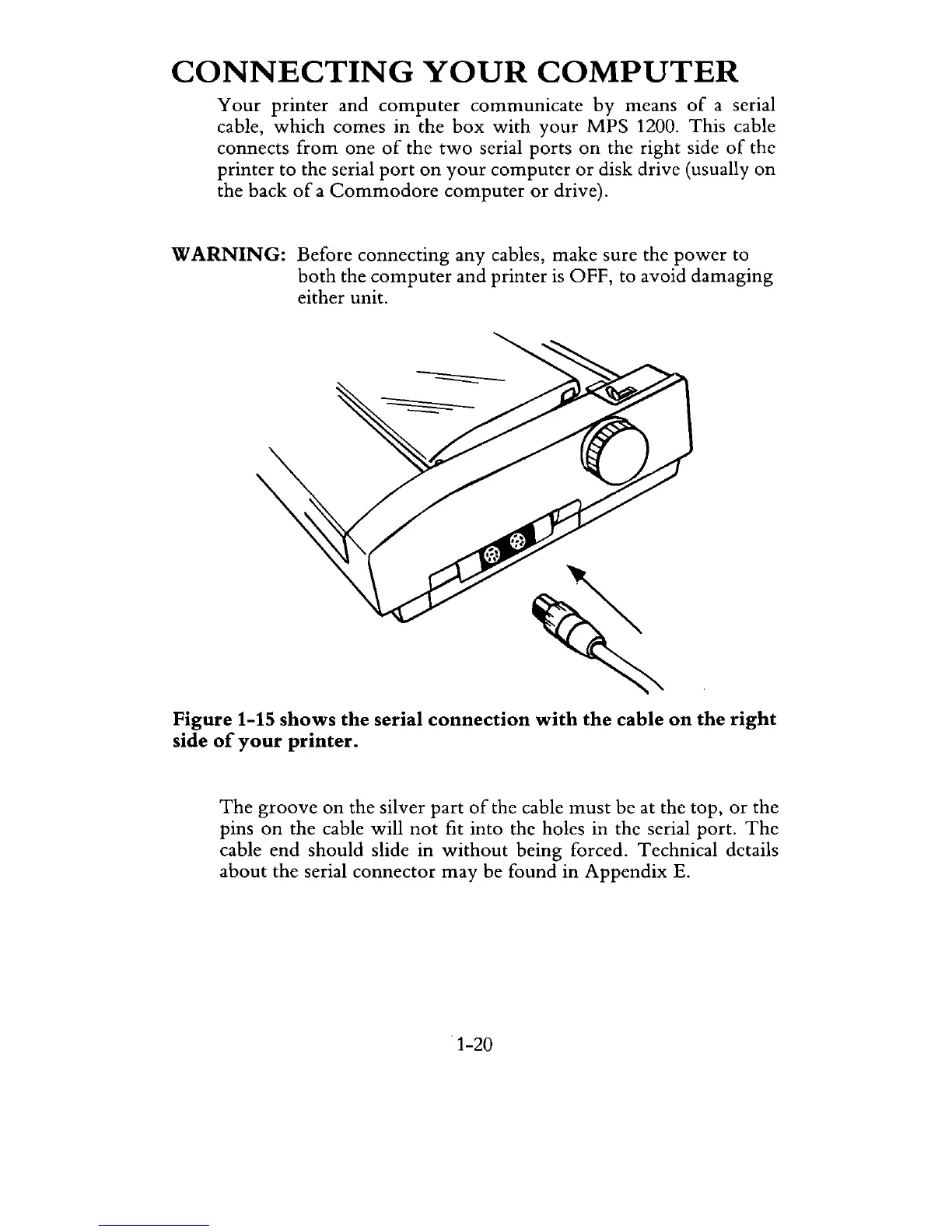
Figure 1-15
shows
the
serial
connection
with
the
cable
on
the
right
side
of
your
printer.
The
groove
on
the silver
part
of
the cable
must
be at the top,
or
the
pins
on
the cable will
not
fit into the holes in the serial port.
The
cable
end
should
slide in
without
being forced. Technical details
about
the serial
connector
may
be found in
Appendix
E.
1-20

Related product manuals