EasyManua.ls Logo

Commodore MPS 1200 - Installing the Paper Guide

Commodore MPS 1200
250 pages
Print Icon
To Next Page IconTo Next Page
To Previous Page IconTo Previous Page
Loading...
CAUTION:
When
replacing a
ribbon
cartridge,
turn
the
power
off
and
slide the
print
head to the right edge before
removing
the
old
ribbon, to avoid damaging the
print
head.
Installing
the
Paper
Guide
The
paper guide
is
a plastic incline
with
two
sliding pieces
on
the
front.
The
guide fits
into
a
groove
toward
the back
of
the printer
and
is used to lead sheets
of
paper into the printer.
The
sliding
pieces guide the paper
into
the platen and keep it from getting
crooked
as
it advances.
To
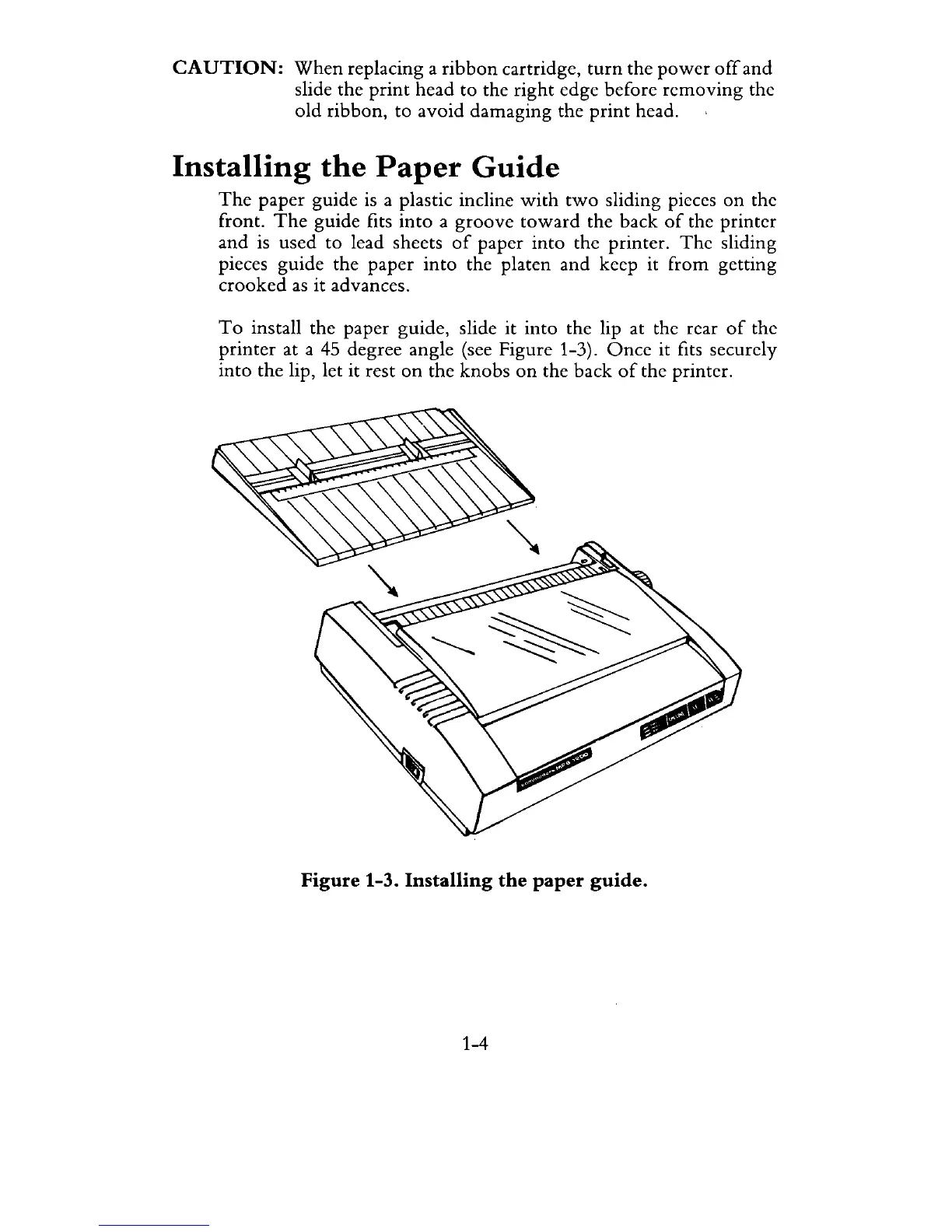
install the paper guide, slide it into the lip at the rear
of
the
printer
at a
45
degree angle (see Figure 1-3).
Once
it fits securely
into
the lip, let it rest
on
the
knobs
on
the back
of
the printer.
Figure 1-3. Installing
the
paper
guide.
1-4

Related product manuals