EasyManua.ls Logo

Commodore MPS 1200 - PAGE DESIGN; New Page (Form Feed)

Commodore MPS 1200
250 pages
Print Icon
To Next Page IconTo Next Page
To Previous Page IconTo Previous Page
Loading...
VARIABLE
LINE
FEEDS
If
you
want
to
move
to
another
line
without
returning
to the left
margin,
the
MPS
1200
provides
one
command
to
do
this. It allows
you
to
move
down
in 1/216 inch increments.
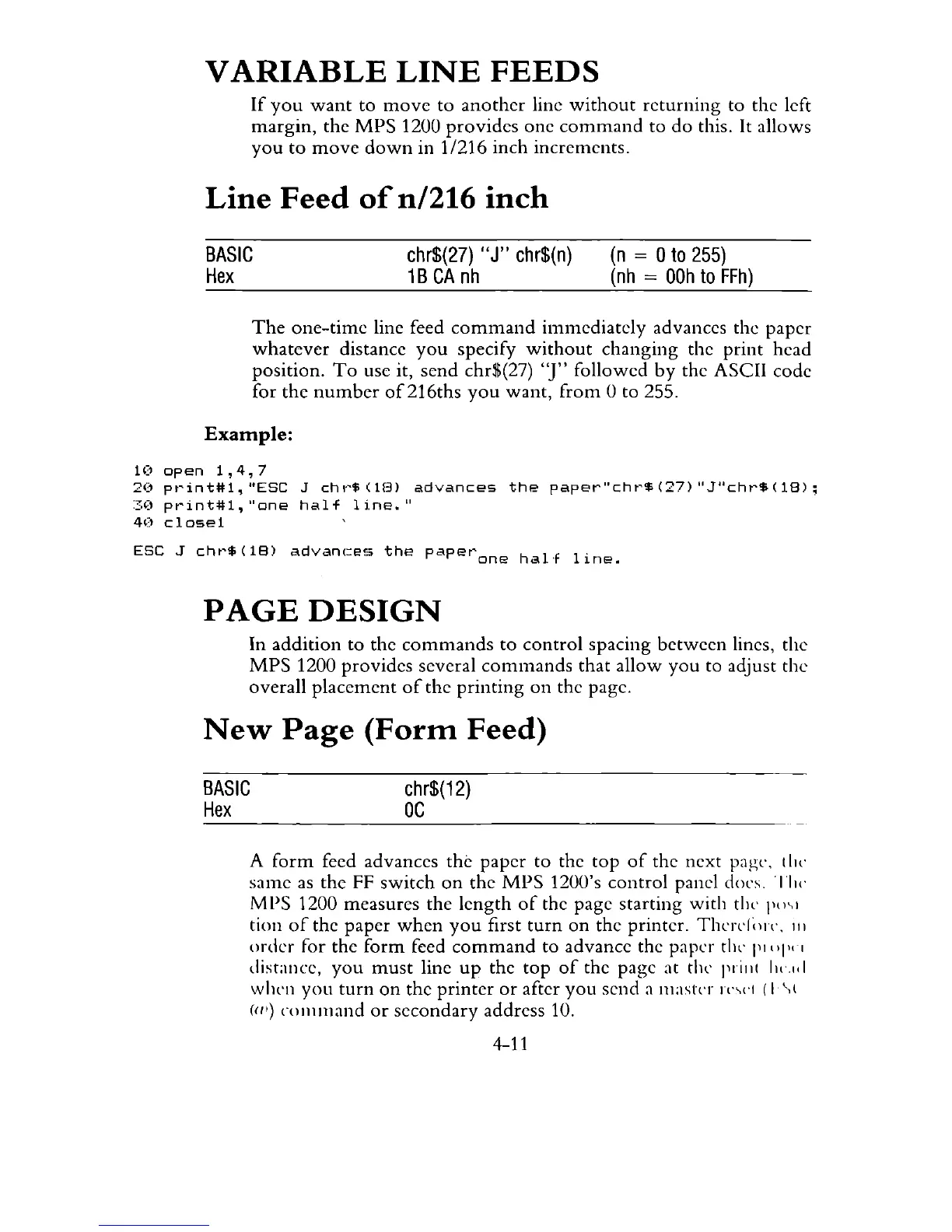
Line
Feed
of
n/216
inch
BASIC
Hex
chr$(27)
"J"
chr$(n)
1B
CA
nh
(n
= 0
to
255)
(nh
=
OOh
to
FFh)
The
one-time
line feed
command
immediately
advances the
paper
whatever
distance
you
specify
without
changing
the
print
head
position.
To
use it, send chr$(27)
"J"
followed
by
the ASCII code
for
the
number
of216ths
you
want,
from
0 to 255.
Example:
10
open
1,4,7
20
pt'int#l,
"ESC
J
ch
1"$
(lEll
advances
the
paper"cht'$
(27)
"J"chr$
(18)
;
:::;:(1
print#l,
"one
half
li.ne."
4(1
close1
ESC
J
chr$(18)
advance.
the
paperone
half
line.
PAGE
DESIGN
In
addition
to
the
commands
to
control
spacing
between
lines, the
MPS
1200 provides several
commands
that
allow
you
to adjust the
overall
placement
of
the
printing
on
the page.
New
Page
(Form
Feed)
BASIC
Hex
chr$(12)
OC
A
form
feed advances
the
paper
to
the
top
of
the next pagt'. !
ill'
same
as
the
FF
switch
on
the
MPS
1200's
control
panel docs, 'III<'
MPS
1200 measures the
length
of
the page
starting
with
till'
1""1
tion
of
the paper
when
you
first
turn
on
the
printer. Thcrl'l;
11".
III
order
for
the
form
feed
command
to
advance the paper thl'
III
"I
"I
distance,
you
must
line
up
the
top
of
the page at thl' prill!
1I<',ItI
whl'll
you
turn
on
the
printer
or
after
you
send a
mastn
n',,'1
(I
\(
(III)
command
or
secondary
address 10.
4-11

Related product manuals