Paper
select
lever
This
lever adjusts the pressure
on
the platen, according to the type
of
paper
being used.
This
lever
is
located
on
the top
right
of
the
printer, near the back.
The
paper select lever has
two
positions, front and back.
The
front
position is used for single sheets
or
continuous paper
without
the tractor-feed.
The
back position is used
when
you
have
installed the tractor-feed.
Paper
thickness
lever
The
paper thickness lever
is
used to adjust the distance
between
the
print
head and the platen to
accommodate
forms
with
up to three
carbonless copies.
This
lever
is
located in front
of
the platen (under
the
printer
cover)
on
the right.
Printer
cover
The
printer
cover
serves
many
functions-as
a dust cover, noise
buffer, paper bail
and
paper cutter. It protects the MPS 1200
from
dust
while reducing the
sound
level
during
printing.
On
the inside,
the
cover
has a bar
with
three rollers,
which
holds the paper against
the platen.
And
a special beveled edge serves
as
a paper cutter for
tearing
off
sheets.
Paper
guide
The
adjustable sliders
on
the paper guide let
you
set the
width
for
the paper to be fed
into
the printer.
This
will keep the paper flow
going
smoothly,
without
allowing the paper to shift
or
be fed
unevenly.
The
Control
Panel
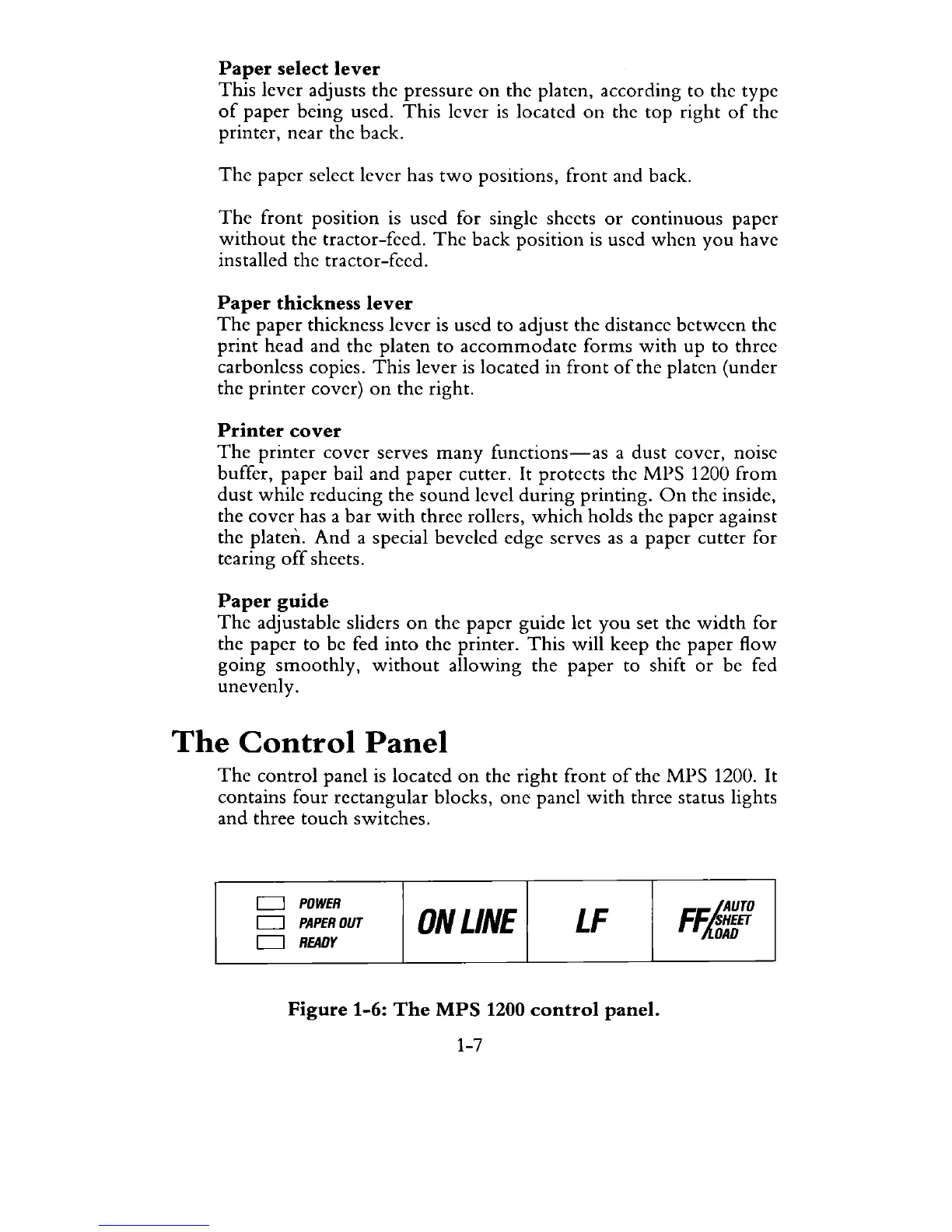
The
control
panel is located
on
the
right
front
of
the
MPS
1200. It
contains four rectangular blocks,
one
panel
with
three status lights
and
three
touch
switches.
D
D
D
POWER
PAPER
OUT
ONLINE
LF
READY
Figure 1-6:
The
MPS
1200
control
panel.
1-7
FFiJ.AUTO
'SHEET
DAD



 To Next Page