You
can substitute chr$(140) for chr$(12) in
Epson
mode
to get the
same results.
You
can set the
power-on
default page length to
either
11
inches by setting internal
switch
1-5 OFF,
or
to
12
inches
by setting
switch
1-5
ON.
(See
Appendix
D.)
You
can also set the
page length
with
ESC
C.
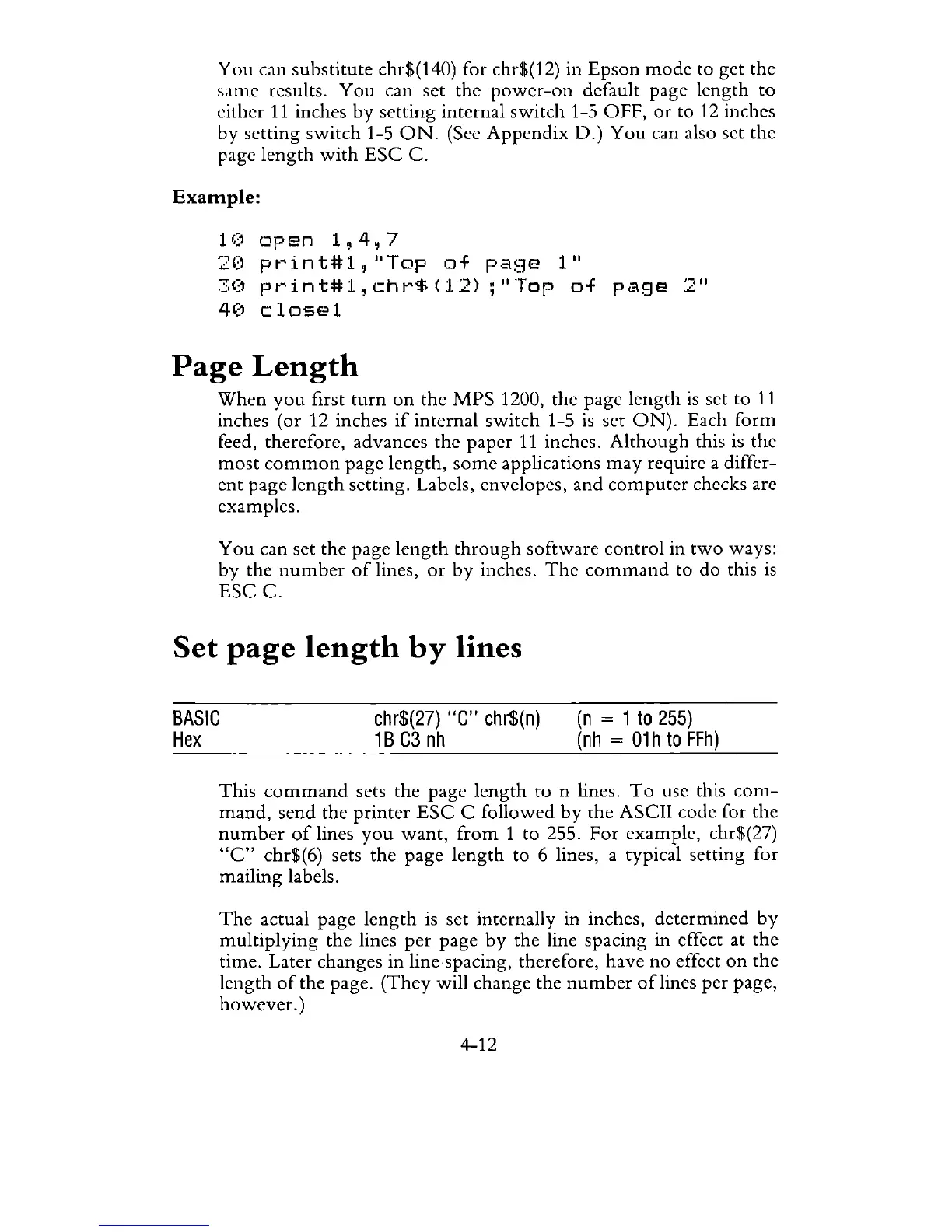
Example:
1 (1
op
en
1,
4,
7
2(1
pt~int#l,
"Top
of
pa!:.":}e
1"
30
pt~int#l
~
cht~$
(12)
;"
Top
of
page
4(1
c
losel
Page
Length
"
II
..::.
When
you
first
turn
on
the
MPS
1200, the page length
is
set to
11
inches (or 12 inches
if
internal switch 1-5
is
set
ON).
Each
form
feed, therefore, advances the paper
11
inches.
Although
this is the
most
common
page length,
some
applications
may
require a differ-
ent
page
length
setting. Labels, envelopes,
and
computer
checks are
examples.
You
can set the page
length
through
software control in
two
ways:
by
the
number
of
lines,
or
by
inches.
The
command
to do this
is
ESC
C.
Set
page
length
by
lines
BASIC
Hex
chr$(27)
"C"
chr$(n)
1 B
C3
nh
(n
= 1
to
255)
(nh
=
01
h
to
FFh)
This
command
sets the page length to n lines.
To
use this
com-
mand,
send the
printer
ESC
C followed
by
the ASCII code for the
number
of
lines
you
want,
from
1 to 255. For example, chr$(27)
"c"
chr$(6) sets
the
page
length
to 6 lines, a typical setting for
mailing labels.
The
actual page
length
is set internally in inches, determined
by
multiplying
the lines
per
page
by
the line spacing in effect at the
time. Later changes
in
line spacing, therefore, have no effect
on
the
length
of
the page.
(They
will change the
number
of
lines
per
page,
however.)
4-12



 To Next Page