EasyManua.ls Logo

Commodore MPS 1200 - Getting Acquainted; Printer Components

Commodore MPS 1200
250 pages
Print Icon
To Next Page IconTo Next Page
To Previous Page IconTo Previous Page
Loading...
GETTING
ACQUAINTED
Now
that
we've
gotten
this far, it's
time
to
take a
look
at the
features
and
functions
of
some
of
the
components
of
the
MPS
1200.
These
are
shown
below.
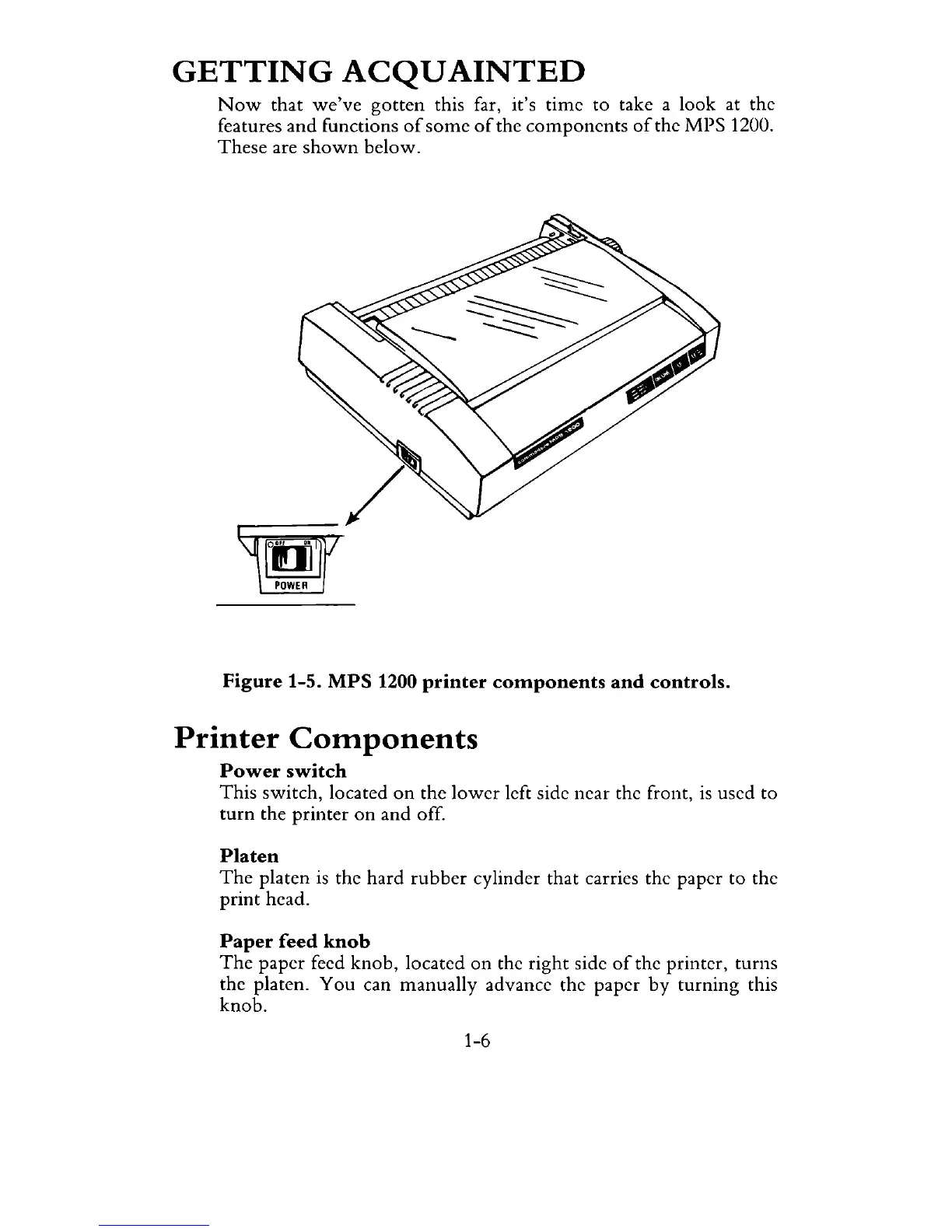
Figure 1-5.
MPS
1200 printer
components
and
controls.
Printer
Components
Power
switch
This
switch, located
on
the
lower
left side ncar the front,
is
used
to
turn
the
printer
on
and
off.
Platen
The
platen
is
the
hard
rubber
cylinder that carries the paper
to
the
print
head.
Paper
feed
knob
The
paper
feed
knob,
located
on
the
right
side
of
the printer,
turns
the platen.
You
can
manually
advance the
paper
by
turning
this
knob.
1-6

Related product manuals