INTERNAL
(DIP)
SWITCHES
The
MPS
1200 contains several internal switches that
you
can set to
determine
how
your
printer
functions.
These
switches are small
levers
known
as
DIP
switches (Dual In-line Package), and each has
only
two
settings
(ON
and
OFF).
They
are set at the factory
to
the
most
frequently-used settings,
but
you
may
want
to change
them
to
"customize"
your
MPS
1200
to
your
own
needs.
These
switches are easily accessed and
not
hard to reset.
There
are
two
ways
to
get
to
these switches,
by
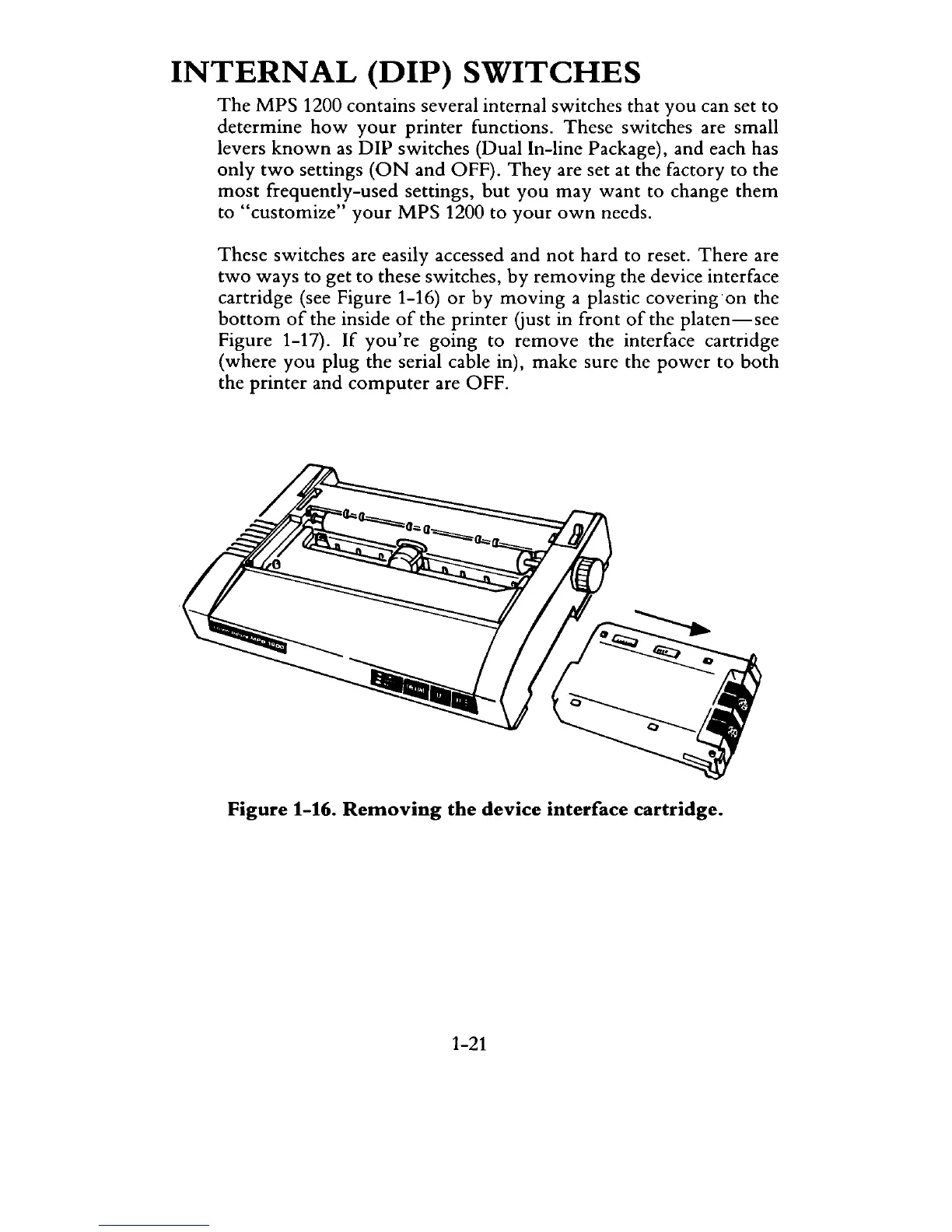
removing
the device interface
cartridge (see Figure 1-16)
or
by
moving
a plastic covering
on
the
bottom
of
the inside
of
the printer Gust in front
of
the platen - see
Figure 1-17).
If
you're
going to
remove
the interface cartridge
(where
you
plug the serial cable in), make sure the
power
to
both
the
printer
and
computer
are OFF.
Figure
1-16.
Removing
the
device
interface
cartridge.
1-21



 To Next Page