EasyManua.ls Logo

Commodore MPS 1200 - PROPORTIONAL PRINT

Commodore MPS 1200
250 pages
Print Icon
To Next Page IconTo Next Page
To Previous Page IconTo Previous Page
Loading...
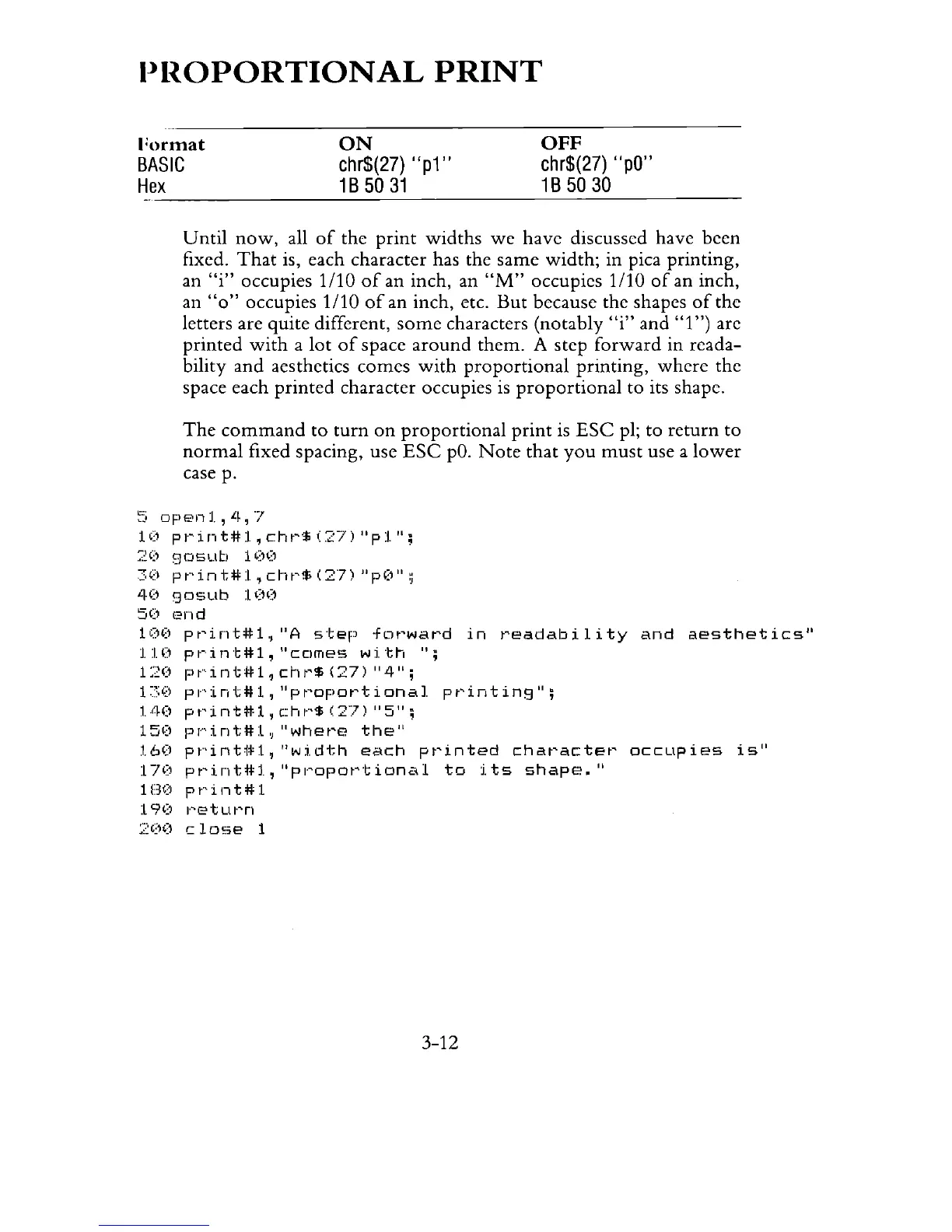
PROPORTIONAL
PRINT
rormat
BASIC
Hex
ON
chr$(27)
"p1"
1 B
50
31
OFF
chr$(27)
"pO"
1 B
50
30
----------------------------------------------------
Until
now,
all
of
the
print
widths
we
have discussed have been
fixed.
That
is, each character has the same
width;
in pica printing,
an
"i"
occupies 1/10
of
an inch, an
"M"
occupies 1/10
of
an inch,
an
"0"
occupies 1/10
of
an inch, etc.
But
because the shapes
of
the
letters are quite different,
some
characters (notably
"i"
and
"1")
are
printed
with
a
lot
of
space
around
them.
A step
forward
in reada-
bility
and
aesthetics
comes
with
proportional
printing,
where
the
space each
printed
character occupies
is
proportional
to its shape.
The
command
to
turn
on
proportional
print
is
ESC
pI;
to
return
to
normal
fixed spacing, use
ESC
pO.
Note
that
you
must
use a
lower
case p.
~:;
openl,
4,"7
10
pI·'int#1,cht"*(27)"p1",
::~O
gosub
1 ()O
30
pt"int#l,
cht'$
(27)
"pO",
40
gosub
100
50
(2nd
10(1
pt'int#1.,"A
step
·fen-ward
in
t'eadability
and
aesthetics"
1:1.0
pt·-int#1,"cCimes
wi_trl
";
120
pt'--int#1,
cht'$
(27)
"4";
1~:;':)
pI--':int#1,
"pt'opot'tional
pt'inting";
lJJ.O
pt"int#1,
c:1·H-'$
(27)
"5";
150
pJ""'int#l"
"whet'e
the"
160
pr'intj*i,
"width
each
pt'inted
chat'actet'
occupies
is"
170
pt'int#l,
"PI-'opot'tional
to
i.ts
shape."
1130 P
t"
i n t # 1
190
1-'etuI-'n
200
close
1
3-12

Related product manuals