The
Paper
Select
Lever
The
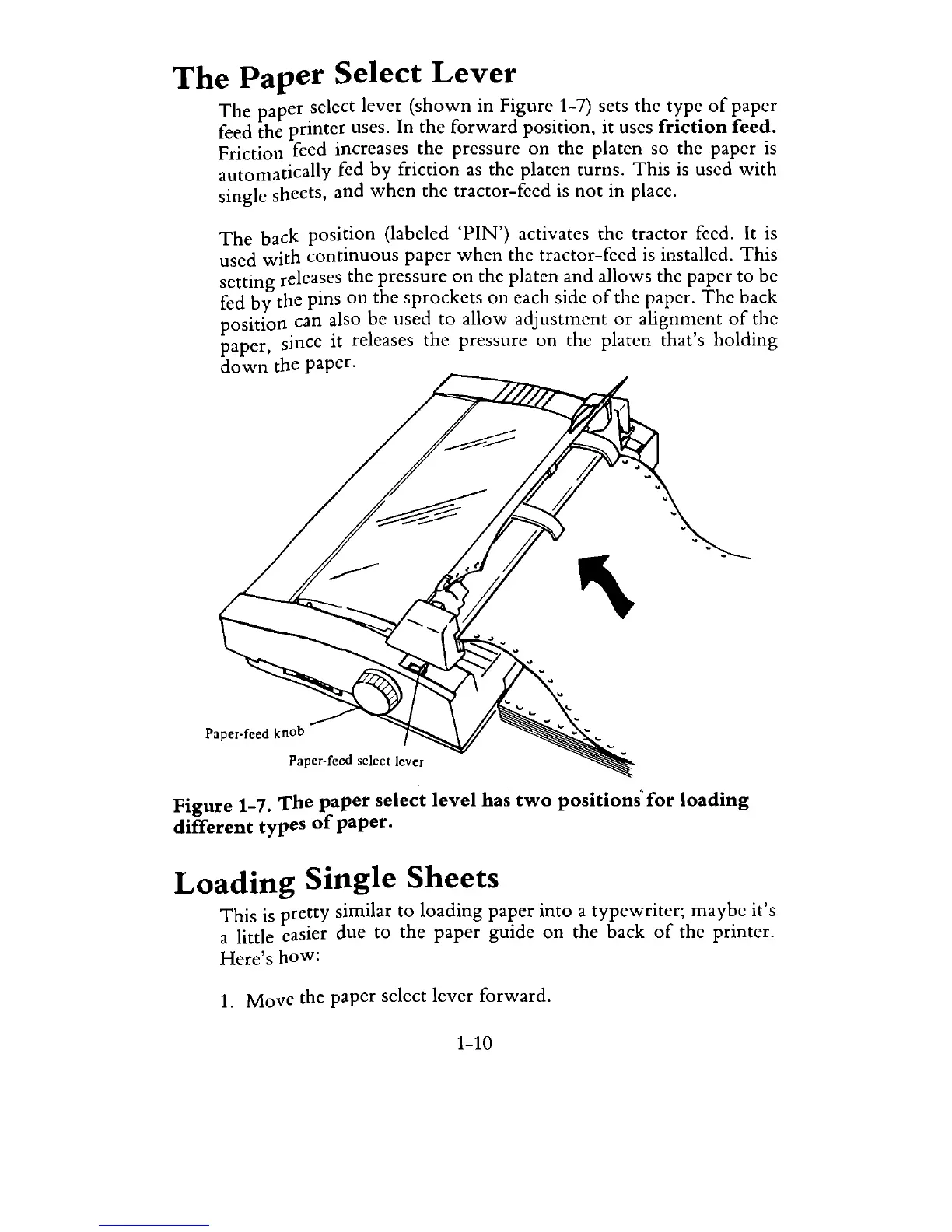
paper select lever
(shown
in Figure 1-7) sets the type
of
paper
feed the
printer
uses.
In
the
forward
position, it uses friction feed.
Friction feed increases the pressure
on
the platen so the paper
is
automatically fed
by
friction
as
the platen turns.
This
is
used
with
single sheets, and
when
the tractor-feed
is
not
in place.
The
back position (labeled
'PIN')
activates the tractor feed.
It
is
used
with
continuous
paper
when
the tractor-feed
is
installed.
This
setting releases the pressure
on
the platen and allows the paper to be
fed
by
the pins
on
the sprockets
on
each side
of
the paper.
The
back
position can also be used
to
allow
adjustment
or
alignment
of
the
paper, since it releases the pressure
on
the platen that's holding
down
the paper.
Paper-feed select lever
Figure 1-7.
The
paper select
level
has
two
positions'for
loading
different types
of
paper.
Loading
Single
Sheets
This is pretty similar to loading paper into a typewriter; maybe it's
a little easier due to the
paper
guide
on
the back
of
the printer.
Here's
how:
1.
Move
the paper select lever forward.
1-10



 To Next Page