4.
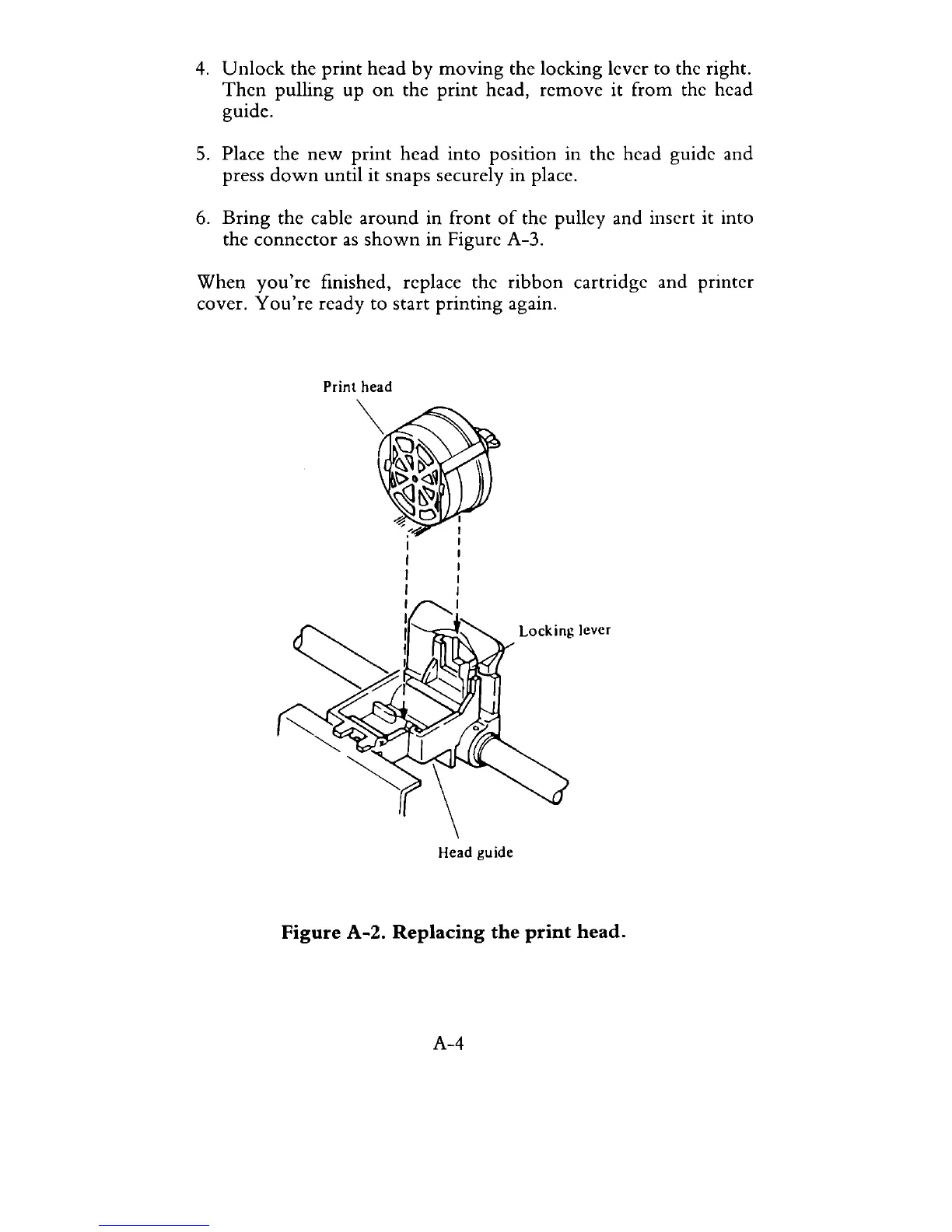
Unlock
the
print
head
by
moving
the locking lever to the right.
Then
pulling up
on
the
print
head,
remove
it from the head
guide.
5.
Place the
new
print
head into position in the head guide and
press
down
until it snaps securely in place.
6.
Bring
the cable
around
in front
of
the pulley and insert it into
the connector
as
shown
in Figure A-3.
When
you're
finished, replace the ribbon cartridge and printer
cover.
You're
ready to start printing again.
Print
head
Locking
lever
Head guide
Figure
A-2.
Replacing
the
print
head.
A-4



 To Next Page