EasyManua.ls Logo

Commodore MPS 1200 - Page 56

Commodore MPS 1200
250 pages
Print Icon
To Next Page IconTo Next Page
To Previous Page IconTo Previous Page
Loading...
Elite
Pitch
Format
BASIC
Hex
ON
chr$(27)
"M"
1B
CD
OFF
chr$(27)
"P"
1B
DO
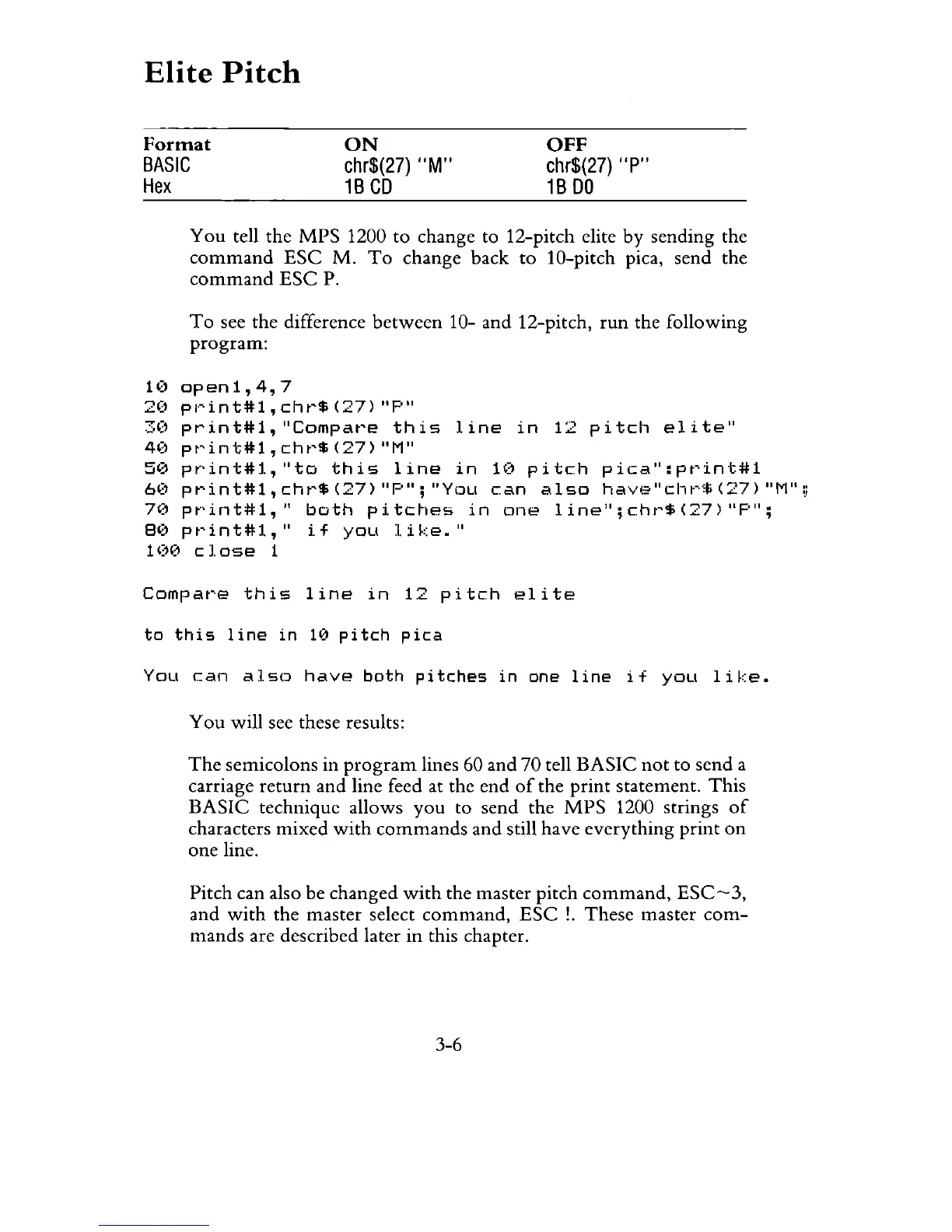
You
tell the MPS 1200
to
change to 12-pitch elite by sending the
command
ESC
M.
To
change back
to
10-pitch pica, send the
command
ESC
P.
To
see the difference
between
10- and 12-pitch,
run
the following
program:
U)
op
en
1 ,
4.
7
2('
pl·'int#l,
cht'$
(27)
"P"
3(1
pt'int#l,
"Compat'e
this
line
in
12
pitch
elite"
4('
pt'int#l,
cht'$
(27)
"M"
5')
pt"'int#l,"to
this
line
in
H'
pitch
pica":pt'int#l
6('
print#l,
cht'$
(27)
"P";
"You
can
also
have"cl·1I"'$
(27)
"M"
:.i
7('
pt·'int#l,"
both
pitches
in
one
line";cht'$(27)"P";
8(1 p
t'
i n t #
1,"
if
you
1
ike.
"
1(")
close
1
Compare
this
line
in
12
pitch
elite
to
this
line
in
10
pitch
pica
You
can
also
have
both
pitches
in
one
line
if
you
like.
You
will see these results:
The
semicolons in
program
lines 60 and 70 tell
BASIC
not
to send a
carriage
return
and line feed at the end
of
the
print
statement.
This
BASIC
technique allows
you
to send the
MPS
1200 strings
of
characters mixed
with
commands
and still have everything
print
on
one line.
Pitch can also be changed
with
the master pitch
command,
ESC-3,
and
with
the master select
command,
ESC
!.
These master
com-
mands are described later in this chapter.
3-6

Related product manuals