r·'
i
c:
i:\
'I":::~
~:-~:
1--;::]0
.a.
ri
d
i.
t
~
..:J:I::
'$
%;e:-...;:
~
()
*.
-+-
.,
./
,:::~
1
23456
7B
no,
don't
!
"#~"I.~~'
()
*+,
-./012345678
El
i
te
e~-~pa.nd
it
~
11#$%&'
( >
*+.,
-_
/012345678
no,
don't
!
"#$I.~~'
()
H,
-.
/':'12345678
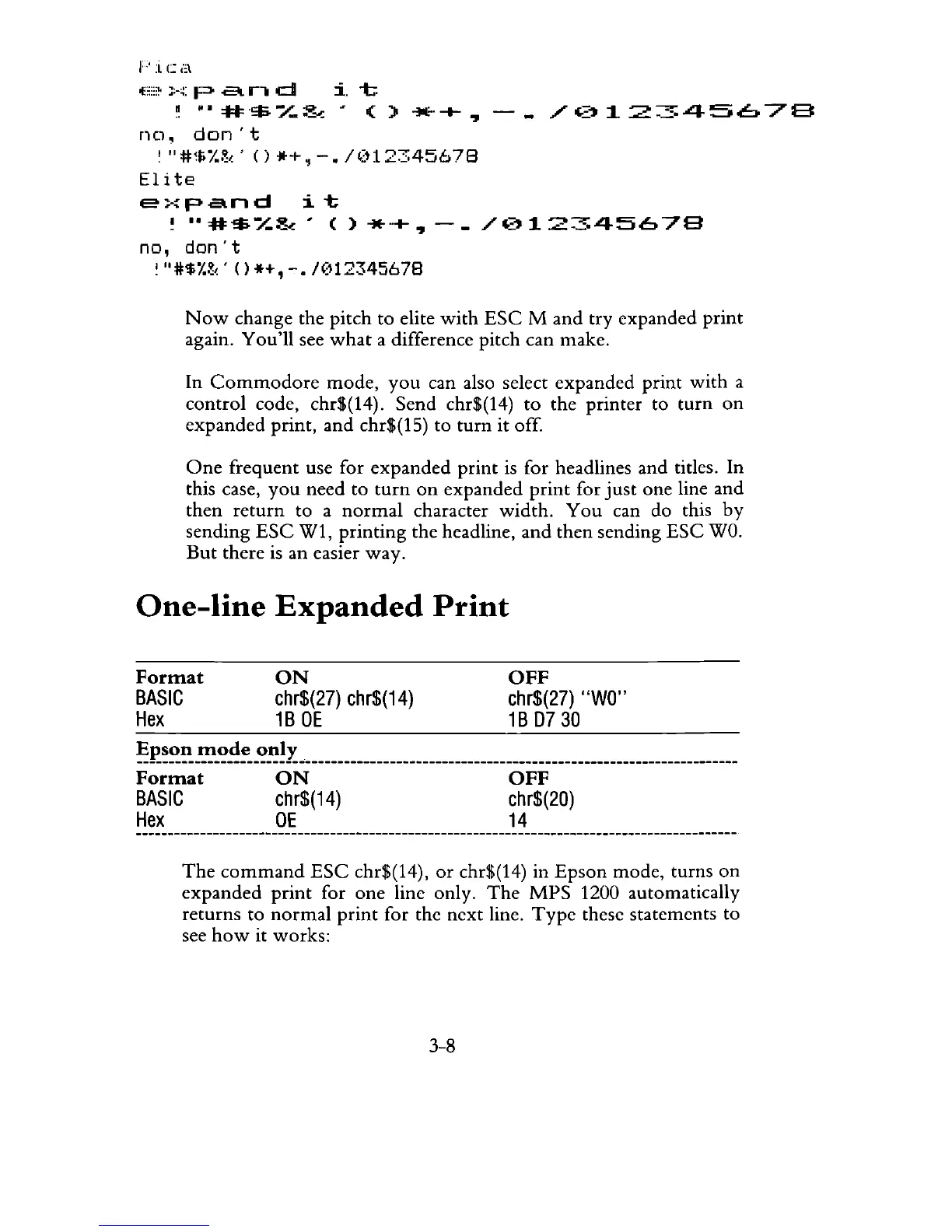
Now
change the pitch to elite
with
ESC
M and try expanded
print
again. You'll see
what
a difference pitch can make.
In
Commodore
mode,
you
can also select expanded print
with
a
control
code, chr$(14). Send chr$(14)
to
the printer to
turn
on
expanded print, and chr$(15) to
turn
it off.
One
frequent use for
expanded
print
is
for headlines and titles. In
this case,
you
need to
turn
on
expanded
print
for
just
one line and
then
return
to a
normal
character width.
You
can do this
by
sending
ESC
W1, printing the headline, and then sending
ESC
WOo
But
there
is
an easier way.
One-line
Expanded
Print
Format
BASIC
Hex
ON
chr$(27)
chr$(14)
1B
DE
OFF
chr$(27)
"WO"
1B
0730
~P..~~~_'!!_'?~!._'?~!I
______________________________________
_____________________________
_
Format
ON
OFF
BASIC
chr$(14) chr$(20)
Hex
DE
14
The
command
ESC
chr$(14),
or
chr$(14) in
Epson
mode, turns
on
expanded
print
for one line only.
The
MPS
1200 automatically
returns to
normal
print
for the next line.
Type
these statements to
see
how
it works:
3-8



 To Next Page