EasyManua.ls Logo

Commodore MPS 1200 - Page 71

Commodore MPS 1200
250 pages
Print Icon
To Next Page IconTo Next Page
To Previous Page IconTo Previous Page
Loading...
Superscript
Format
ON
OFF
BASIC
chr$(27)
"SO"
chr$(27)
"T"
Hex
1B
03
30
1B
04
Subscript
Format
ON
OFF
BASIC
chr$(27)
"S1"
chr$(27)
'T'
Hex
1 B
0331
1B
04
The
superscript and subscript feature prints characters at
half
their
normal
height. Superscript prints its characters in the top
half
of
the
line, and subscript prints
on
the
bottom
half
of
the line.
The
width
of
the
"script"
characters matches
whatever
pitch
is
in effect. Script
characters can be used
with
all
of
the
MPS
1200's features except
reverse print.
The
script
command
is
ESC
S.
It
uses 0 and 1 differently
from
the
other
commands
we've
looked
at. Sending
ESC
SO
turns
on
super-
script; sending
ESC
Sl
turns
on
subscript.
ESC
T (for text) turns
off
either
mode
and returns to
normal
(full-height) characters.
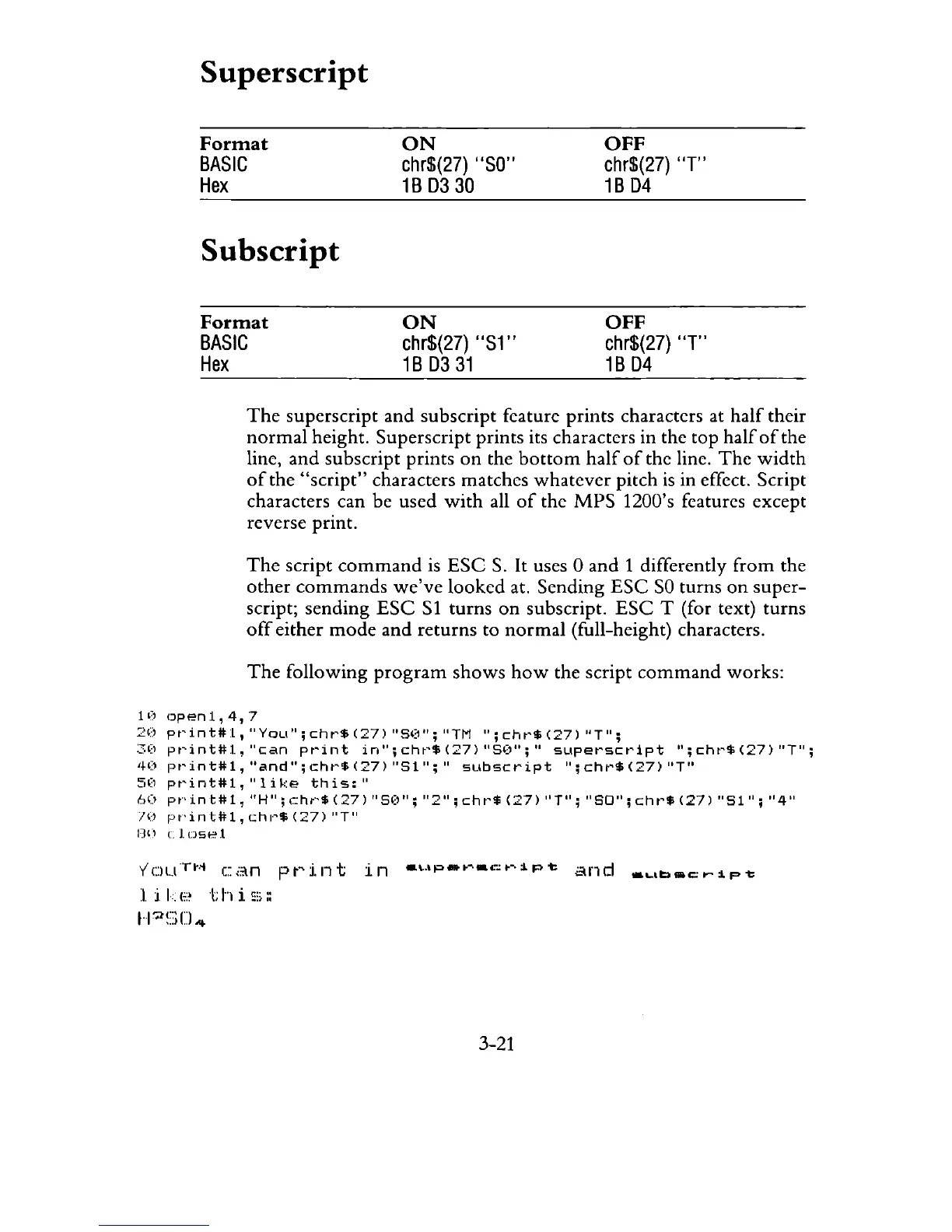
The
following
program
shows
how
the script
command
works:
1 (,
Dp
en
1 ,
4,
7
2')
pr'int#:L,
lIyou";
cht"$
(27)
"S':)
" ; IITM
II;
chr'$
(27)
"T";
:30
pt'inttll,
"can
pt'int
in";cht'$(27)
"51)";"
sLlperSct'ipt
";cht'$(27)
"T";
40
pt'int#l,
"and";chl'$(27)
"51";"
subscript
";chl'$(27)
"T"
50
pt'inttl1,"like
this:"
60
pt"'
in
t#
1., IIH
II;
c~ht·'$
(27)
II
SO
";
"211 ;
eh
t"$
(27)
II
Til;
II
SO";
chr'$
(27)
"Sl
l1
;
"411
!()
F""inttll,
.:hl"$
(27)
"T"
nn
clnset
VOu™
can
print
in
_wp_~_c~~pt
and
_ub_cr~pt
likE'
this:;::
H~~::;U4
3-21

Related product manuals