EasyManua.ls Logo

Commodore MPS 1200 - Master Print Mode

Commodore MPS 1200
250 pages
Print Icon
To Next Page IconTo Next Page
To Previous Page IconTo Previous Page
Loading...
Master
Print
Mode
Format
BASIC
Hex
ON
chr$(27)"! "chr$(n)
1B
21
nh
OFF
chr$(27)"!
"chr$(O)
1B2100h
The
master
print
mode
command
is
one
of
the
MPS
1200's
most
powerful
commands.
With
it,
you
can select
most
combinations
of
print
pitch, character
width,
print
quality, and special
effects-
using
just
one
command.
The
master
print
mode
command
is
ESC
!.
As
with
the master
pitch
command,
you
select the print
mode
you
want
by
sending the
ASCII code corresponding to its
print
mode
number.
Each
combination
of
features
on
the
MPS
1200
is
assigned a unique
number
called the
"print
mode
number."
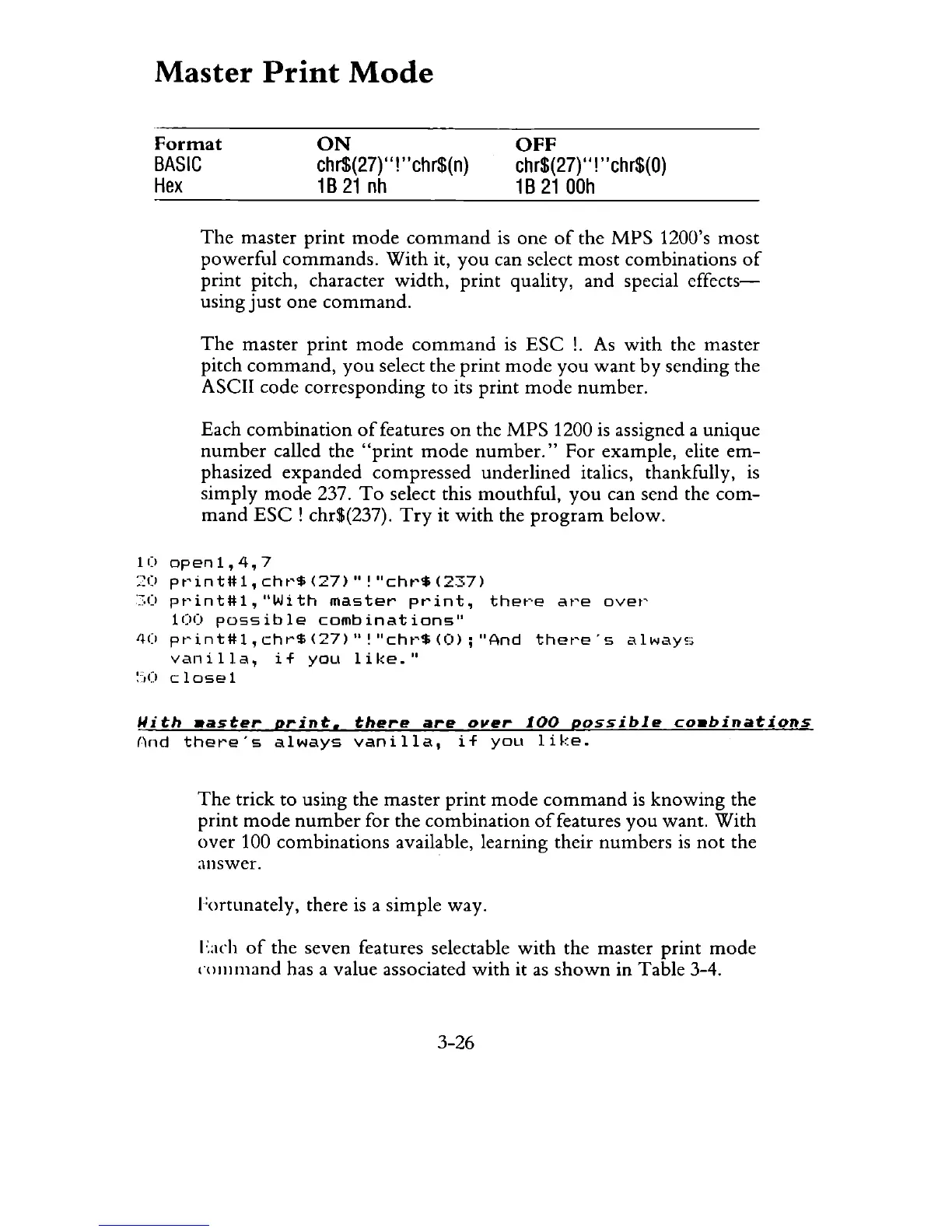
For example, elite
em-
phasized expanded compressed underlined italics, thankfully,
is
simply
mode
237.
To
select this mouthful,
you
can send the
com-
mand
ESC!
chr$(237).
Try
it
with
the
program
below.
10
open1,4,7
20
pt'int#1,
cht'$
(27)"!
"cht'$
(237)
'c.O
pt'int#1,
"Wi
th
master
print,
thet'e
at'e
ovet'
100
possible
combinations"
4(1
pt'int#1,
chr$
(27)"!
"cht'$
(0);
"And
thet'e's
always
vanilla,
if
you
like."
:',0
close
1
Uith
.aster
print.
there
are
over
100
possible
co.binations
And
there"s
always
vanilla,
if
you
like.
The
trick
to
using the master
print
mode
command
is
knowing
the
print
mode
number
for the combination
of
features you want.
With
over
100 combinations available, learning their
numbers
is
not
the
answer.
hHtunately,
there
is
a simple way.
I
':ach
of
the seven features selectable
with
the master print
mode
l'OlIll11and
has a value associated
with
it
as
shown
in Table 3-4.
3-26

Related product manuals