EasyManua.ls Logo

Commodore MPS 1200 - MARGINS

Commodore MPS 1200
250 pages
Print Icon
To Next Page IconTo Next Page
To Previous Page IconTo Previous Page
Loading...
Set
page
length
by
inches
BASIC
Hex
chr$(27)
"C"
chr$(O)
chr$(n)
(n
= 1
to
150)
1BC300nh
(nh
= 01hto96h)
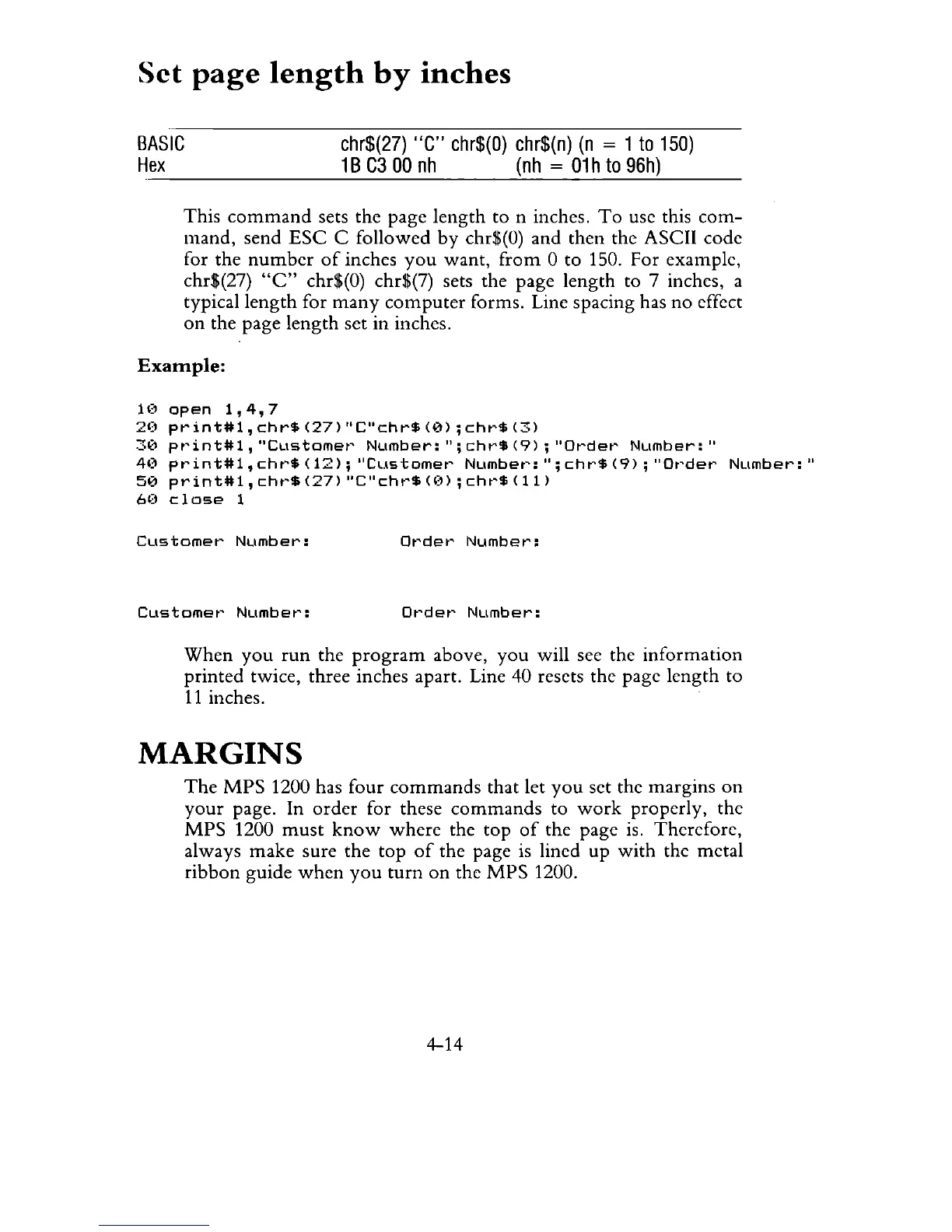
This
command
sets the page
length
to n inches.
To
use this
com-
mand,
send
ESC
C followed
by
chr$(O) and then the ASCII code
for the
number
of
inches
you
want,
from
0 to 150. For example,
chr$(27)
"C"
chr$(O) chr$(7) sets the page length to 7 inches, a
typical
length
for
many
computer
forms. Line spacing has
no
effect
on
the page
length
set in inches.
Example:
H'
open
1,4,7
20
pr
int#1,
chr$
(27)
"C"chr$
(0)
;
chr$
(3)
30
pr'int#1,
"CLlstomer'
NLlmber:";
chr$
(9)
;
"Order
Number:"
4(1
print#1,
chr'$
(12);
"Customer'
Number':";
chr$
(9)
;
"or'der
Number:"
50
print#1,
chr'$
(27)
"C"chr$
(I,,)
;
chr'$
(11)
60
close
1
Customer'
Number:
or'det'
Number:
Customer'
Number':
ot'der'
Number:
When
you
run
the
program
above,
you
will see the
information
printed twice, three inches apart. Line 40 resets the page length to
11
inches.
MARGINS
The
MPS
1200 has four
commands
that let
you
set the margins
on
your
page. In
order
for these
commands
to
work
properly, the
MPS
1200
must
know
where
the
top
of
the page is. Therefore,
always
make
sure the
top
of
the page is lined up
with
the metal
ribbon
guide
when
you
turn
on
the
MPS
1200.
4-14

Related product manuals