JHL90 Service Manual
1.10 Removing the Modem card
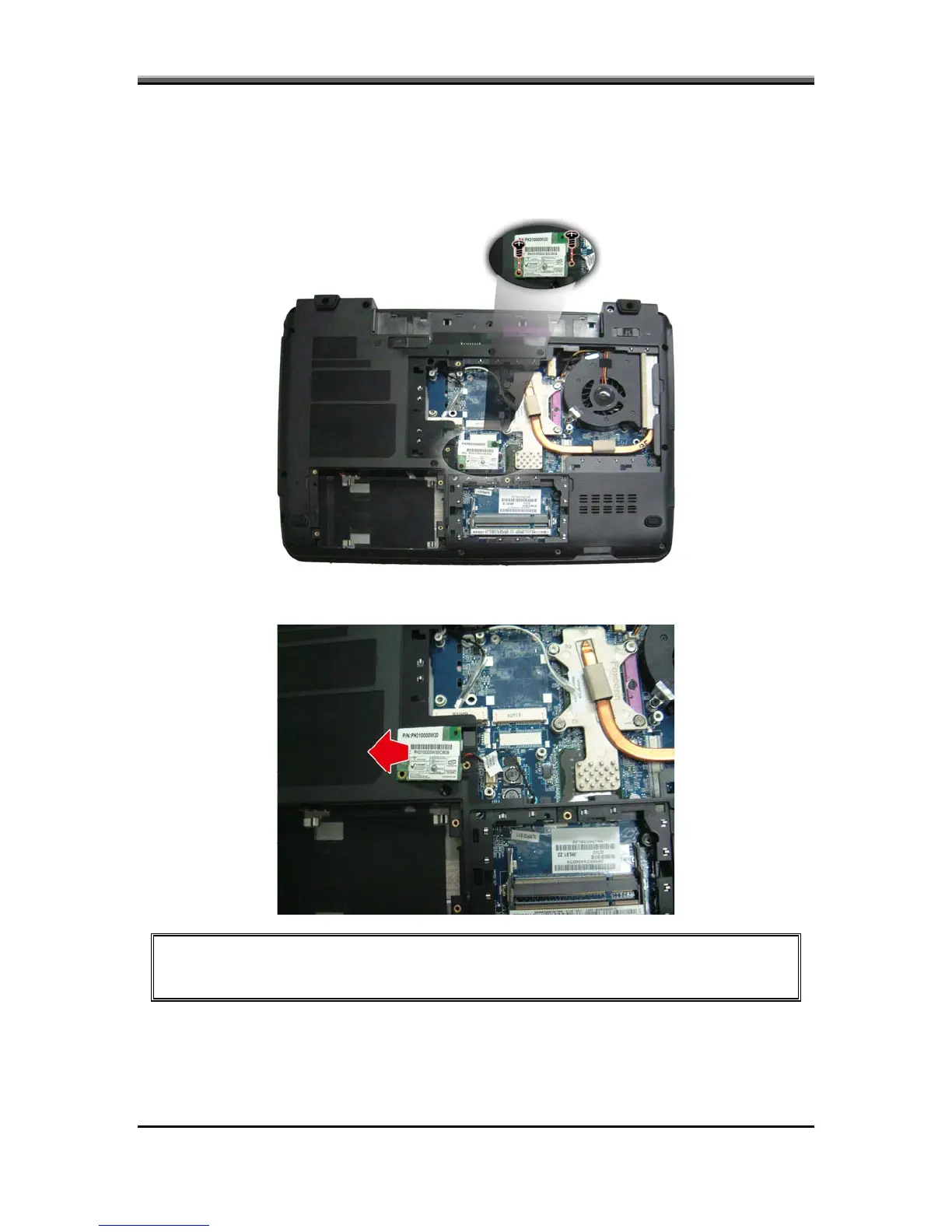
To remove the Modem card, follow the steps below:
1. Turn the notebook over. Remove two screws from the modem card.
2. Remove the Modem card and remove cable.
CAUTION: Do not touch the connectors on the Modem card or on the computer.
Debris on the connectors may cause the unit to malfunction.
5-17



 To Next Page