JHL90 Service Manual
JHL90 Service Manual
6-7
D Table 2-2 POWER LE
Power supply status POWER LED
System Power On (LED is solid blue). blue Solid on
System Suspended Blue blinking
System Power Off. Off
r and to a power supply.
t cedure 2.
3.2 ure 2 Adaptor / battery replacement
A faulty adaptor may not supply power or may not charge the battery.
Connect a new AC adaptor. If the problem is not resolved, go to
ttery. If the problem is still not resolved, go to
Procedure 3.
3.3 Procedure 3 Power supply connection check
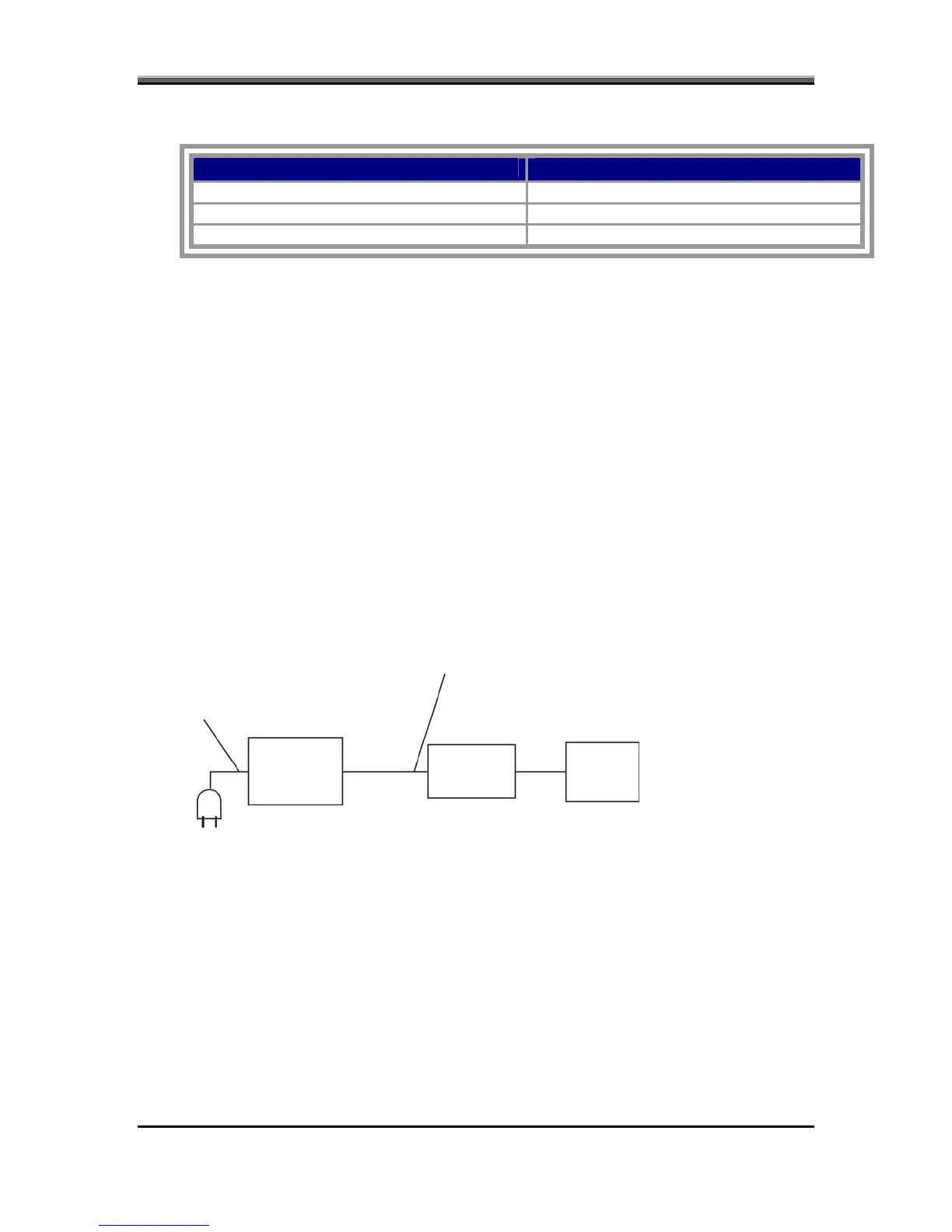
The power supply wiring diagram is shown below:
To check the power supply status, install a battery pack and connect an AC
adaptor to the DC-IN port on the compute
If he Battery LED is not lit, go to Pro
Proced
Perform Check 1.
Check 1
Check 2.
Check 2 Insert a new ba
AC power cord
AC adaptor cord
AC
adaptor
System
board
Battery
6-7



 To Next Page