JHL90 Service Manual
The power supply controls many functions and components. To determine if the
ply is functioning properly, start with Procedure 1 and continue with
rocedures as instructed. The flowchart in Figure 6-2 gives a summary
edures described in this section are:
placement
ure 3: Power supply connection check
3.1 ure 1 Power Status Check
power sup
the other P
of the process.
The proc
• Procedure 1: Power status check
• Procedure 2: Adaptor / battery re
• Proced
• Procedure 4: Diagnostic check
• Procedure 5: Internal connection check
Proced
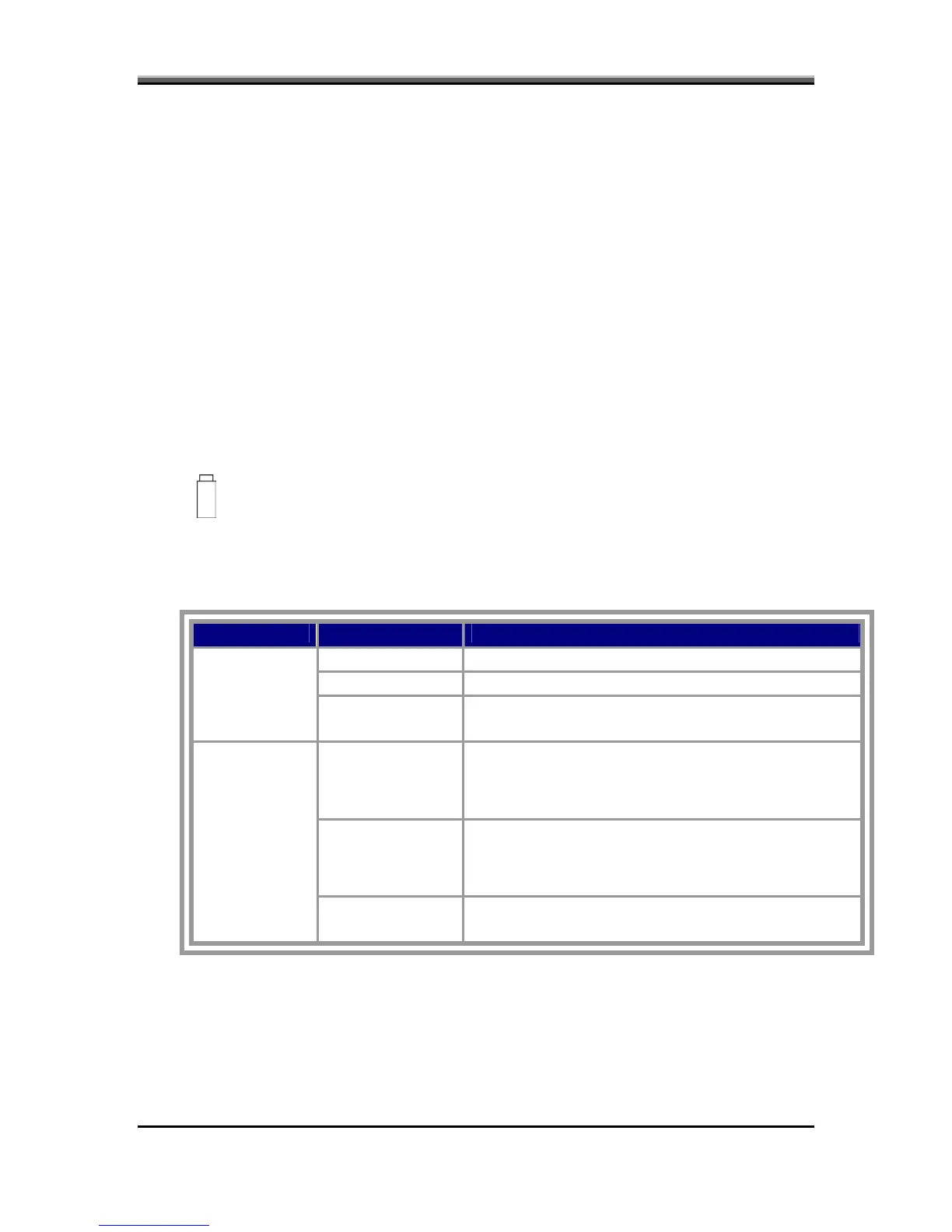
The following LEDs indicate the power supply status:
Battery LED
The power supply controller displays the power supply status through the Battery
WER LEDs as listed in the tables below. and the PO
Table 2-1 Battery LED
Battery State LED colors Definition
blue, blinking Battery charging with AC
blue, solid on Battery fully charged by AC
Charging
color off Battery abno
(Bad cell/ O
rmal: stop charging with AC
verheated)
Amber, blinking
Battery within low
LED on for 1
second every 4
state: 12 minutes remaining
seconds
Amber, blinking
Battery within critical low state: 3
Discharging
(LED on 1
se
The system is protected and cannot be re-pow
cond every 2
seconds)
minutes remaining.
ered
on without the AC power connected.
C r off Battery not
state
olo in low or critical low state; in discharging
6-6



 To Next Page