JHL90 Service Manual
1.12 Removing the Thermal Module
To remove the thermal module, first remove the Modem card. Then follow the
steps below:
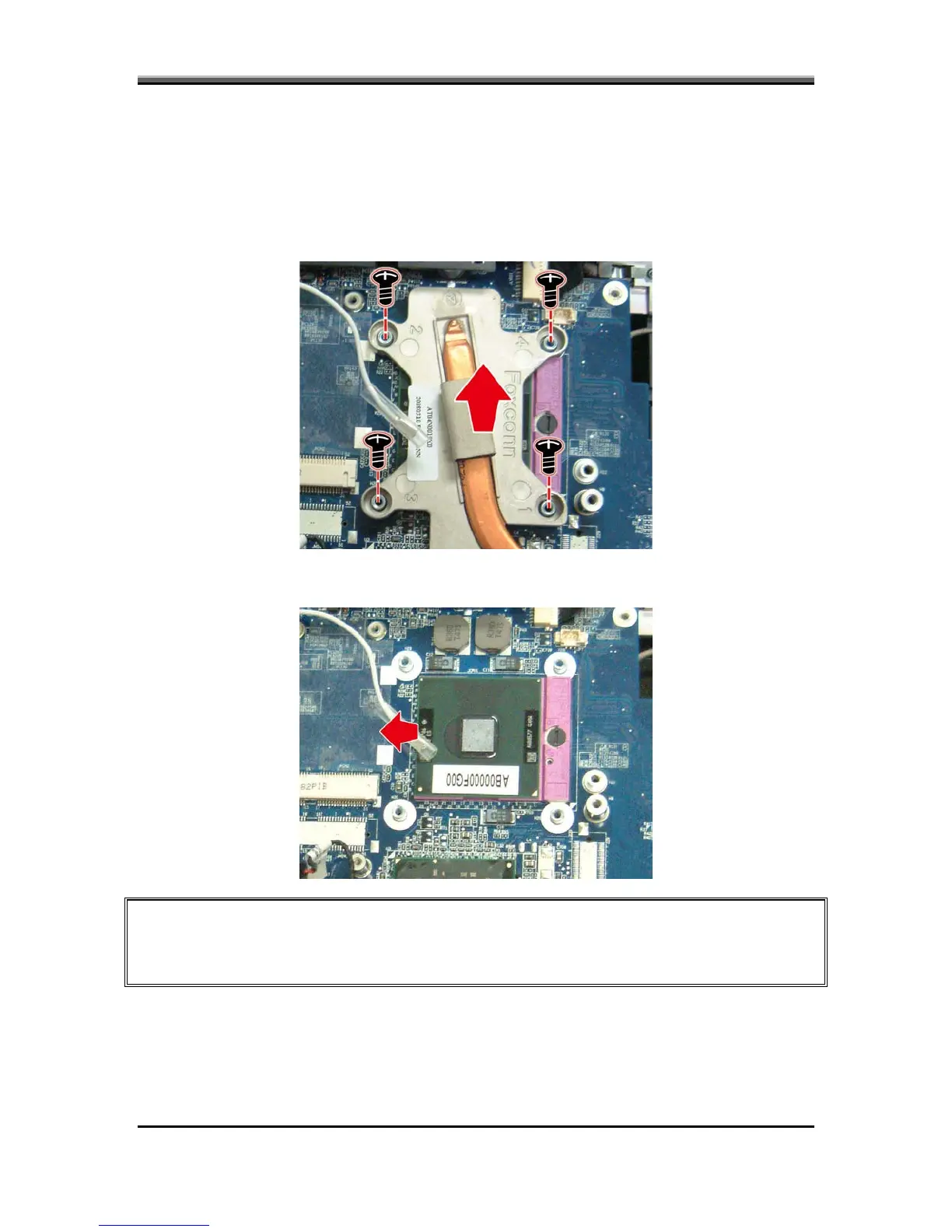
1. Turn the notebook over. Remove four spring screws securing the thermal
module to the motherboard.
2. Lift and remove the thermal module from the motherboard.
CAUTION: When you remove the thermal module, use the CPU grease tool to remove the
grease on the CPU and thermal module. Reapply fresh grease before reinstalling the
thermal module.
5-19



 To Next Page