JHL90 Service Manual
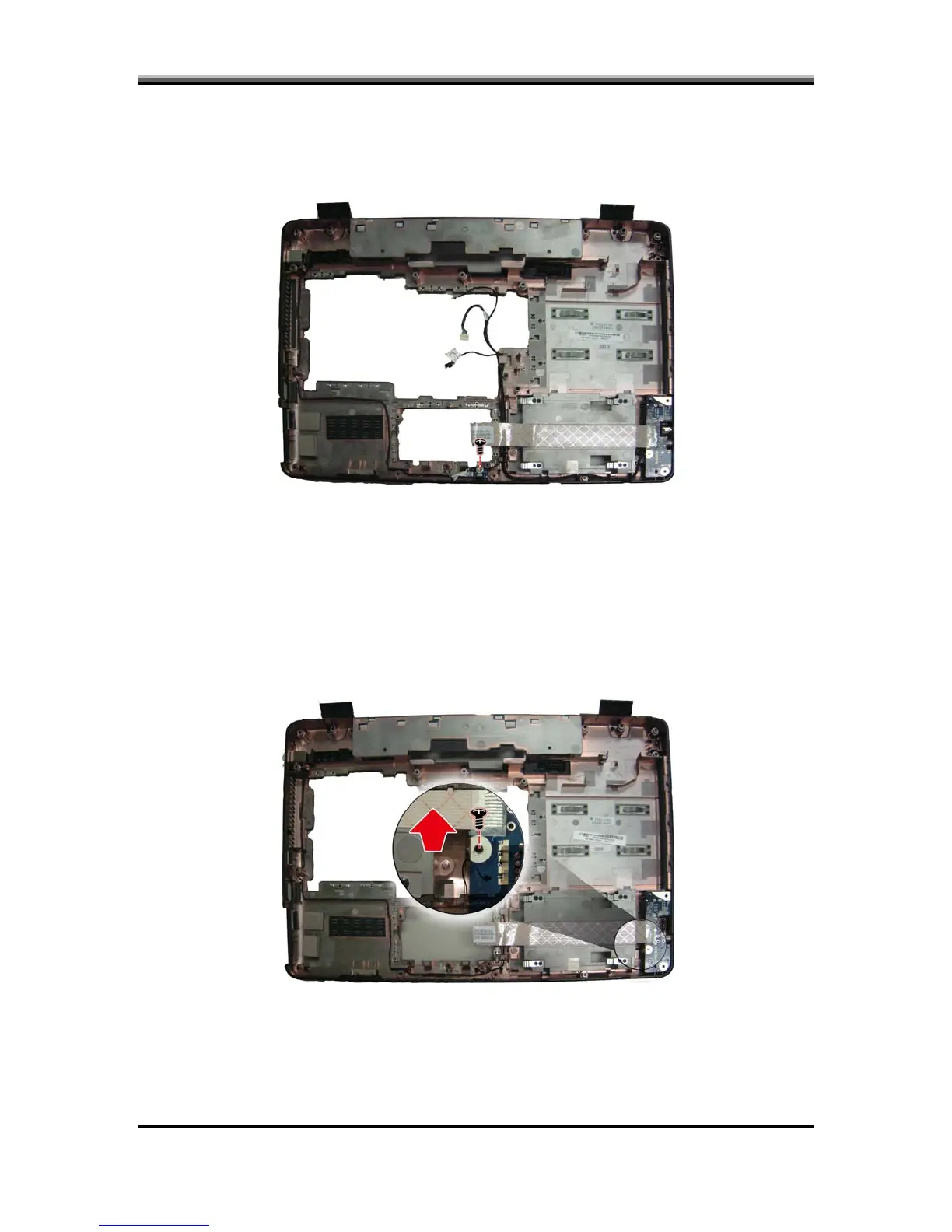
1.20 Removing the CIR
1. Remove one screw from the CIR.
.21 Removing the USB Board
To remove the logic upper, LED board, and motherboard as described in the
preceding sections. Then follow the steps below:
1. Remove the USB board, and then remove one screw, TV card cable and
svideo-in cable.
1
5-33



 To Next Page