JHL90 Service Manual
1.17 Removing the Logic Upper
To remove the logic upper, first remove the battery pack, HDD, memory module,
ODD, keyboard, power board, wireless LAN, system fan, thermal module, CPU,
ons.
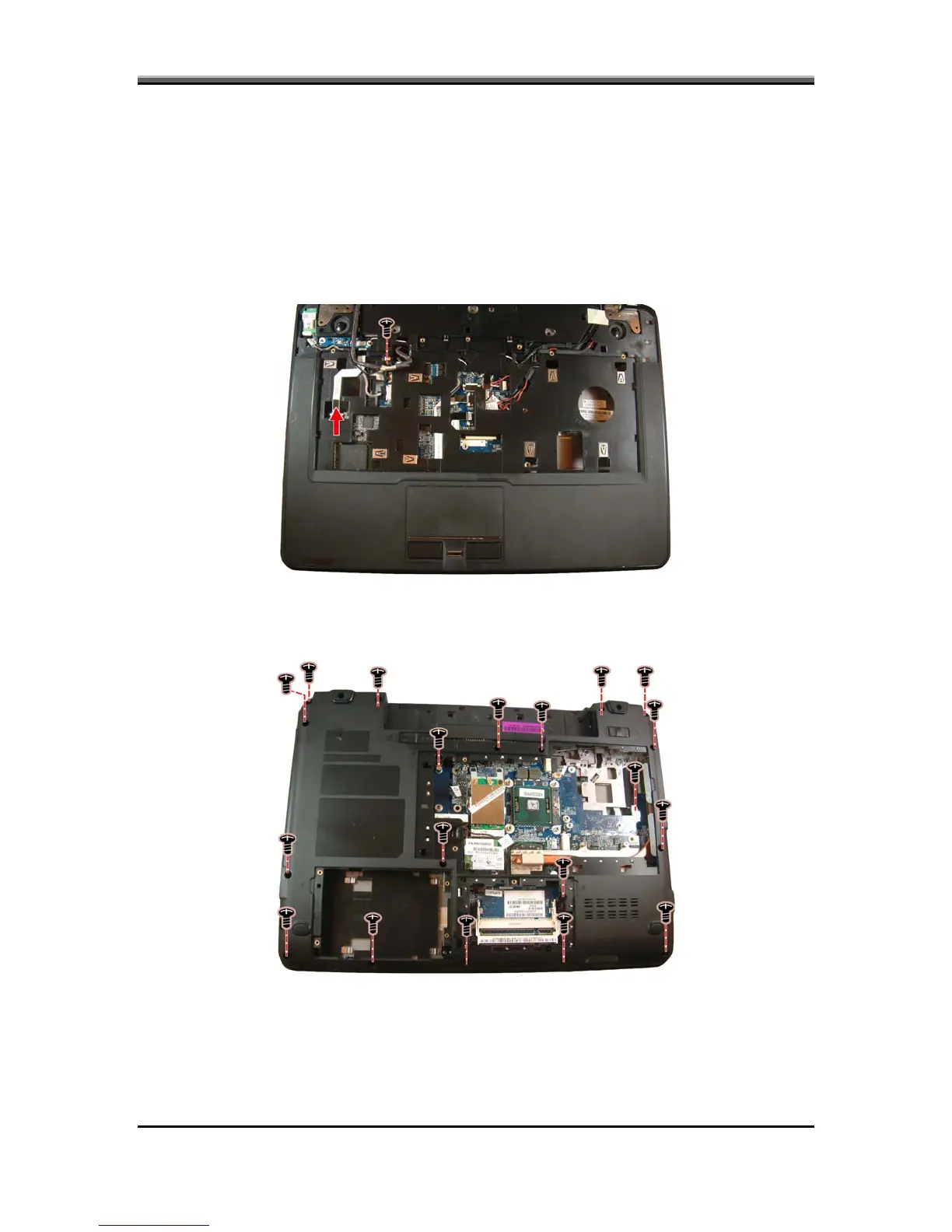
1. Turn the computer over again and disconnect the power USB board FFC,
touchpad, and fingerprinter cables as shown.
Bluetooth module, and LCD module as described in the preceding secti
Follow the steps below to remove the logic upper.
2. Turn the computer upside down and remove 19 screws from the bottom side
of the notebook.
5-28



 To Next Page