JHL90 Service Manual
1.18
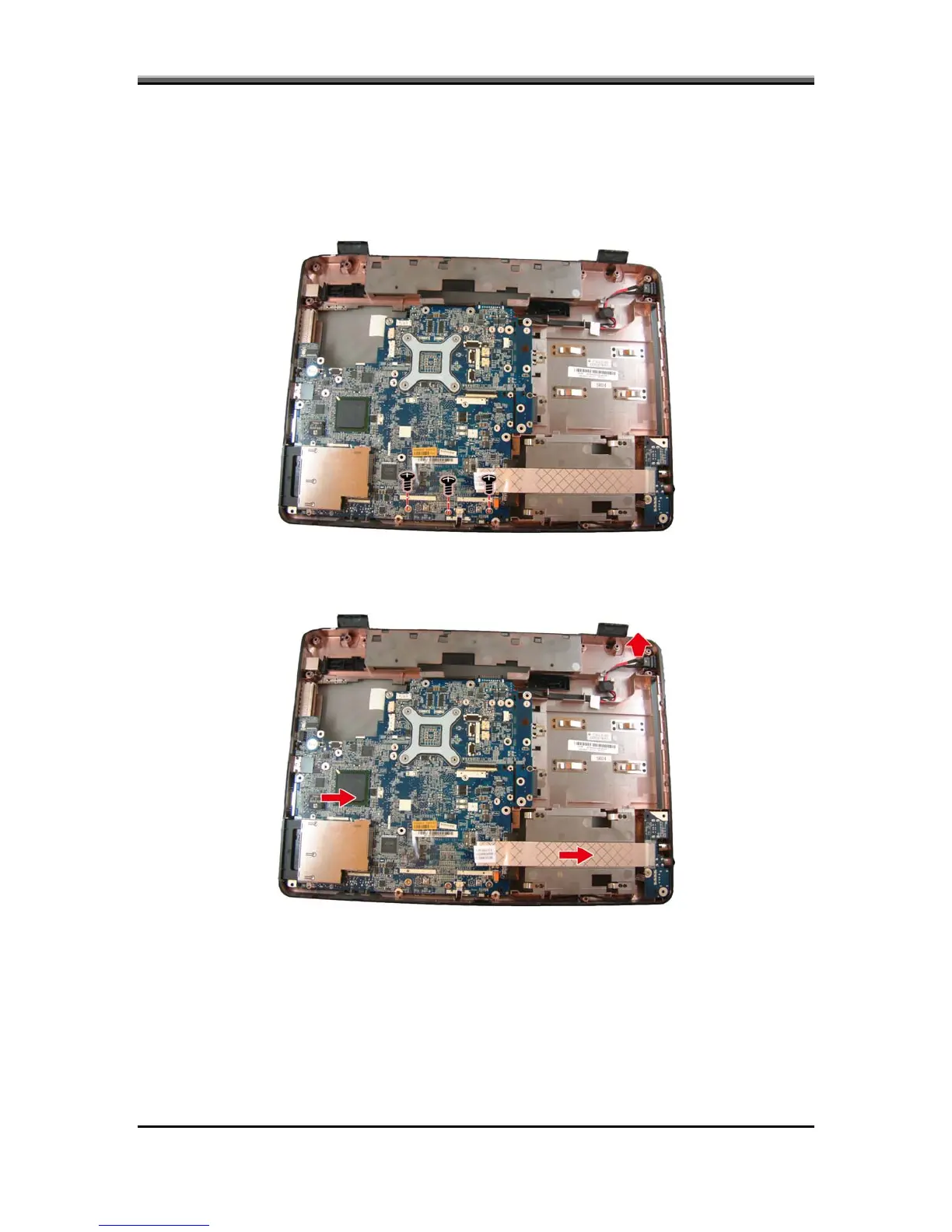
To remove the motherboard, first remove the logic upper, LED board and CIR
board as described in the preceding sections. Then follow the steps below:
1. Remove three screws securing the motherboard to the logic upper.
Removing the Motherboard
2. Disconnect the USB board FFC, and CIR FFC board. Remove the DC-IN
socket from its housing and lift out the motherboard.
5-30



 To Next Page