51
DEEP LEARNING PLUS USER MANUAL
ONVIF
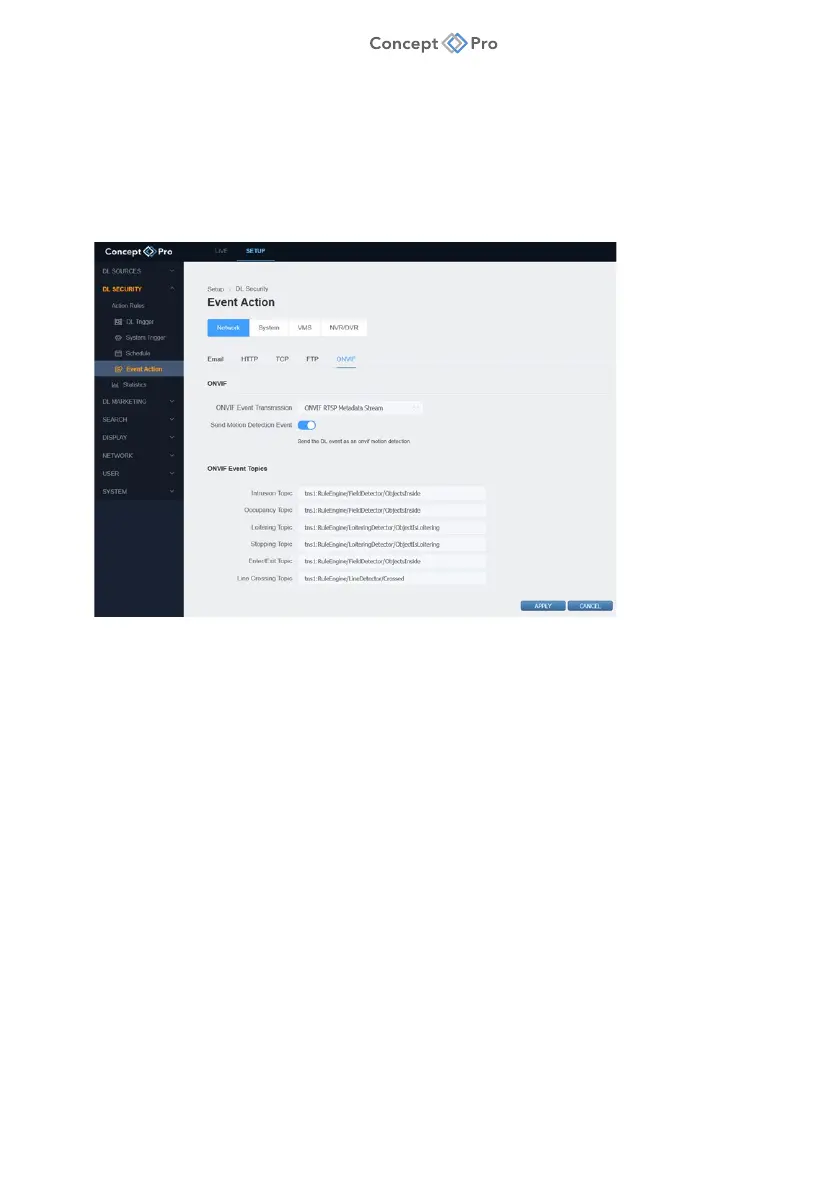
The DL PLUS product can transmit ONVIF events via an RTSP metadata stream.
To configure an ONVIF Event Action, please follow the steps below:
1. From the <SETUP> tab, navigate to <DL SECURITY> - <EVENT ACTION> menu.
2. Select the <NETWORK> - <ONVIF> tab.
3. Review the ONVIF and ONVIF Event Topic information for reference if configuration from
a third-party device/software is required. Select to send motion detection event data as
well if desired.
4. When all parameters are configured, click <APPLY> to save the settings.



 To Next Page