128
FM-3 Programming Module Reference Manual
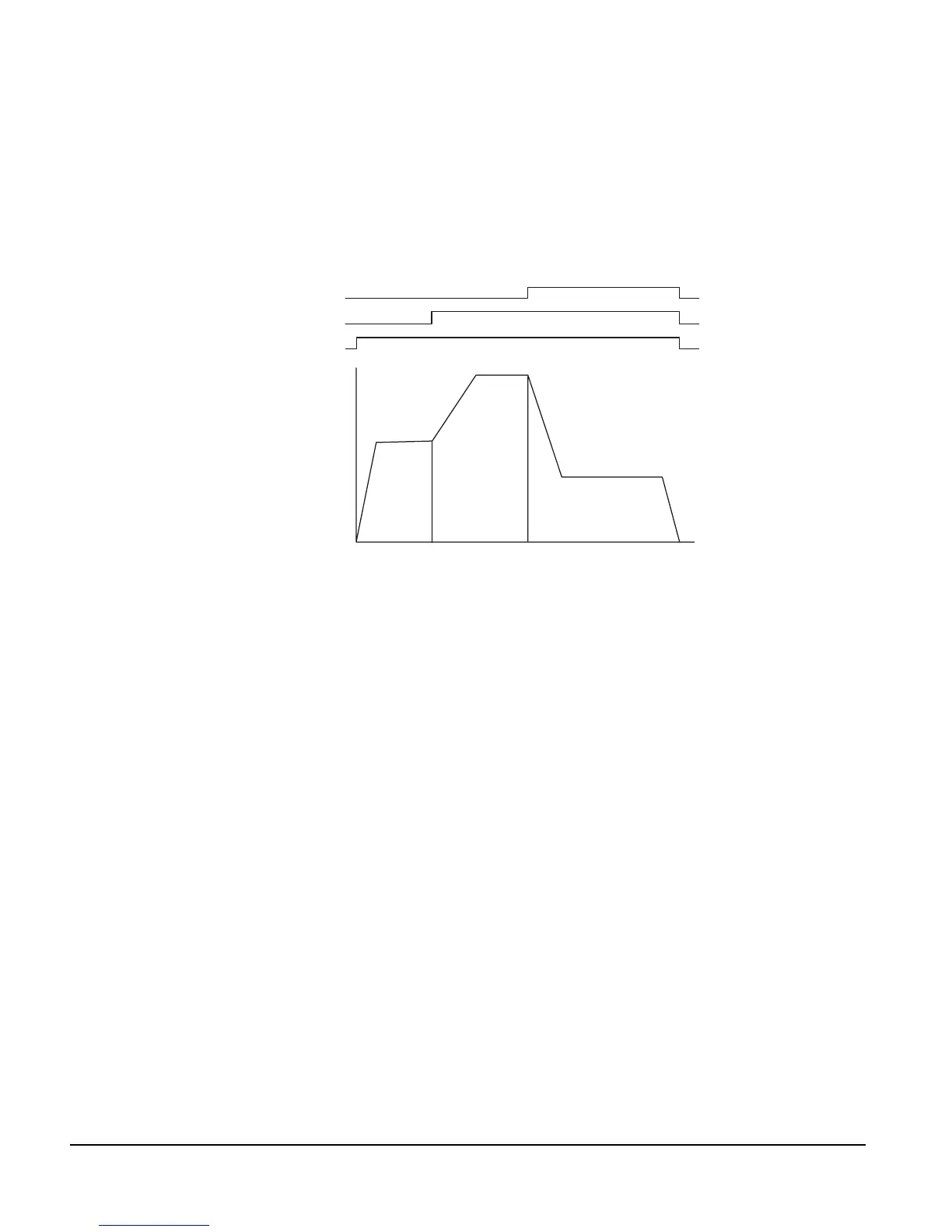
Figure 66: Index Velocity Profile
Index.0.CompoundInitiate ‘Incremental,Dist=5.000in,Vel=50in/s
Index.1.CompoundInitiate ‘Incremental,Dist=20.000in,Vel=75in/s
Index.2.Initiate ‘Incremental,Dist=10.000in,Vel=30in/s
Wait For Index.AnyCommandComplete
Figure 67: Index Velocity Profile with Drive Outputs
Index.0.CompoundInitiate ‘Incremetal,Dist=5.000in,Vel=50in/s
DriveOutput.1=ON ‘Turns ON immediately after Index.0 is started
Index.1.CompoundInitiate ‘Incremental,Dist=20.000in,Vel=75in/s
DriveOutput.2=ON ‘Turns ON immediately after Index.1 is started
Index.2.Initiate ‘Incremental,Dist=10.000in,Vel=30in/s
DriveOutput.3=ON ‘Turns ON immediately after Index.2 is started
Wait For Index.AnyCommandComplete
DriveOutput.1=OFF ‘Turns OFF after Index.2’s command is completed
DriveOutput.2=OFF ‘Turns OFF after Index.2’s command is completed
DriveOutput.3=OFF ‘Turns OFF after Index.2’s command is completed
Home.Initiate
This program instruction is used to initiate the home.
A comment is automatically inserted after the Home.Initiate instruction which shows key data
about the particular home. The comment starts with the apostrophe ‘ character.
A “Wait For Home.AnyCommandComplete” instruction is not required because the home is
actually a program which already has a “Wait For” instruction.
Example:
Home.0.Initiate ‘Sensor,Offset=2.000in,Vel=-10.0in/s
Index 1Index 0 Index 2
Time
Velocity
Complex Velocity Profile
Drive Output 3
ON
OFF
ON
OFF
ON
OFF
Drive Output 2
Drive Output 1



 To Next Page