Scanning Electron Microscope EM-30PLUS Operating Manual
120
7.3 Image Save Function
It can save scanned quality images.
7.3.1 Image Save
If you want to save scanned images temporarily, use the [Image] function.
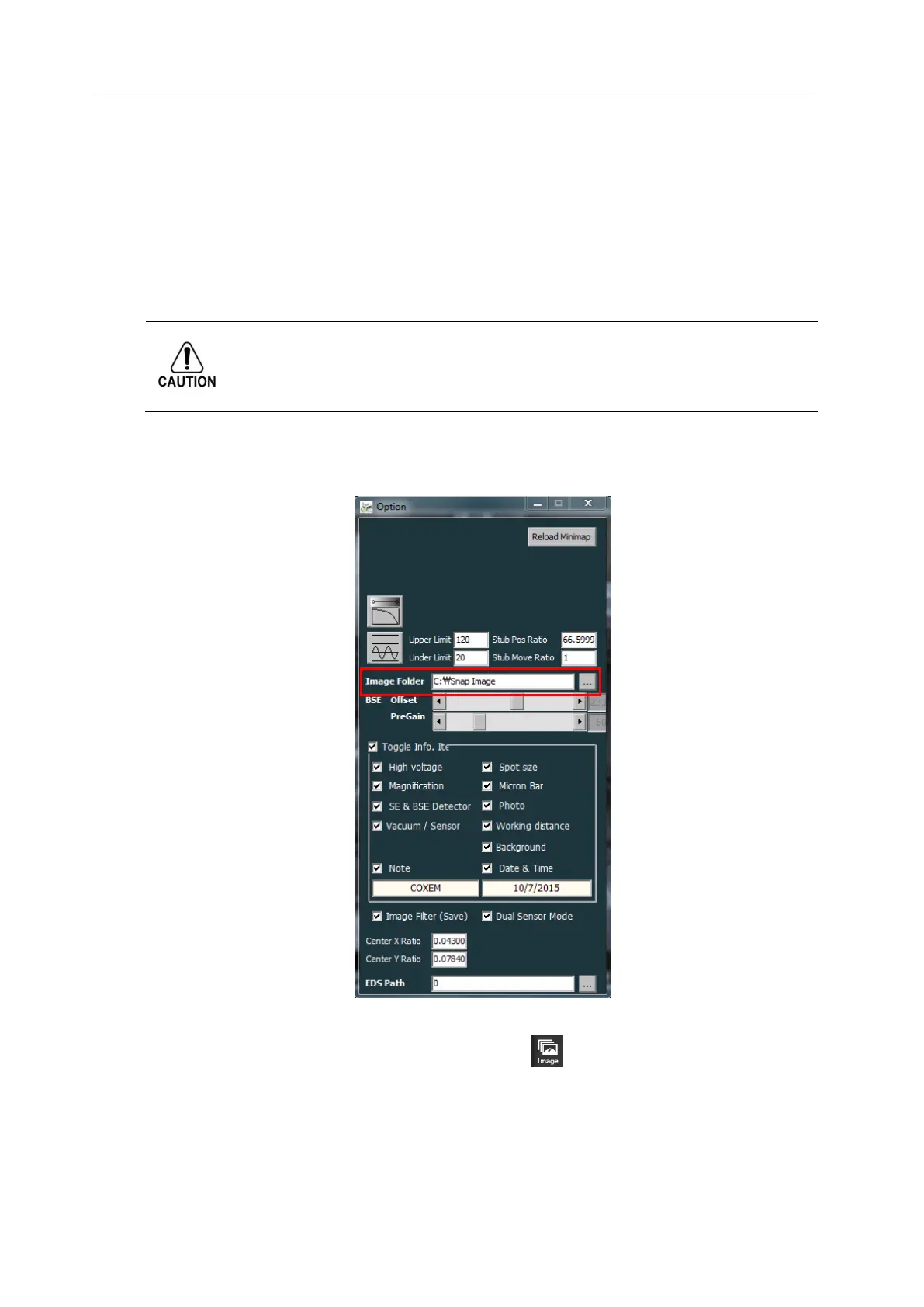
The images temporarily saved using [Image] function are automatically saved in the
path shown through Option box on upper NS.
The file is saved on the date and time of save in the folder specified when saving
images.
1) Click Option Tap at the screen top and specify Image Folder.
- When clicking Image icon, select the path where images are automatically saved.
- Basic path of Image Folder is C:\Snap Image.
2) After scanning clear images, press [Image] button( ).
- Images are automatically saved in Image Folder selected.



 To Next Page