Scanning Electron Microscope EM-30PLUS Operating Manual
99
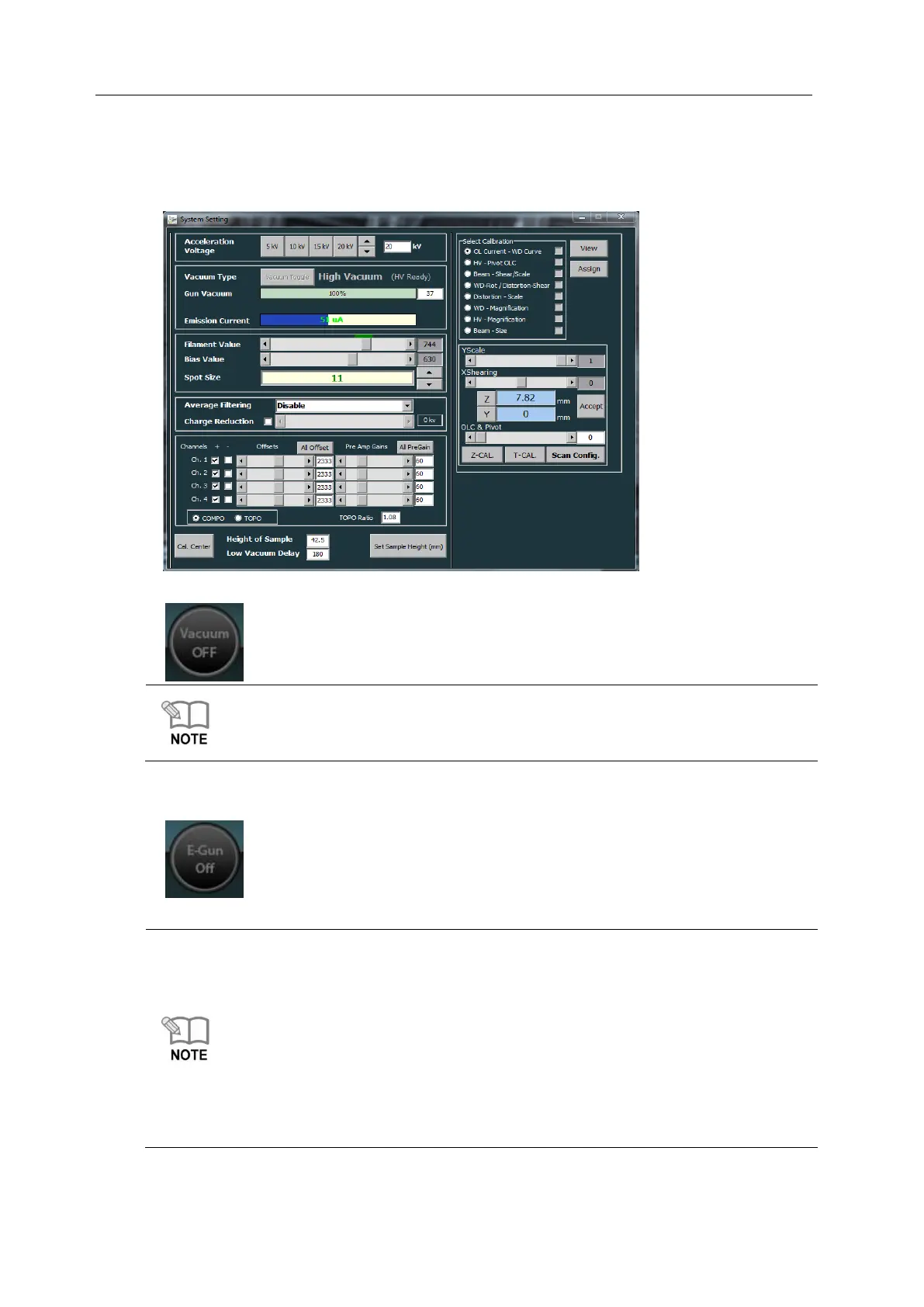
4) Confirm the value of Low Vacuum Delay.
(The default value of Vacuum Delay is 180. Be careful not to manipulate the value
randomly. It can change the vacuum degree of Low Vacuum Mode.)
5) Click [Vacuum OFF] button for Pump.
After Pump, if Gun Vacuum reaches about 95%, the value set in Low Vacuum Delay on
the right screen of Vacuum Type starts Down Counting.
When the delay time set counts down to “0”, you can turn on the e-gun.
6) Click [E-Gun Off] button and observe the image.
* The directions to change to HV Mode again are as same as the directions for LV.
(After Vent, press Vacuum Toggle to change to High Vacuum.)
* In Low Vacuum Mode, the electron beam increases more when the Spot size is bigger,
which can generate big charging phenomenon.
Accordingly, be sure to use LV Mode below the appropriate Spot Size. (recommended
Spot Size: below 12)
* If you terminate the NS or turn off the equipment while using LV Mode and restart it,
LV Mode is not operated normally. Start the processes of LV Mode from the beginning
again if you want to use LV again.



 To Next Page