⚫ System Click Backup to back up the logs into the USB storage device.
⚫ Click Clear to remove all logs.
1.10.2.1 Version
Select Main Menu > SYSTEM > VERSION, you can go to VERSION interface.
⚫ You can view NVR version information. Slightly different may be found on the user interface.
1.10.2.2 HDD Info
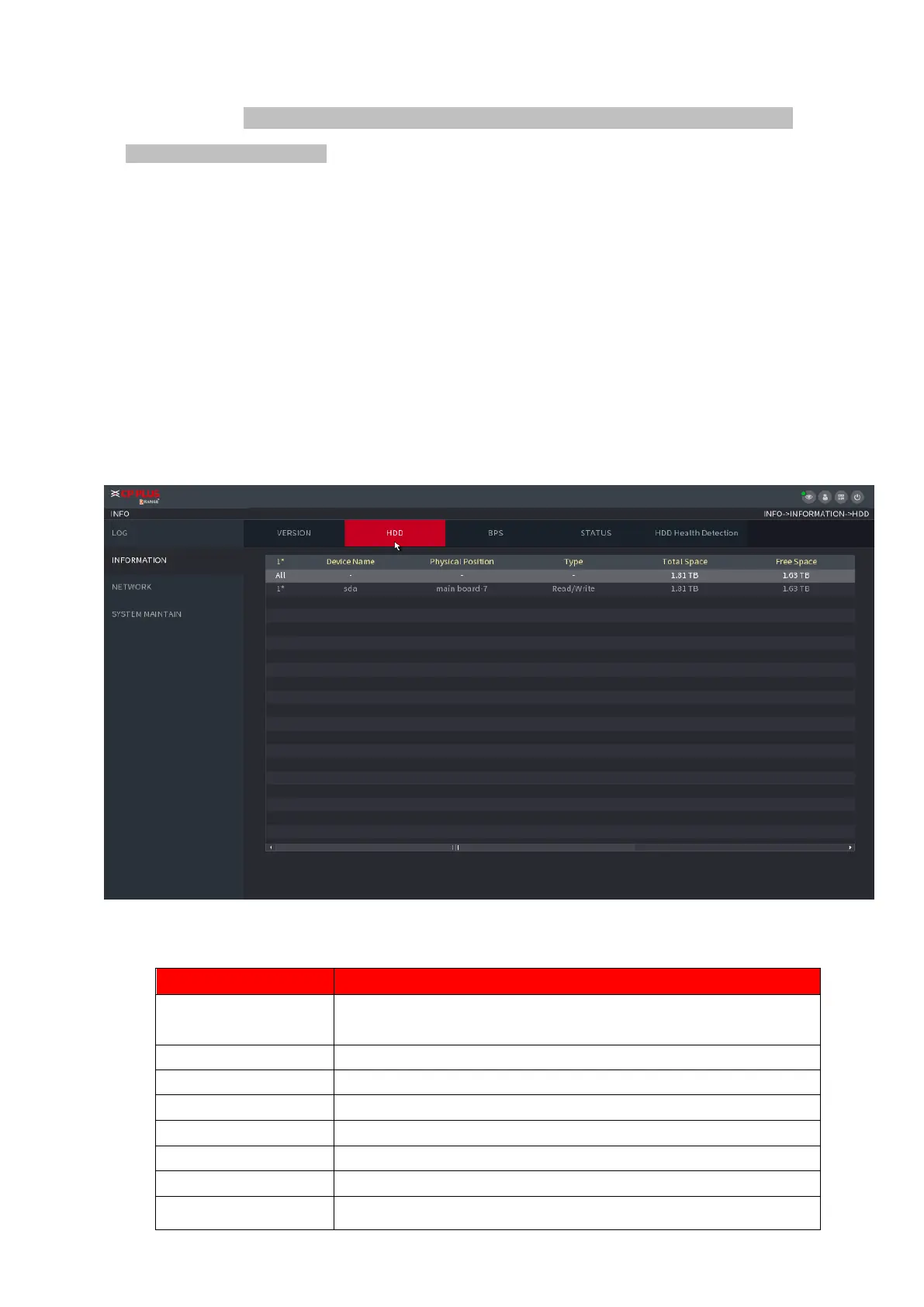
⚫ You can view the HDD quantity, HDD type, total space, free space, status, and S.M.A.R.T information.
Select Main Menu > OPERATION > INFOMATION > HDD, the HDD interface is displayed. See
Figure 1-187. Refer to Table 1-51 for detailed information.
⚫ Figure 1-187
⚫ Table 1-51



 To Next Page