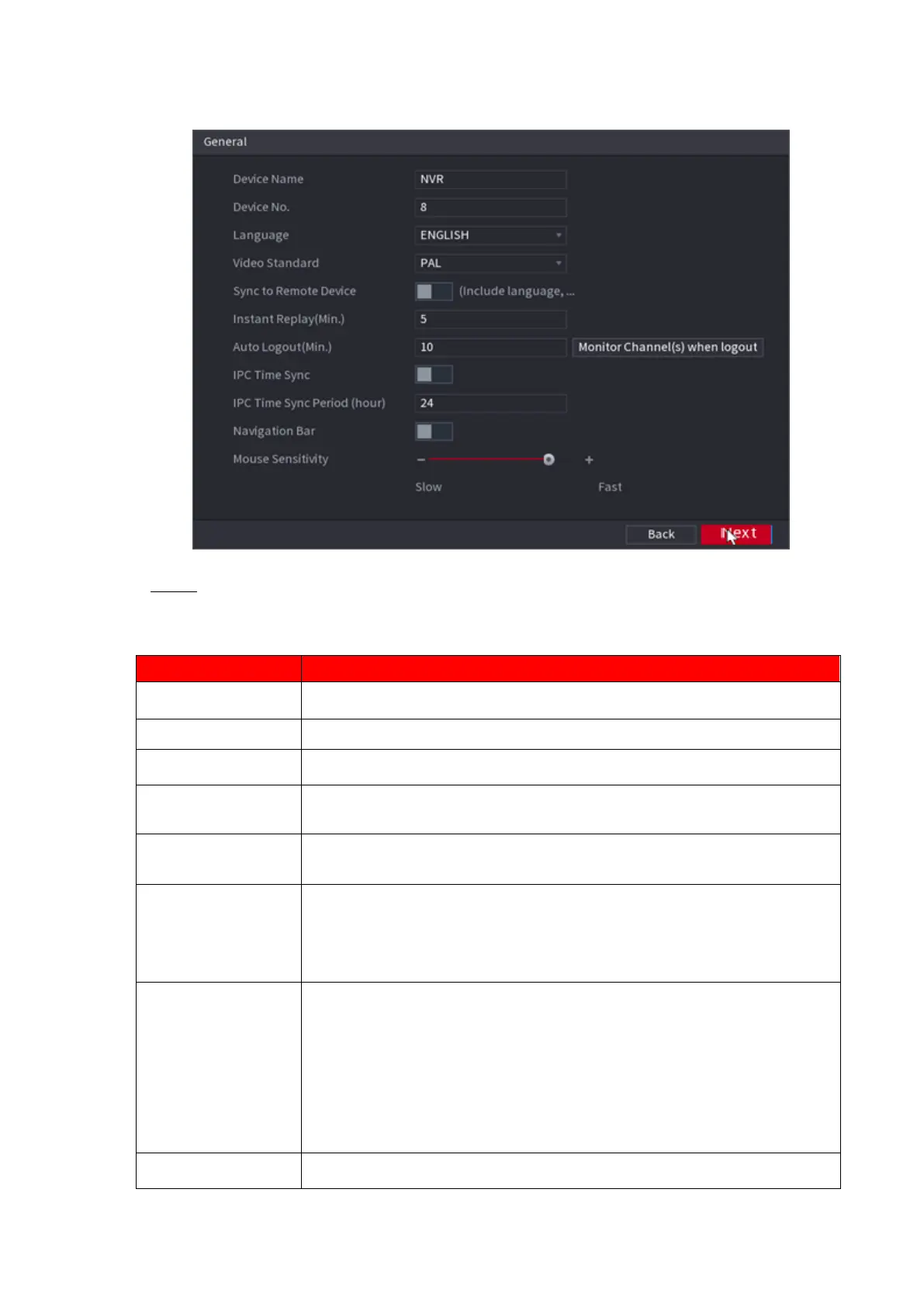
⚫ Figure 1-16
⚫ Step 2 Set parameters. See Table 1-3.
⚫ Table 1-3
In the Device Name box, enter the Device name.
In the Device No. box, enter a number for the Device.
In the Language list, select a language for the Device system.
In the Video Standard list, select PAL or NTSC according to your actual
situation.
Enable this function; the NVR can synchronize information with the
remote device such as Language, video standard, time zone.
In the Instant Play box, enter the time length for playing back the
recorded video. The value ranges from 5 to 60.
On the live view control bar, click the instant playback button to play back
the recorded video within the configured time.
In the Auto Logout box, enter the standby time for the Device. The
Device automatically logs out when it is not working for the configured
time period. You need to login the Device again.
The value ranges from 0 to 60. 0 indicates there is not standby time for
the Device.
Click Monitor Channel(s) when logout. You can select the channels
that you want to continue monitoring when you logged out.
Syncs the Device time with IP camera.



 To Next Page