IPC Time Sync
Period (hour)
In the IPC Time Sync Period box, enter the interval for time sync.
You can set auto logout interval once login user remains inactive for a
specified time. Value ranges from 0 to 60 minutes.
Enable the navigation bar. When you click on the live view screen, the
navigation bar is displayed.
Adjust the speed of double-click by moving the slider.
The bigger the value is, the faster the speed is.
⚫ Step 3 Click Next button to save settings.
1.1.4.1.2 Date and Time
⚫ You can set device time. You can enable NTP (Network Time Protocol) function so that the device can
sync time with the NTP server.
You can also configure date and time settings by selecting Main Menu > SYSTEM >
GENERAL > Date &Time.
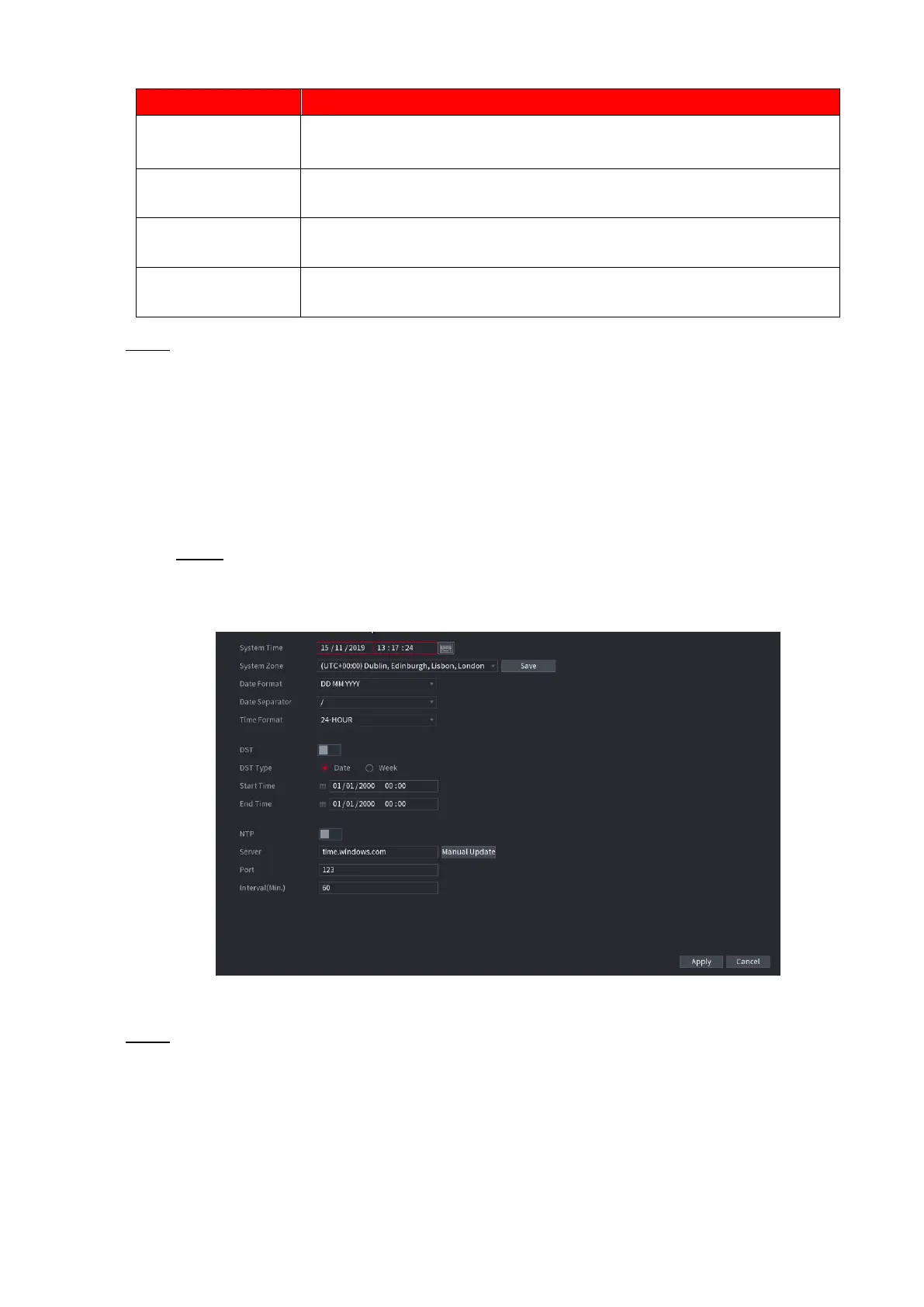
Step 1 Click Date & Tim tab. See Figure 1-17.
⚫ Figure 1-17
⚫ Step 2 Configure the settings for date and time parameters. See Table 1-4.



 To Next Page