⚫ For details, see Introduction of INSTAON CLOUD Operations.
Connect the NVR device to the Internet, otherwise INSTAON CLOUD cannot
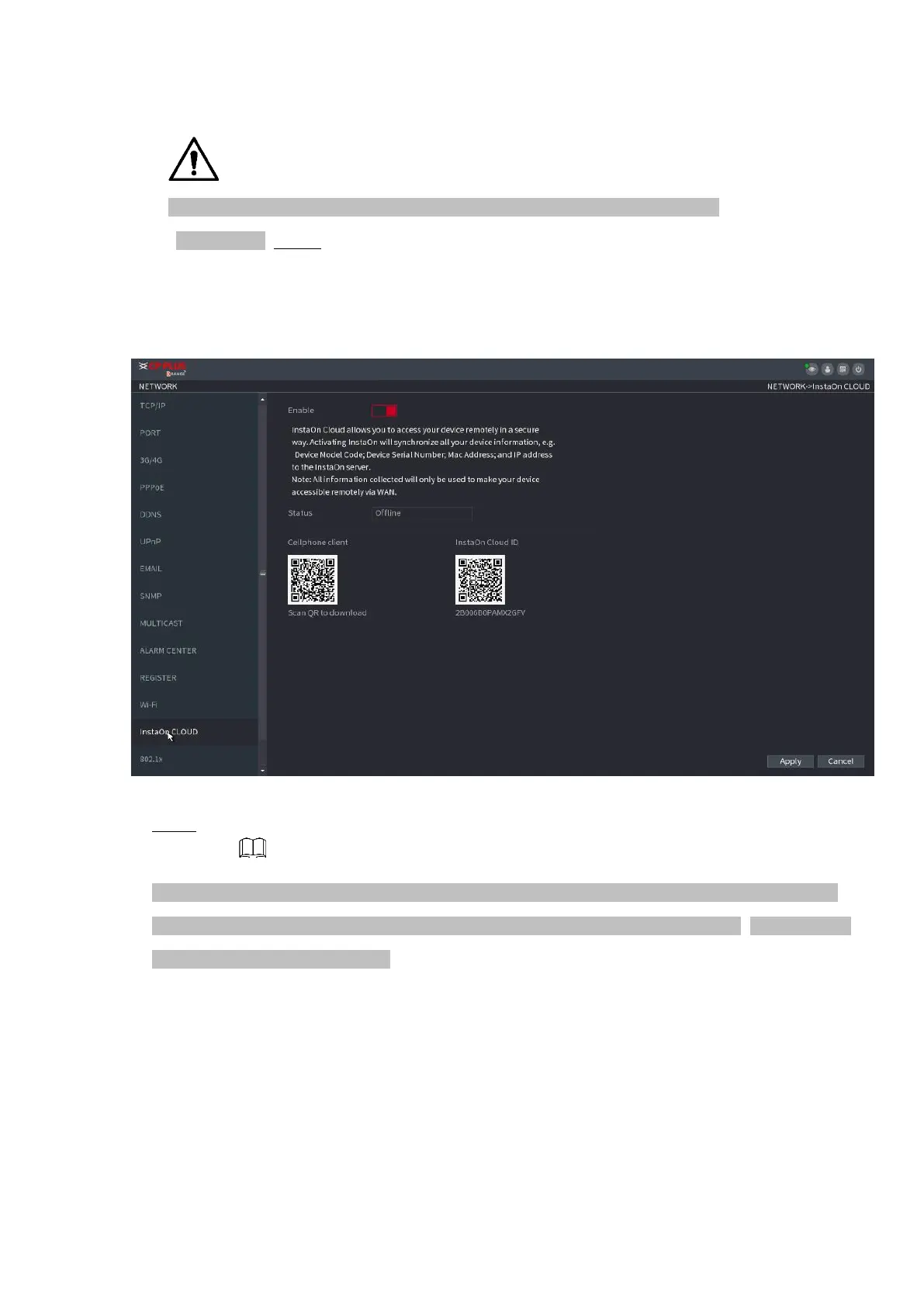
run properly. Step 1 Select Main Menu > NETWORK > INSTAON CLOUD.
⚫ The INSTAON CLOUD interface is displayed. See Figure 1-213.
⚫ Figure 1-213
⚫ Step 2 Enable the INSTAON CLOUD function.
⚫ After the INSTAON CLOUD function is enabled and connected to the Internet, the system will collects
your information for remote access, and the information includes but not limited to email address, MAC
address, and device serial number.
⚫ You can start adding the device.
⚫ Cell Phone Client: Use your mobile phone to scan the QR code to add the device into the Cell Phone Client,
and then you can start accessing the Device.
⚫ Platform: Obtain the Device SN by scanning the QR code. Go to the INSTAON CLOUD management
platform and add the Device SN into the platform. Then you can



 To Next Page