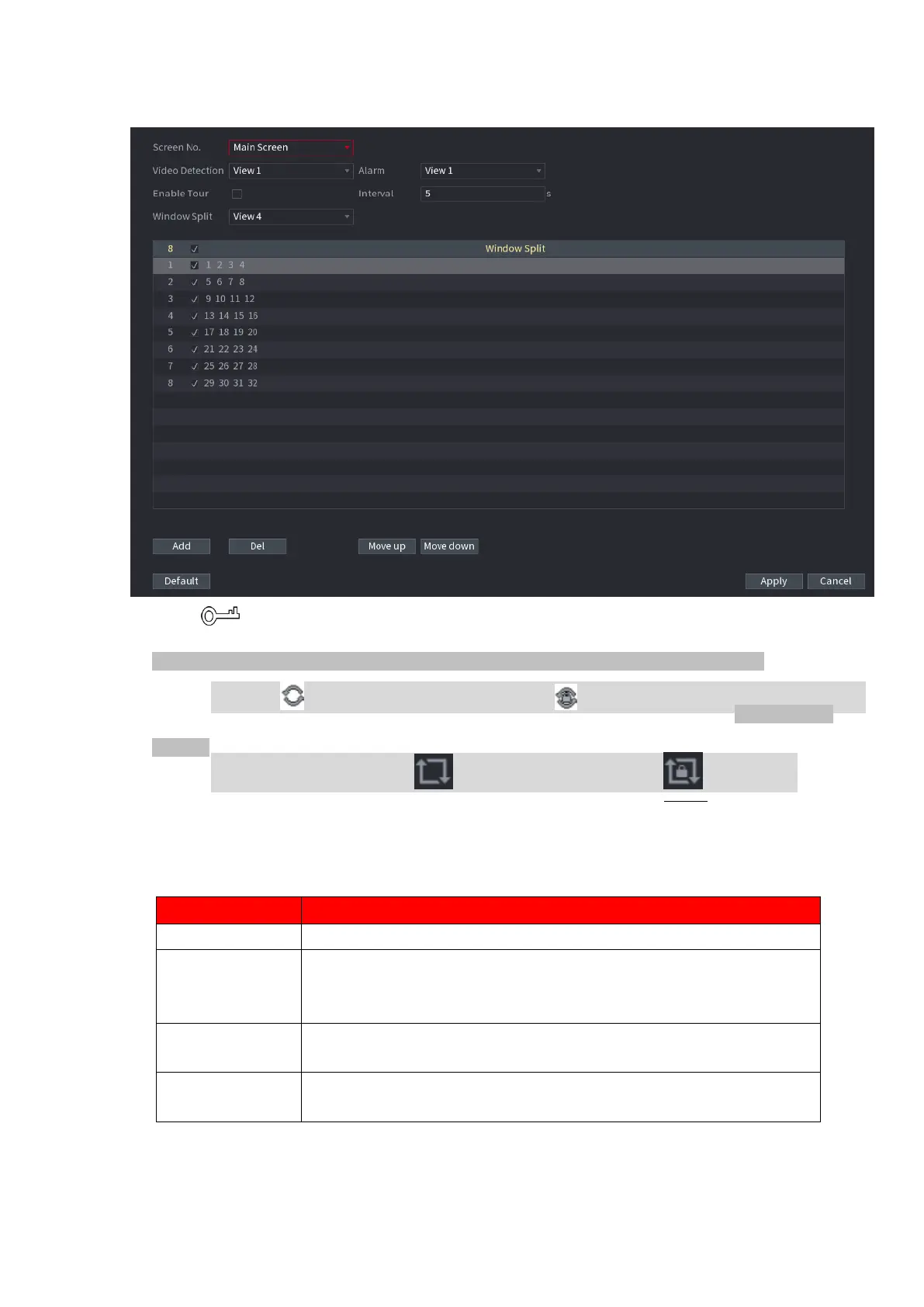
⚫ Figure 1-248
⚫ On the top right of the live view screen, use the left mouse button or press Shift to switch
⚫ between (image switching is allowed) and (image switching is not allowed) to turn on/off the tour
function.
⚫ On the navigation bar, click to enable the tour and click to disable it. Step 2 Configure the settings
for the tour parameters. See Table 1-71.
⚫ Table 1-71
Enter the amount of time that you want each channel group displays
on the screen. The value ranges from 5 seconds to 120 seconds, and
the default value is 5 seconds.
Select the View 1 or View 8 for Motion Detect tour and Alarm Tour
(system alarm events).
In the Window Split list, select View 1, View 4, View 8, or other
modes that are supported by the Device.



 To Next Page