⚫ You can repeat adding more presets.
⚫ Click Del Preset to delete the preset for this tour. This operation can be repeated to delete more
presets. Some protocols do not support deleting.
1.4.3.3 Configuring Patterns
⚫ Step 1 On the Expanded PTZ Control Panel, click .
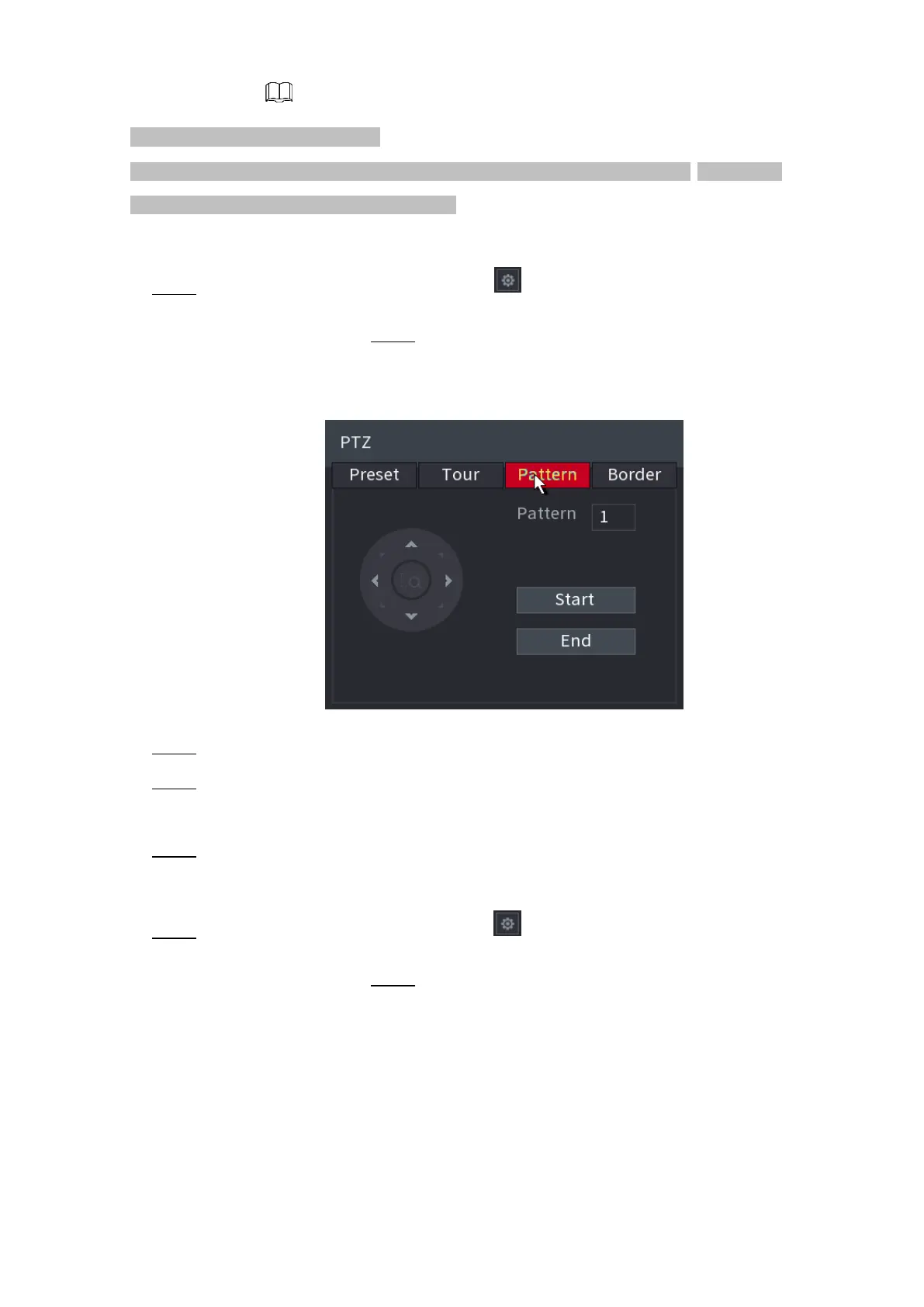
⚫ The PTZ interface is displayed. Step 2 Click the Pattern tab.
⚫ The Pattern interface is displayed. See Figure 1-88.
⚫ Figure 1-88
⚫ Step 3 In the Pattern box, enter the value for pattern.
⚫ Step 4 Click Start to perform the directions operations. You can also go to the PTZ Control Panel to
perform the operations of adjusting zoom, focus, iris, and directions.
⚫ Step 5 On the PTZ interface, click End to complete the settings.
1.4.3.4 Configuring Auto Scan
⚫ Step 1 On the Expanded PTZ Control Panel, click .
⚫ The PTZ interface is displayed. Step 2 Click the Border tab.
⚫ The Border interface is displayed. See Figure 1-89.
⚫
⚫
⚫
⚫
⚫
⚫



 To Next Page