Supplemental Guide — Doc. 8327D TSS-7/TSS-10 • 19
Settings
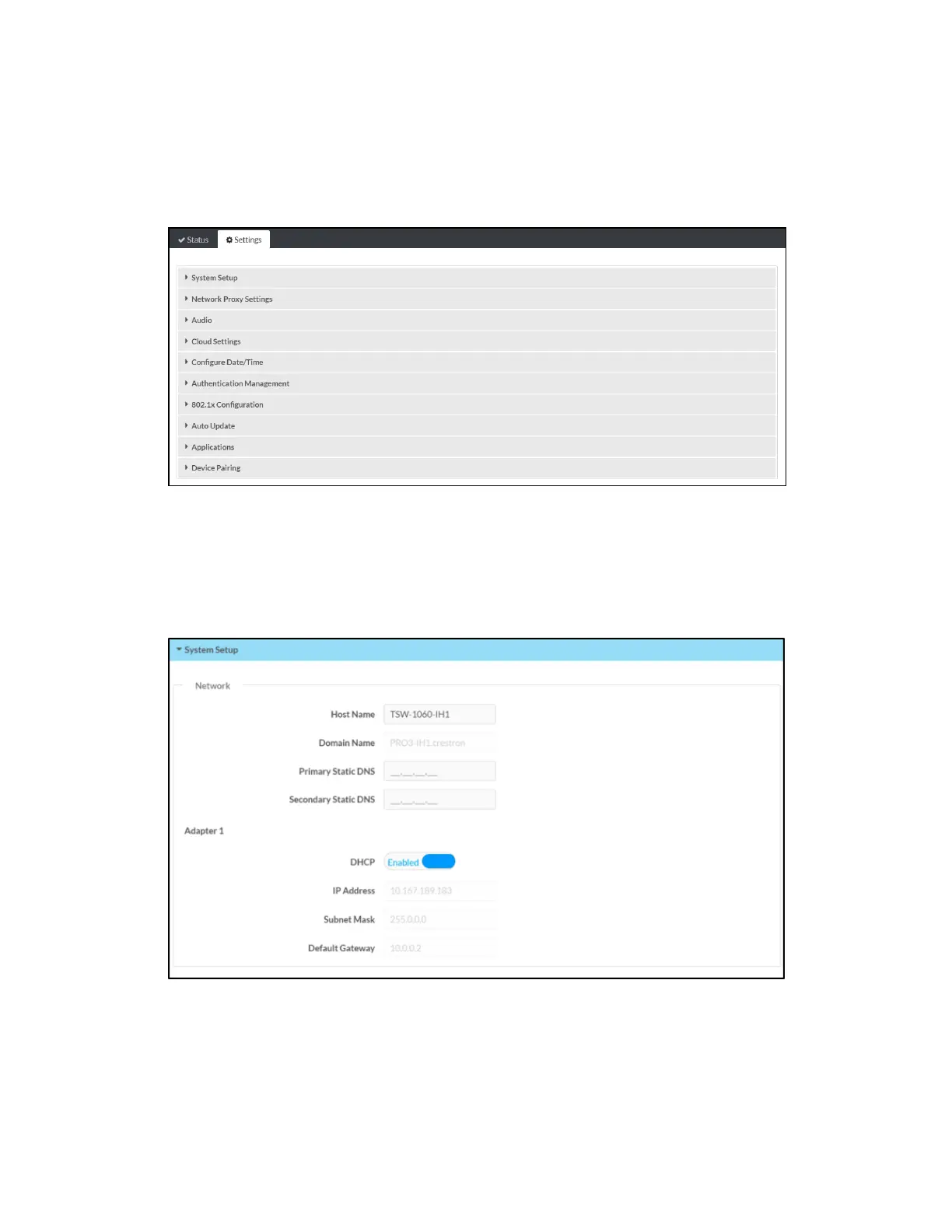
Click the Settings tab on the top left of the configuration interface to display selections for
configuring various touch screen settings and to select a touch screen application.
Settings Selections
Each selection is described in the sections that follow.
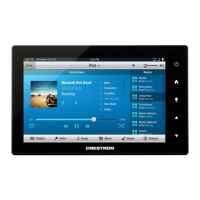
System Setup
Click System Settings to configure general network and touch screen settings.
Settings Tab - System Setup
(Continued on following page)


 To Next Page