Supplemental Guide — Doc. 8327D TSS-7/TSS-10 • 55
New Wave Apps
To set up the New Wave Apps scheduling application on the touch screen:
NOTE: A New Wave Apps account is required to use this application. For more
information, visit http://www.newwaveapps.com/en/.
1. Access the touch screen web configuration interface. For more information, refer to
Web Configuration (on page12).
2. Navigate to Settings > Applications.
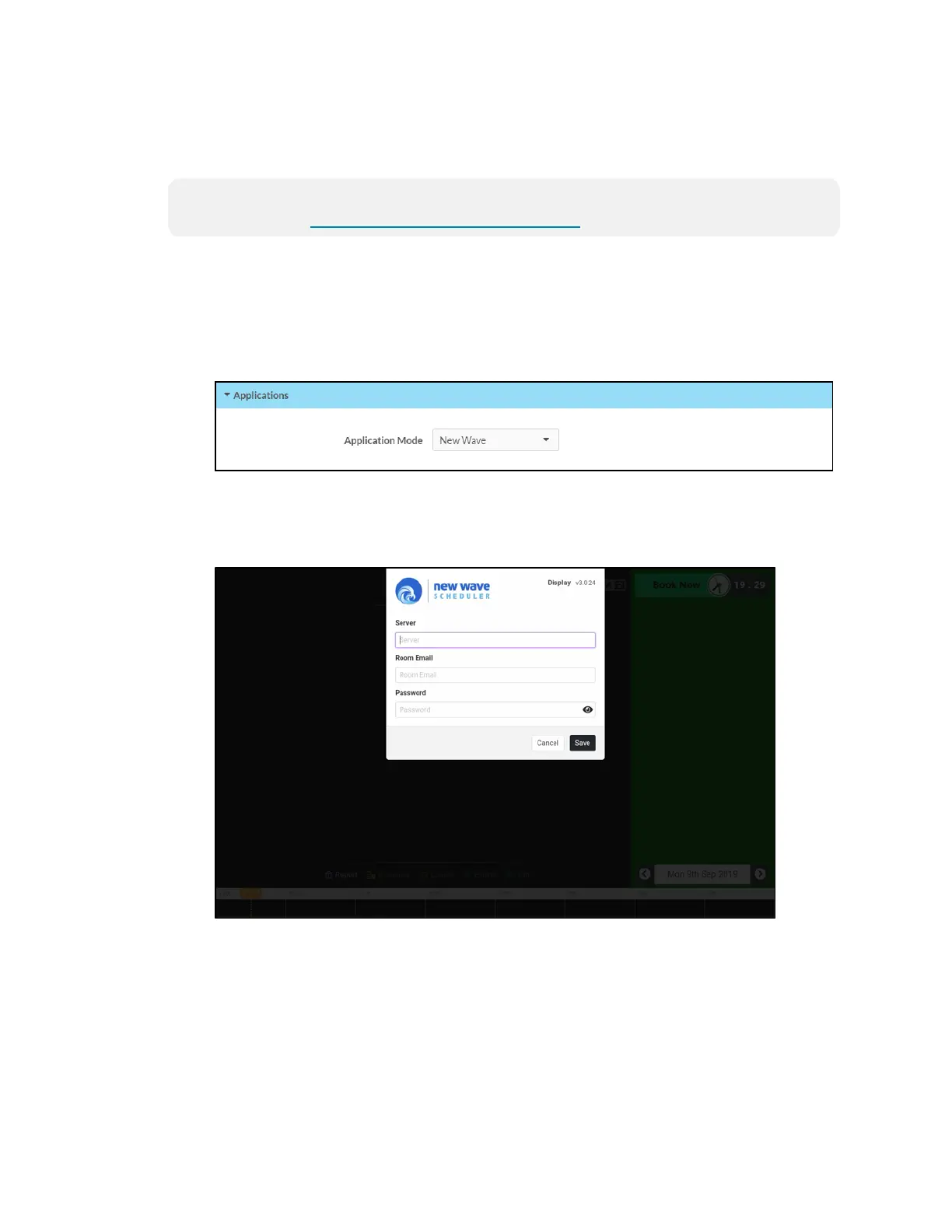
3. Select New Wave from the Application Mode drop-down menu.
Settings Tab - Applications(New Wave)
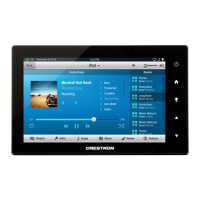
4. Reboot the touch screen. The New Wave Apps user interface is displayed on the
touch screen following the reboot.
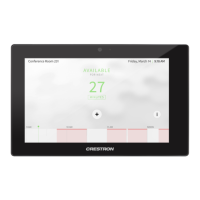
New Wave Scheduler Display


 To Next Page