80 • TSS-7/TSS-10 Supplemental Guide — Doc. 8327D
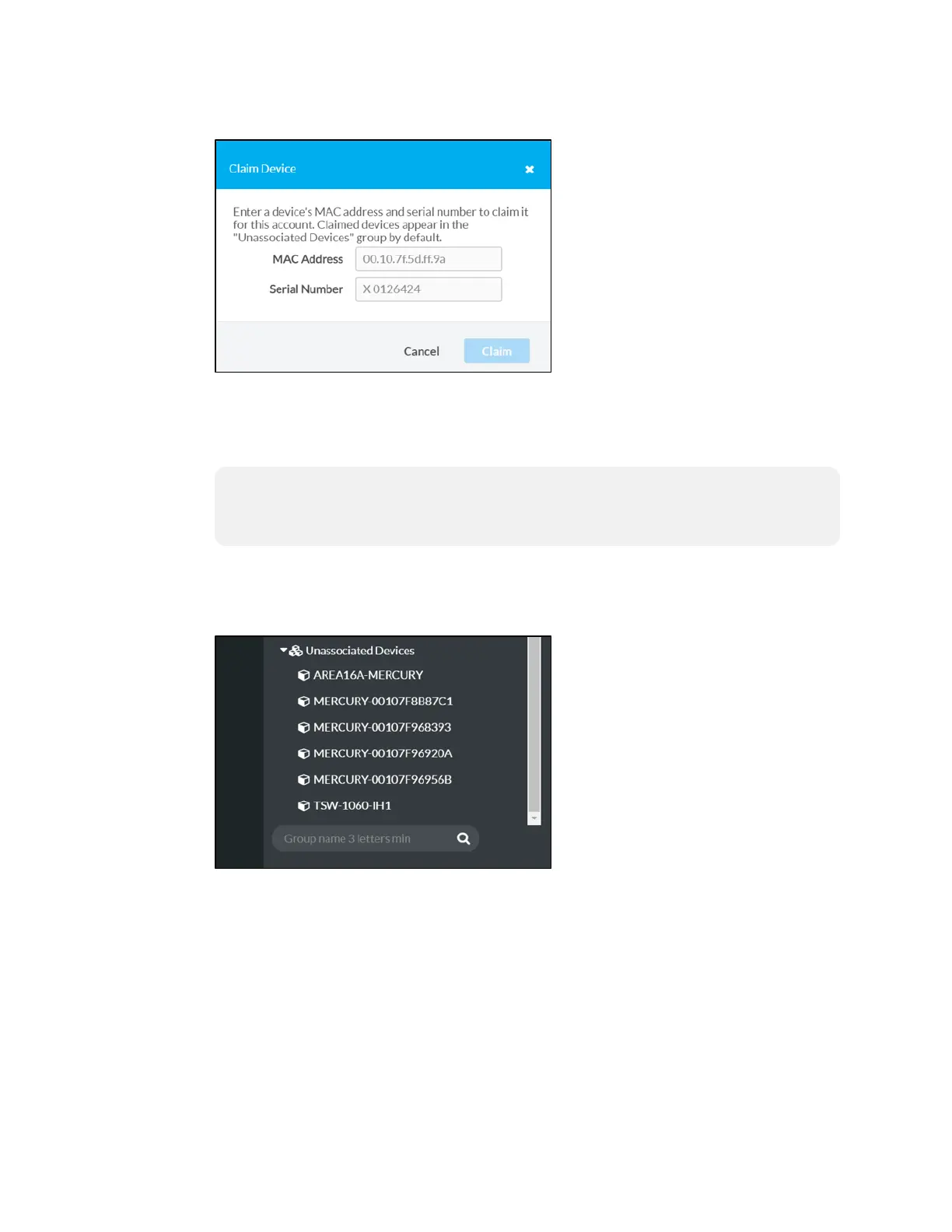
Claim Device Dialog Box
4. Enter the MAC address and serial number recorded in step 1 in the MAC Address and
Serial Number fields, respectively.
5. Click Claim. A success message is displayed if the claim is successful.
NOTE: If an error message is displayed stating that the device does not exist,
connect the device to a network that has access to the Internet, wait 15 minutes,
and then try again.
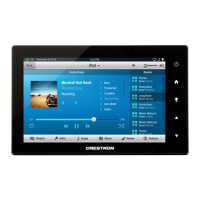
6. Click X to close the dialog box. The hostname of the claimed device is displayed in the
device tree under the group Unassociated Devices.
Unassociated Devices
The device may now be managed and assigned to a group.
Claim Multiple Devices
To claim multiple devices:
1. Record the MAC address and serial number of each device as a comma delimited
CSV file. The MAC address and serial number are labeled on the shipping box or on a
sticker attached to the device.


 To Next Page