58 • TSS-7/TSS-10 Supplemental Guide — Doc. 8327D
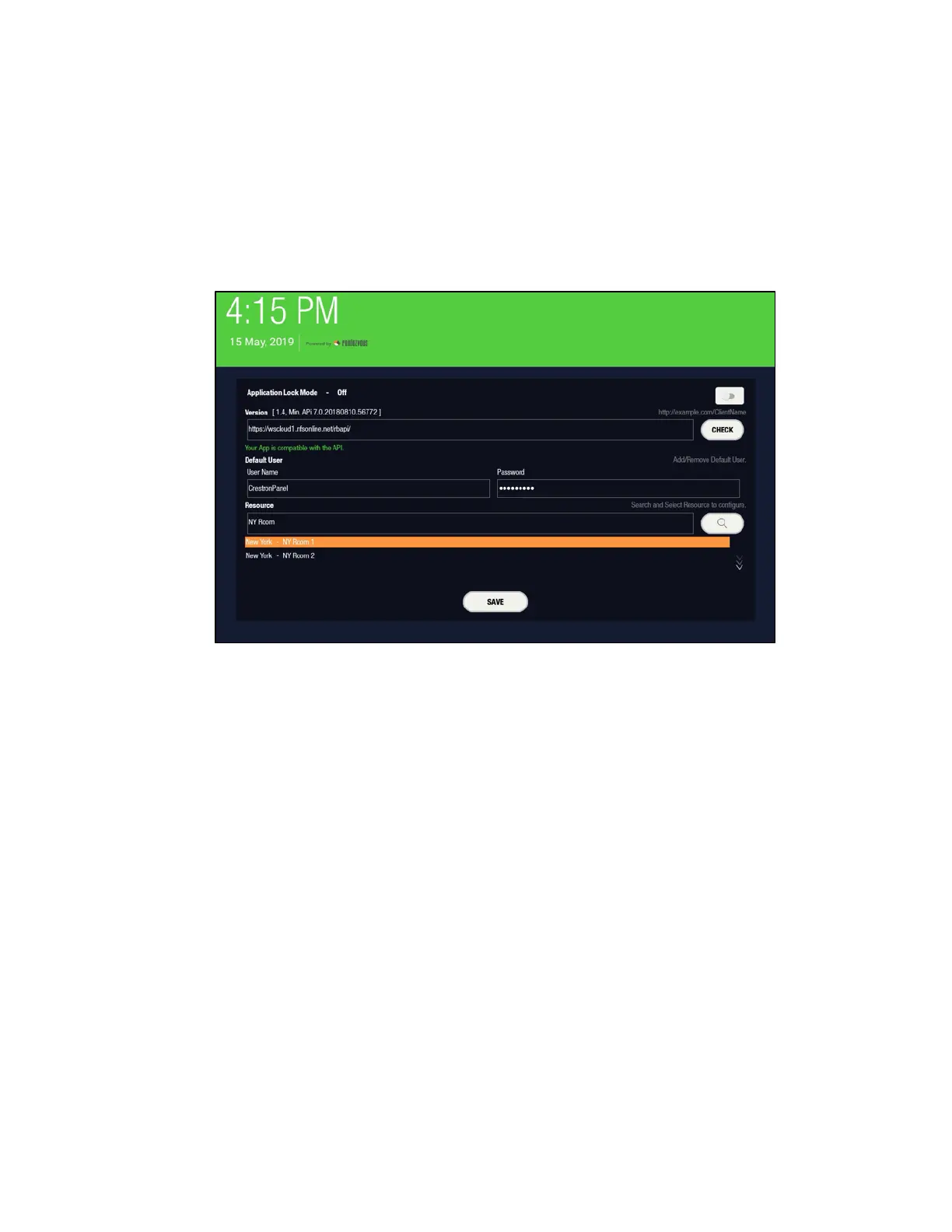
8. Enter the following information in the appropriate fields:
l User Name: Enter the account username.
l Password: Enter the account password.
l Resource: Enter at least the first three letters of the resource (room), and
then tap the search button (magnifying glass icon) to select a resource from
the options that are returned.
Rendezvous User Interface - APIFields
9. Tap SAVE.


 To Next Page