15
KEYPAD LCD Type Description
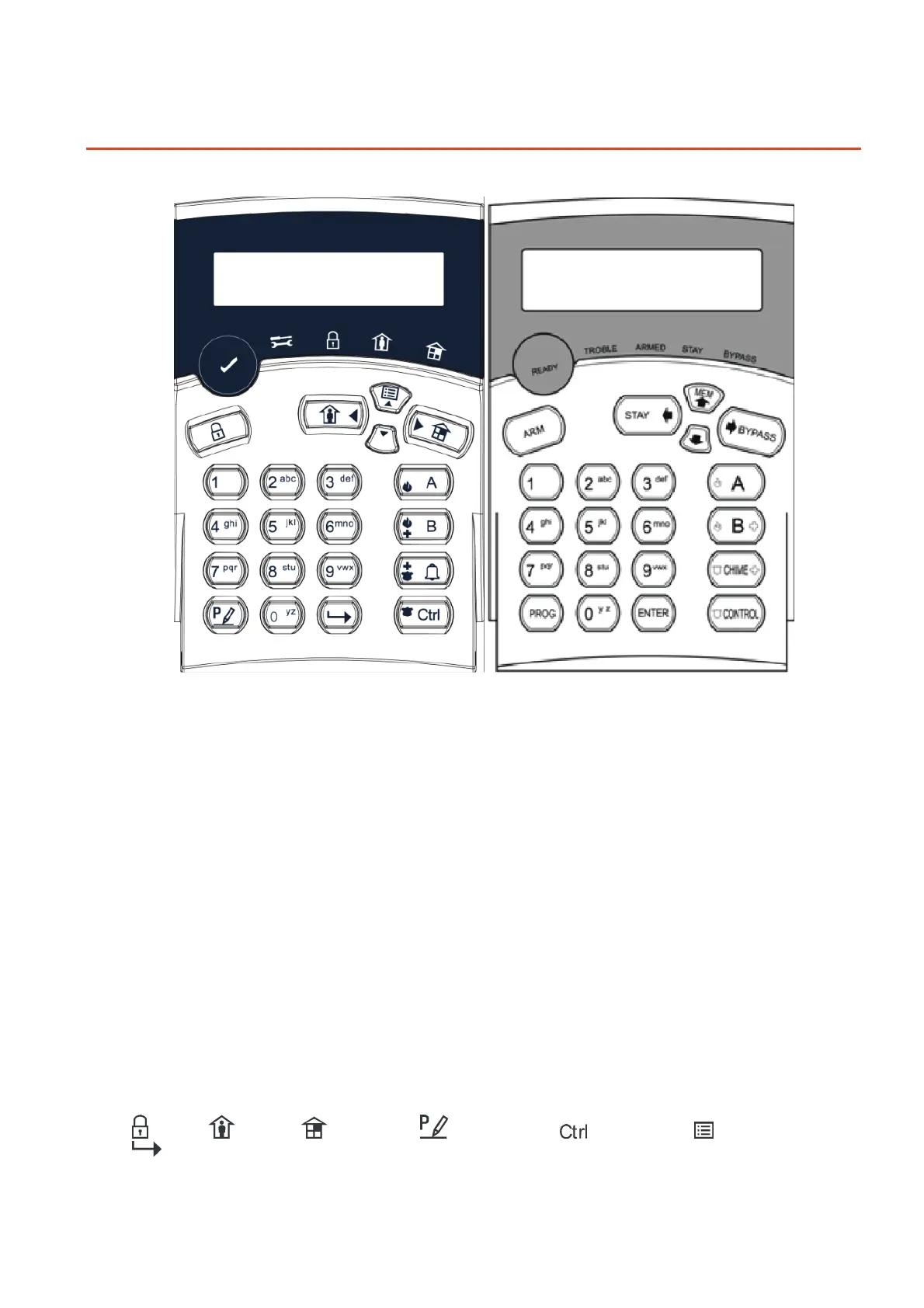
There are two types of LCD Keypads available for the Crow Runner system. The LCD Keypad on
the right has the Function Button Descriptions written in English (Textual), while the one on the
left has Symbols to Describe their Functions. These LCD Keypads can also be Customized by
changing the English Description for Zone Names, Area Names, User Names, Output Names, etc.
The Backlight on the Buttons & the LCD Display as well as the Keypad Buzzer Tone can also be
adjusted.
Function Keys (Textual LCD Keypad)
These keys are used to arm the system, enter commands to alter system settings, or scroll
through the history events.
<ARM>, <STAY>, <BYPASS>, <PROGRAM>, <CONTROL>, <MEMORY>, <CHIME>
- PANIC can be Activated by Pressing the <CONTROL> & <CHIME> Buttons Together.
- MEDICAL Alarm can be Activated by Pressing the <CHIME> & <B> Buttons Together.
- FIRE Alarm can be Activated by Pressing the <A> & <B> Buttons Together.
Function Keys (Symbol LCD Keypad)
These keys are used to arm the system, enter commands to alter system settings, or scroll
through the history events.
=ARM, =STAY, =BYPASS, =PROGRAM, =CONTROL, =MEMORY,
=ENTER.



 To Next Page