34
Changing the Keypad Area Name
When you enter [PROG] /
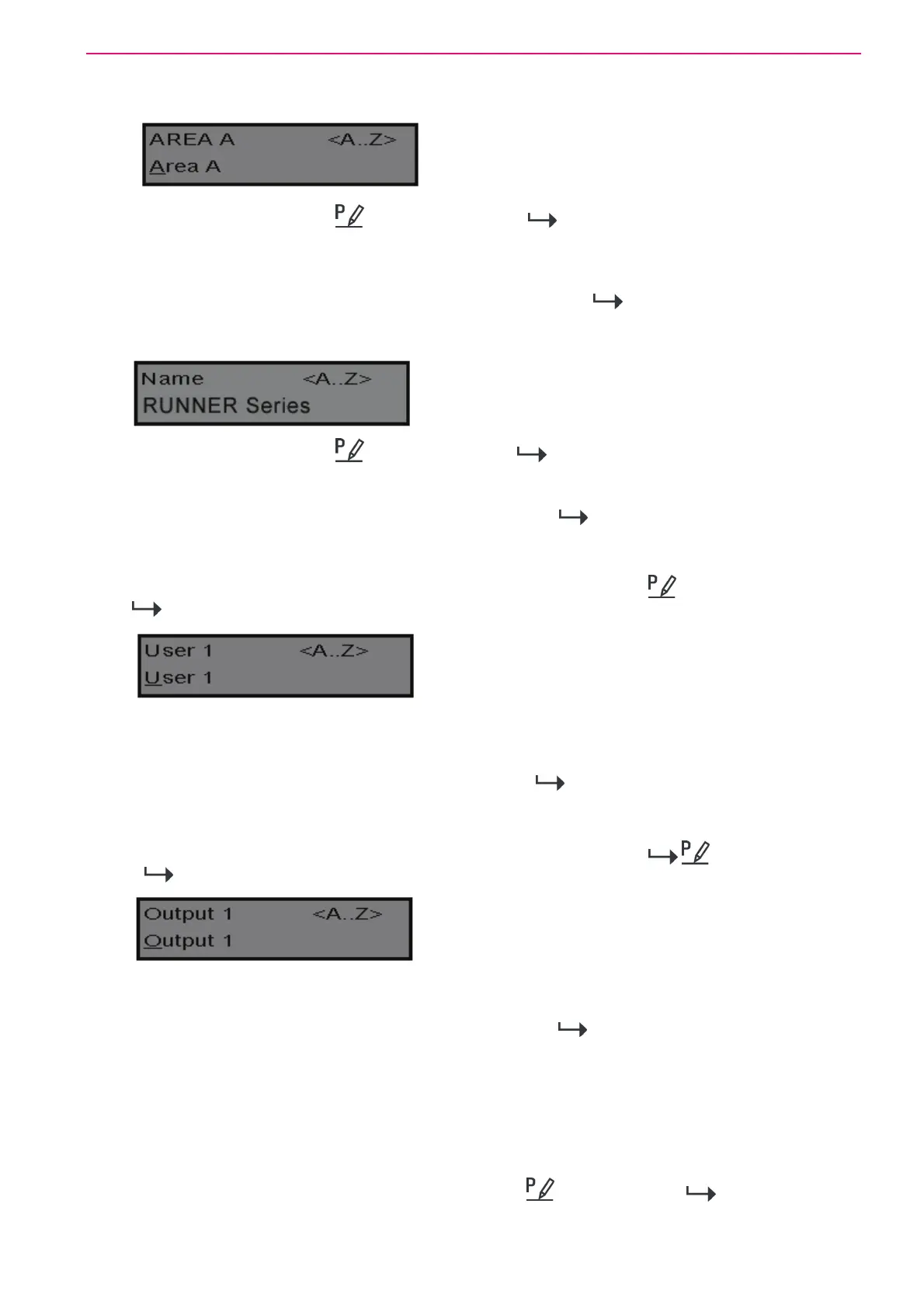
-[2001]-[ENTER] / the display looks like the example
above. You may edit the Area Name at this location. The area name can be up to 16 characters
long. If you program in a name for the area, this name is shown when displaying events in
memory display mode.
After you have completed the changes, press the <ENTER>/
button to save them.
Changing the Keypad Name
When you enter [PROG] /
-[999]-[ENTER] / the display looks like the example above.
You may enter any name you wish up to 16 characters in length (using the same method as
described for zone names). This name is displayed at the keypad in idle mode.
When you are happy with the changes press <ENTER>/
to save.
Changing the User Names
When in “Local Edit Program Mode” and you have entered [PROG] / -[1001]-[ENTER] /
, the display should look like this.
You can now enter in the person's name (maximum of 16 characters). When viewing events in
“Memory” mode, the User name is displayed to identify the user that Armed/Disarmed the
system.
When you have completed changes press <ENTER>/
to save.
Changing the Output Names
When in “Local Edit Program Mode” and you have entered [PROG] / -[3001]-[ENTER]
/
the display looks like this;
You can now enter an Output name (maximum of 16 characters). When viewing events in
“Memory” mode, the Output name is displayed to identify what function the Output is controlling.
When you are happy with the changes press <ENTER>/
to save.
Resetting Individual Text to Default or Last Saved Setting
While in “Local Edit Mode” there are two special functions that can be performed at any of the
“Local Edit” Program locations. They are “Return to Default Text” or “Return to Previously
Saved Text”.
For Example, to return the Zone 1 text back to Defaults;
If during the programming of Zone 1 text [PROG] /
-[1]-[ENTER] / you wished to
return back to the default text, simply press and hold the “B” button for 2 seconds, for the text
to return to the default settings.



 To Next Page