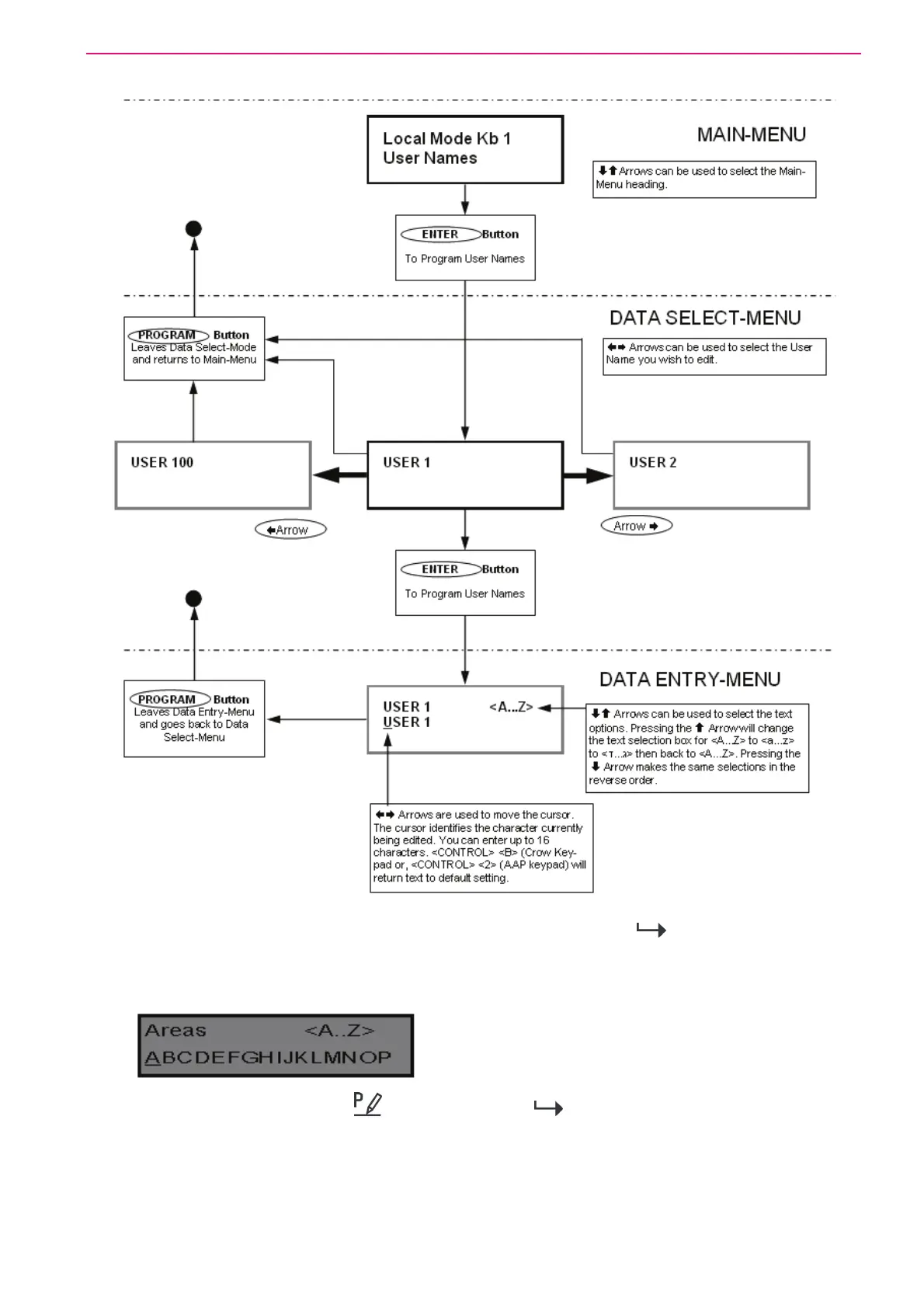
32
When you are at the desired main menu heading, press <ENTER>/ to access the data
program location. See example below
Changing the Area Single Character Identifier
When you enter in [PROG] /
-[998]-[ENTER]/ the display looks like the example
above. You may edit the single character Area identifier at this address starting at Area “A” (first
left-hand position). The keypad allows for up to 16 areas but the actual number of areas
supported on this panel is two. The first character (in this example ”A”) is the identifier used to
show the status of the first Area when armed. The second position (in this case the “B”) is the
identifier used to show the status of the second Area.



 To Next Page