16
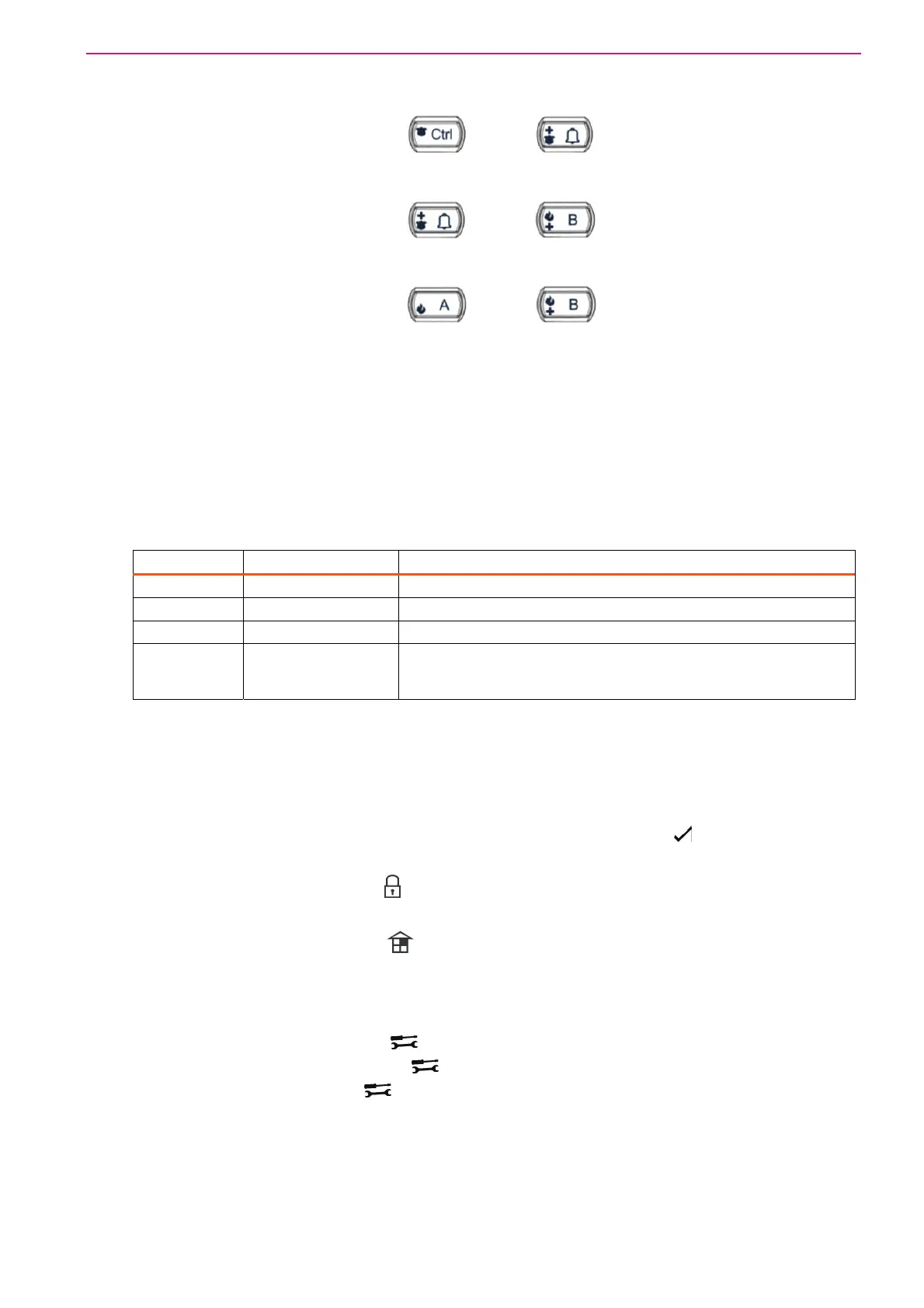
How to initiate a Panic Alarm
Press simultaneously Buttons < > & < >. Must be Pressed Together
How to initiate a Medical Alarm
Press simultaneously Buttons < > & < >. Must be Pressed Together.
How to initiate a Fire Alarm
Press simultaneously Buttons < > & < >. Must be Pressed Together.
Alphanumeric Keys
These keys are used to enter codes, Initiate Emergency Alarms or used for programming.
Audible Signals
When the keypad is used to activate or deactivate the different functions, it emits different
audible beeps. Their meaning is described in the table below.
Table 2 List of Audible Signals
Sound Sequence Description
Short beep Once only A key on the keypad has been pressed.
3 short beeps Once only Operation carried out successfully.
Long beep Once only Illegal operation or wrong key pressed.
Slow beeping Through the Exit or
Entry delay time
Exit or entry delay warning. When arming the system, this
indicates you must exit the protected area. When disarming the
system, it indicates you have entered the protected entry zone.
Indicators (LCD Keypad)
The Keypads LCD Screen is capable of Displaying (I English Text) all the Zone & System Status
as well as the System Trouble conditions. There are also other indicators which are listed below;
Zones are Sealed and System is Ready indicated by the <Ready> / light
Partitions (System Area) status is indicated by English Text on the LCD Screen.
Armed indicator <ARMED> / + Text Display on LCD Screen
Memory indicator by Text Display on LCD Screen
Bypass indicator <Bypass> / + Text Display on LCD Screen
Program indicator by Text Display on LCD Screen
CHIME indicator by Text Display on LCD Screen
Mains indicator by Text Display on LCD Screen
Tamper indicator <Trouble>/ and by Text Display on LCD Screen
Battery indicator by <Trouble>/ and Text Display on LCD Screen
Line indicator <Trouble>/ and by Text Display on LCD Screen
Control indicator by Text Display on LCD Screen



 To Next Page