204 D320 PLC User's Manual
Run/Stop PLC
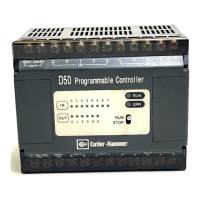
When the RUN/STOP switch on the D50 PLC is in the RUN position, the mode can be overridden by
the pocket editor. To place the D50 PLC in STOP, press the INS key, followed by the RST key. To
return the PLC to the RUN mode, press the INS key followed by the SET key.
• Function: Clear the program in the D50 PLC
• PLC Mode: STOP
Operating Procedure
Display
Key Sequence LED 5-Digit Display Remarks
INS RUN AUX Switches to Auxiliary Mode
RST End PLC is stopped
INS AUX Switches to Auxiliary Mode
SET RUN End PLC switched to RUN
Artisan Technology Group - Quality Instrumentation ... Guaranteed | (888) 88-SOURCE | www.artisantg.com


 To Next Page