Chapter 6: Instructions 73
Comparison Instruction Details
Instruction
Mnemonic Comparing the Value Range
=
<>
Bit
>
>=
■ Byte
<=
<
A = B (A is equal to B)
A <> B (A is not equal to B)
A > B (A is greater than B)
A >= B (A is greater than or equal to B)
A <= B (A is less than or equal to B)
A < B (A is less than B)
■ Word
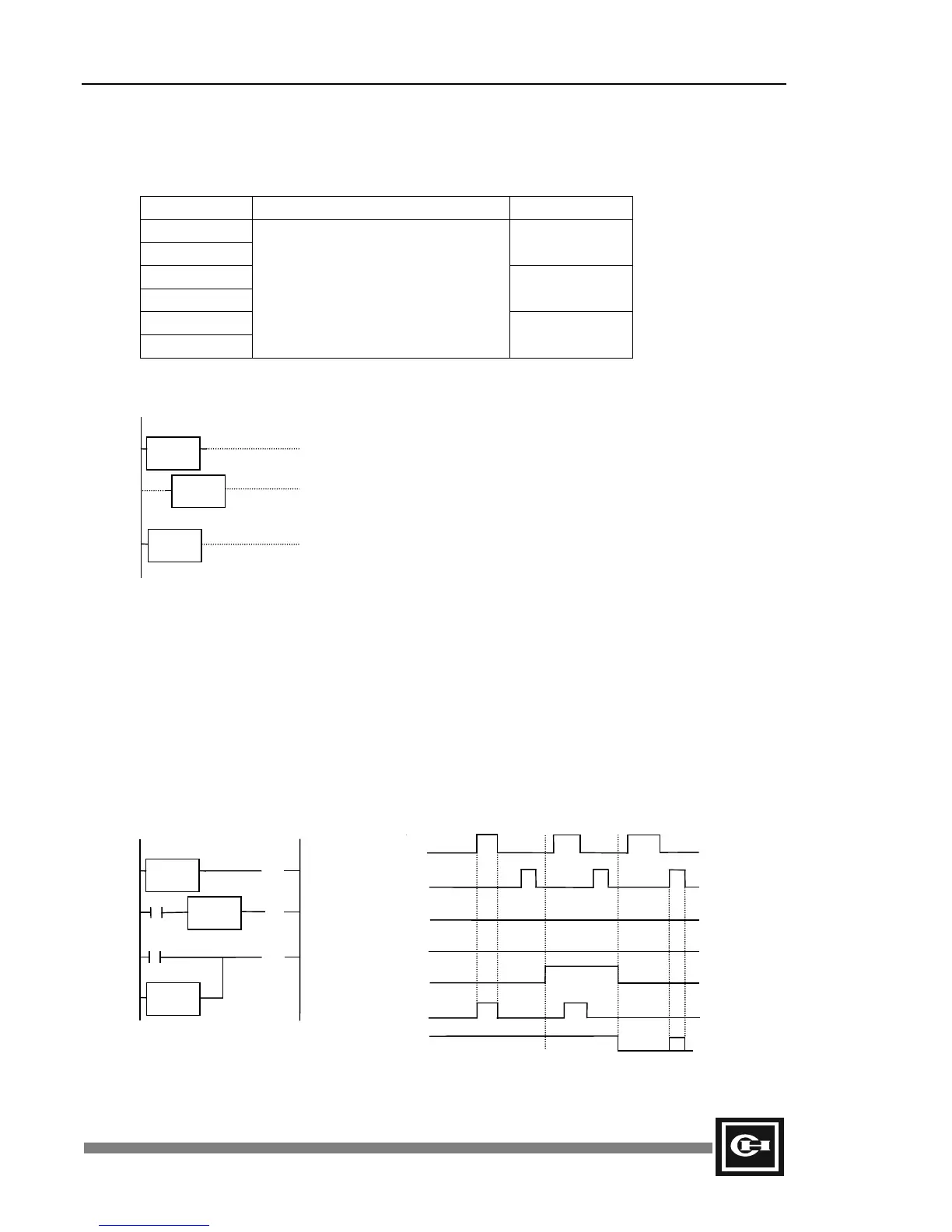
Ladder
A or B: Constant value 0 to 65,535 or a word address (R, L, M, K,
W, PV, SV, SR).
D is displayed when words are input. When using GPC5 to
program, change the mode to double (Ctrl+T) and then enter the
comparison command.
Description
1. The comparison functions as a contact, whose On/Off state is determined by the result of the
comparison of A and B. If the comparison is true, the state is On.
2. Each comparison instruction can be used with the STR, AND, and OR instructions (GPC will
automatically use the correct instruction).
3. Double mode comparison instructions can process up to 16 bits of data (0 to 65,535).
Example
Program Expression Time Chart
A
=B
A
<= B
D X
<> Y
M21
= = K12
M21
<= K12
M21
<= 300
R000.0
R001.0
M0.4
(OUT)
M0.5
(OUT)
M0.6
(OUT)
R0.0
R1.0
M21
K12
M0.4
M0.5
M0.6
100
0
100
400
Artisan Technology Group - Quality Instrumentation ... Guaranteed | (888) 88-SOURCE | www.artisantg.com


 To Next Page