7/40
TouchProle
Product Numerical
Product 3D
Tools Position
Comment
ModEva Pac User Manual
April
2016
V2.3
Machine Parameters Control
Displays eventual
messages related to
specially configured
inputs Control 1 to 8.
This page is the first
of the pages which
constitute the list of
all the parameters
which condition the
functioning of the
numerical control.
This data can only be modified with a
level 3 password (see Access by Password,
page 34).
This data may be modified only with the
help of competent technical support.
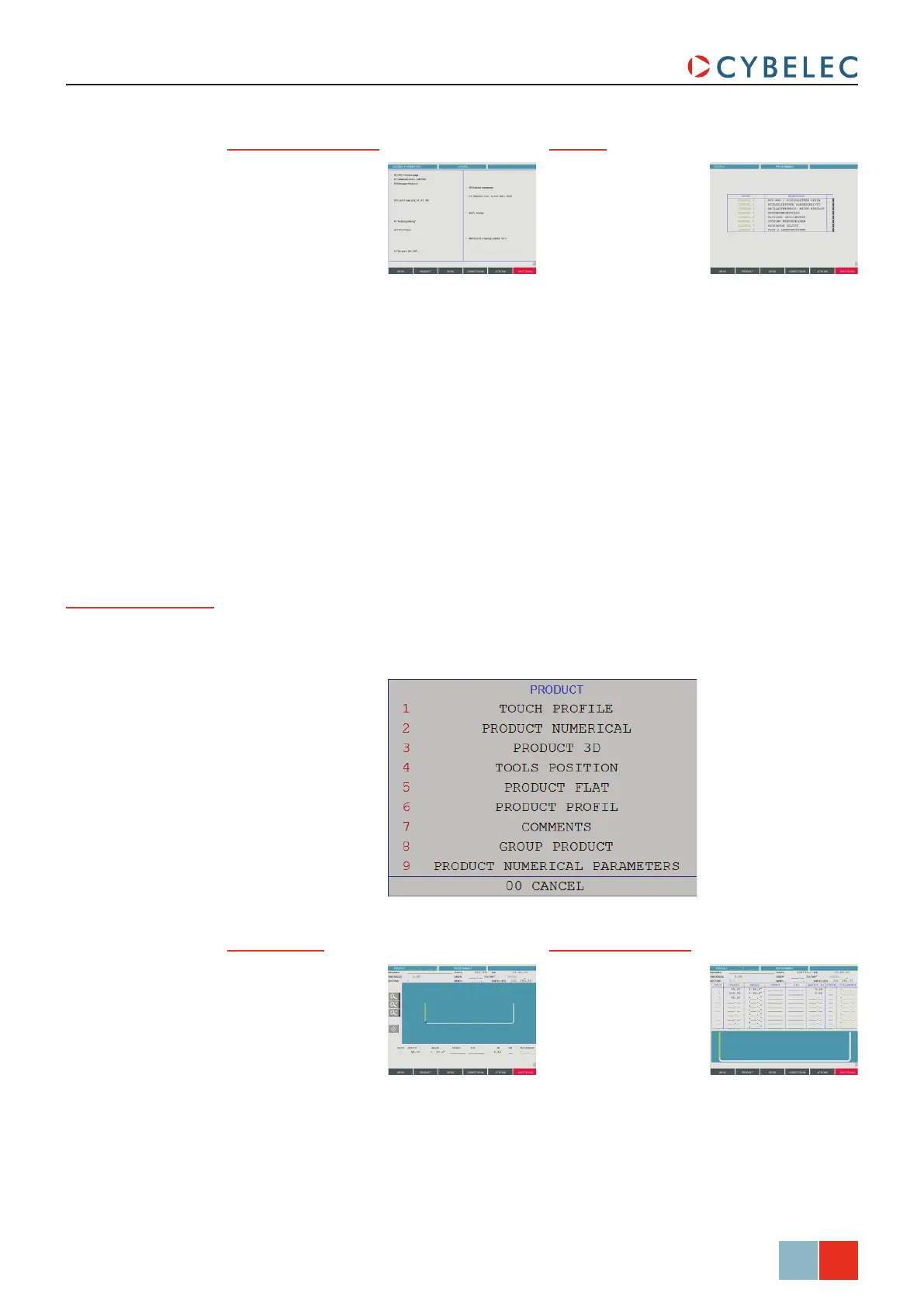
Product Button
The Product button allows you to access all the different pages necessary to create
products. When touching the Product button, the following pop-up widow is displayed.
TouchProfile Product Numerical
Allows the operator
to construct and
calculate a product
and to visualize the
profile in real time.
See L-Alpha
Programming, page
19 for more information.
Allows the operator
to create a product
by intuitively drawing
a profile directly on
the screen.
See TouchProfile
Programming, page
17 for more information.



 To Next Page