23/40
ModEva Pac User Manual
April
2016
V2.3
Touch bend 2d paGe
→ Touch Bend 2D
Setting inStructionS:
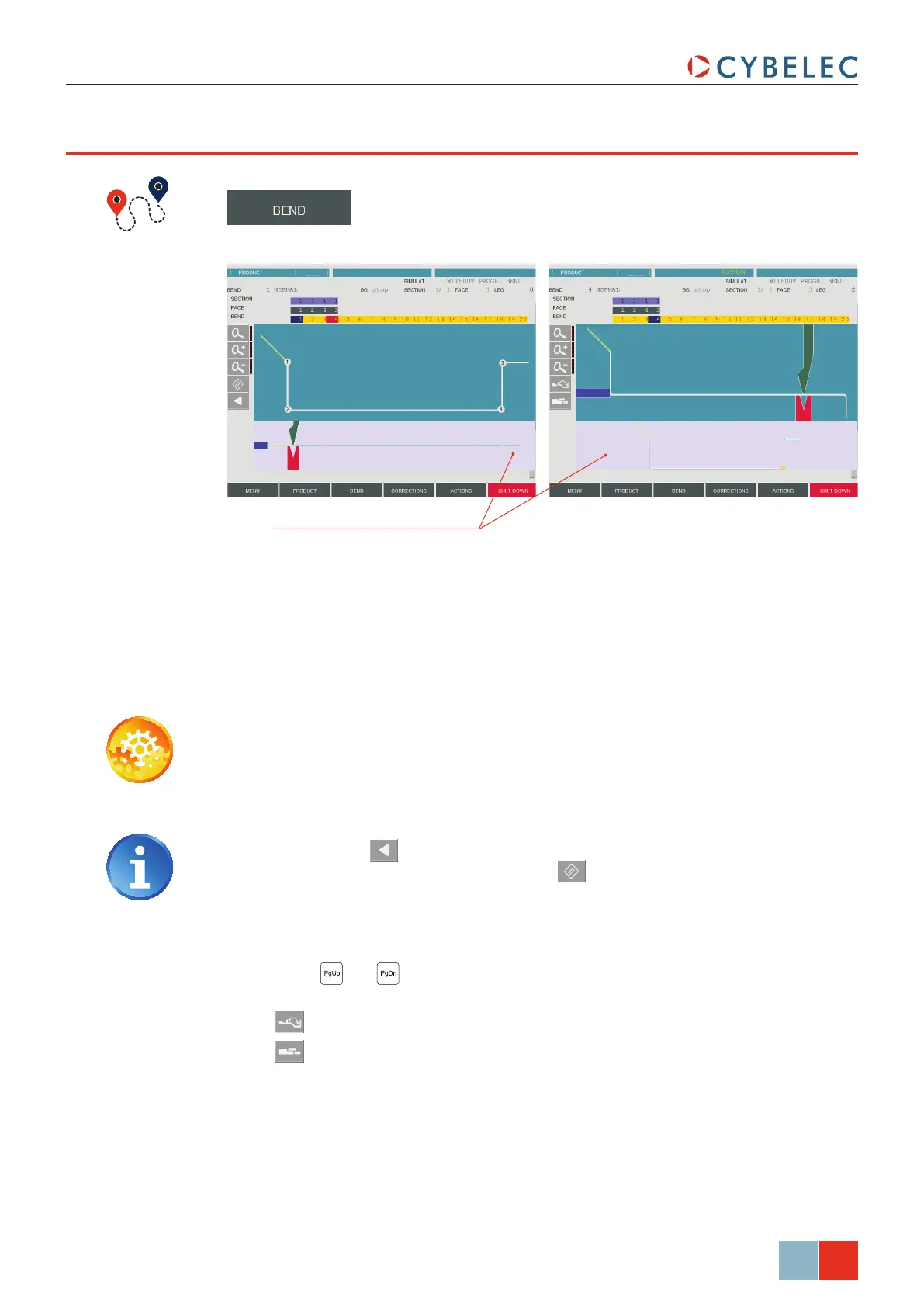
1. Make sure that the screen displays the Bend Order page, and touch the bends in
the order that you want them performed. A small number is displayed on the bend,
indicating its position in the sequence.
2. When the last bend is defined, the display automatically switches to the Gauging
page.
3. Use the
and keys to browse through the bend sequence and adapt the
gauging if necessary using these buttons:
•
to switch to the next gauging point.
•
to switch to the next gauge type (stop, support, special, etc.).
Touch the drawing to toggle between
Bend Order page (left) and the
Gauging page (right)
Whether this page is used to change the order of the bends automatically calculated on
the Bend 2D Page (see page 22), or to manually determine this order, it works just the
same: the order of the bends must be defined first, and then the gauging solutions can be
determined.
Pressing the back button will erase the last bend in the sequence. If you
wish to delete all bends, simply touch the
button.



 To Next Page