36/40
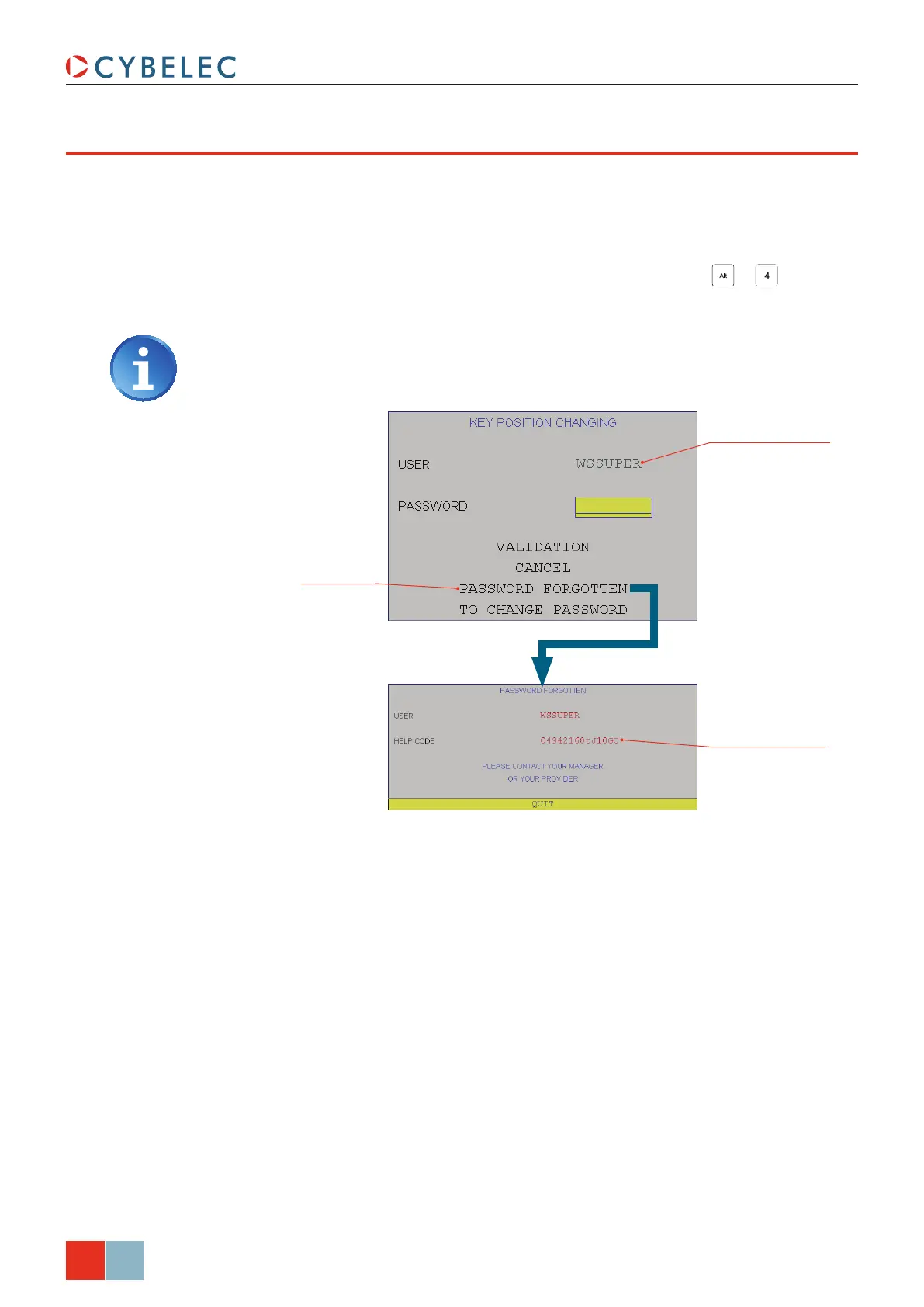
Choose the user whose
password is forgotten
Write the HeLP code
down
Touch here to recover
the password
ModEva Pac User Manual
April
2016
V2.3
If a user has lost / forgotten his password, he can, if he is authorized, change it himself
(see Change Passwords, page 35).
If he is not authorized to change his password himself, he can either:
• Ask a higher user to modify the password (see Change Passwords), or
• Use the method described below, after pressing the combination
+ .
forGoTTen paSSwordS
In order to know the authorizations, see the table in Users, page 33.
Contact your provider with the HeLP code in order to recover the lost password.



 To Next Page