34/40
Or 1 or 2 according to the
keys combination
Touch here to select the
desired user level
ModEva Pac User Manual
April
2016
V2.3
At the software’s startup, the virtual key is always positioned at 0.
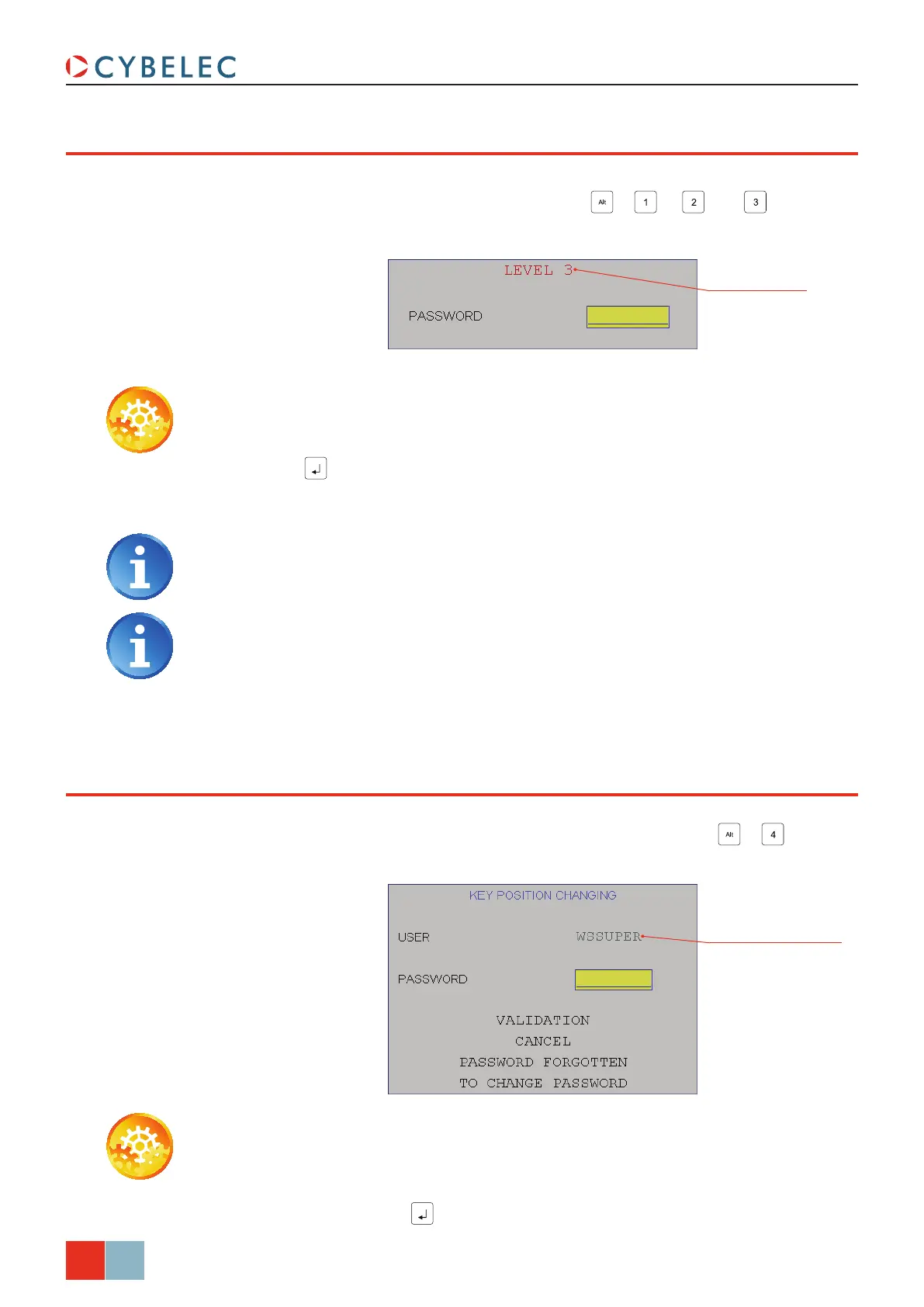
When the operator selects one of the combinations
+ , + or + , the
following message appears:
Certain users can access levels superior to 3, which enables them, among other things,
to modify the passwords. To do that, one must press the combination
+ . The
following message appears:
acceSS by paSSword
acceSS To levelS Superior To 3
Setting inStructionS:
1. Enter the password.
2. Press
.
3. The authorized level is shown in a box at the bottom right of the screen.
Setting inStructionS:
1. Touch the uSer field and select the desired user level (see Users, page 33).
2. Touch the
PaSSWord field, enter the password corresponding to the requested level
and validate with the
.
If the password is not correct, the message Wrong PaSSWord is displayed,
indicating that the user is not authorized.
Once the authorization granted, the level remains accessible as long as another
password is not entered. Cybelec recommends accessing level 0 after your
intervention, in order to avoid making undesired changes by inadvertence.



 To Next Page