30/40
Use these arrows to
browse through the
available products
ModEva Pac User Manual
April
2016
V2.3
Search a producT
From any page displaying the Product field:
1. Touch the
Product field and press the key.
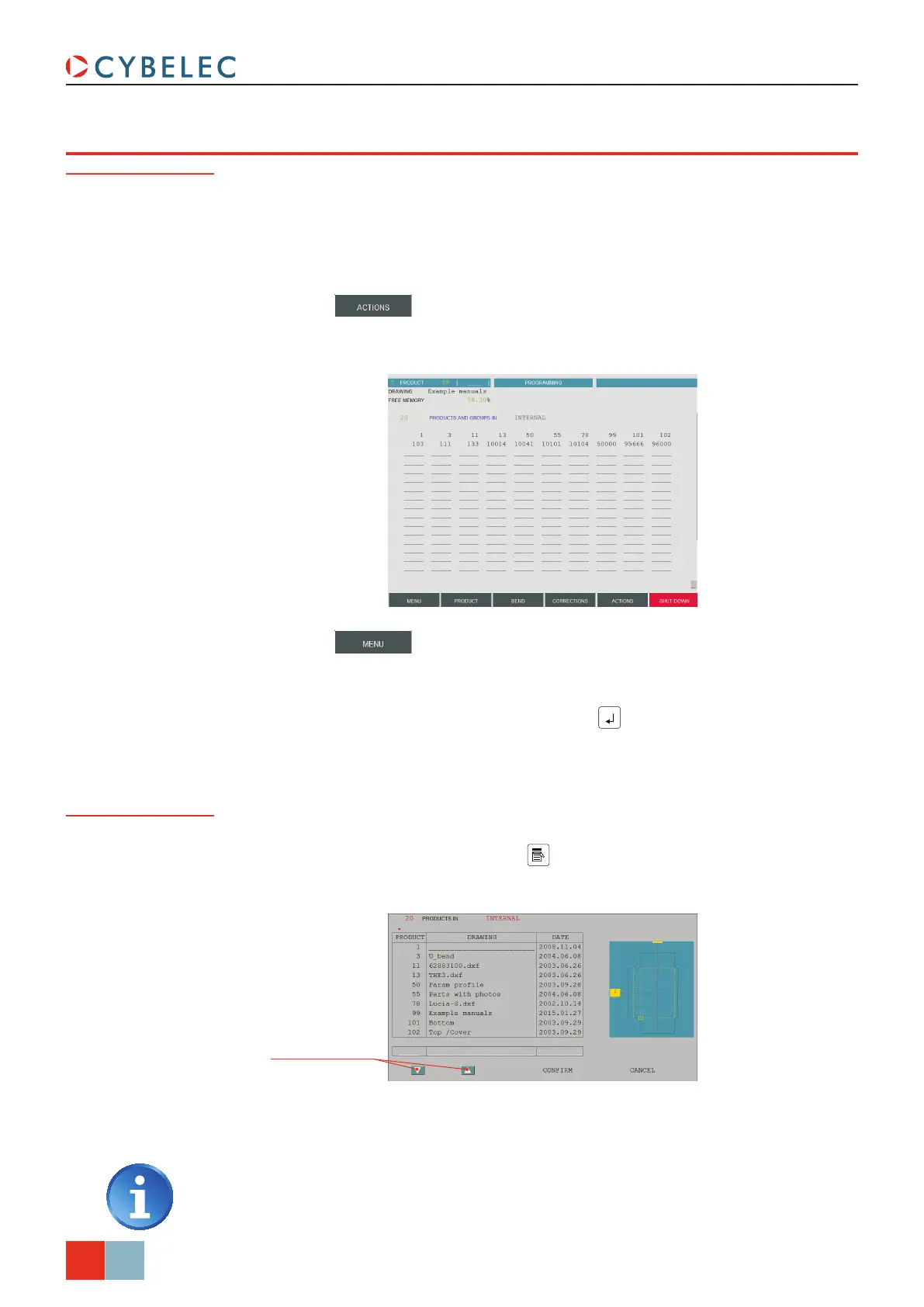
2. The following window is displayed:
Rapid method
3. The products are initially listed in increasing order by product number.
4. Touch the product you want and select
conFirM to load it.
Touching the product twice will also open it.
If you know the number of the product (provided that it is in the active peripheral), you
can search for it from all pages displaying the Product field on the top left corner of the
screen.
To this end:
1. Introduce the product number in the
Product field.
2. Touch the
button and select SearcH Product in the list.
Standard Method
1. Touch the button and select LiSt oF ProductS in the list.
2. If you want to search for the product in a location other than the internal memory,
touch the
ProductS and grouPS in field and make your choice.
3. Simply touch the desired product and press the
key.
4. The product is now in the work memory (its number is displayed in the
Product field).
If you don’t know the product number, you can search for it in the list of products’ page.



 To Next Page