12/40
ModEva Pac User Manual
April
2016
V2.3
toolinG ManaGeMent
Tooling management involves the creation, configuration and positioning of the tools that
will be used on the machine. These tools are then taken into account in bend calculations.
creaTinG a Tool
→ Programming of punches/dies
Setting inStructionS:
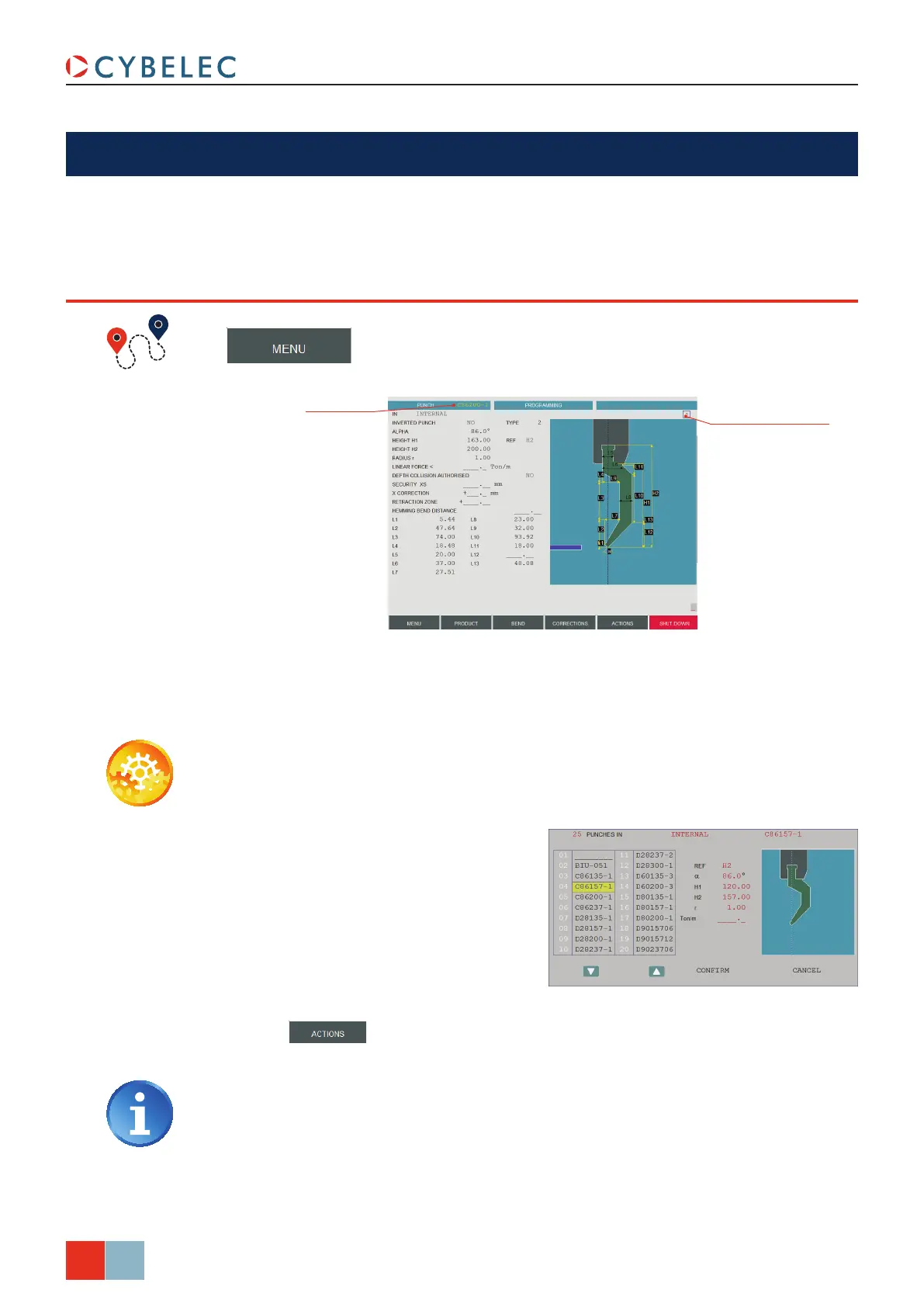
1. If you know the name of the tool you want to modify, touch the PuncH field on the
top left corner and enter directly the desired tool’s name.
When it comes to creating new tools, the easiest way to proceed is often to modify an
existing one. The process is the same whether you want to create a new punch or a new
die.
2. If you don’t know which tool looks the
most like the one you want to create,
you can touch and hold the
PuncH
field until the message oK appears in
the top right corner. The list of tools
appears and it is then possible to
browse visually through the existing
ones.
3. Modify the necessary fields, enter a new name and save the new tool by touching
the
button and selecting MeMoriZe in the list.
For more information about the tools’ creating process, please refer to the Tools
chapter of the 2D Reference Manual.
Touch here to display
the tool’s default shape
(brown color), allowing
an easier identication of
the various dimensions
Punch name



 To Next Page