14/40
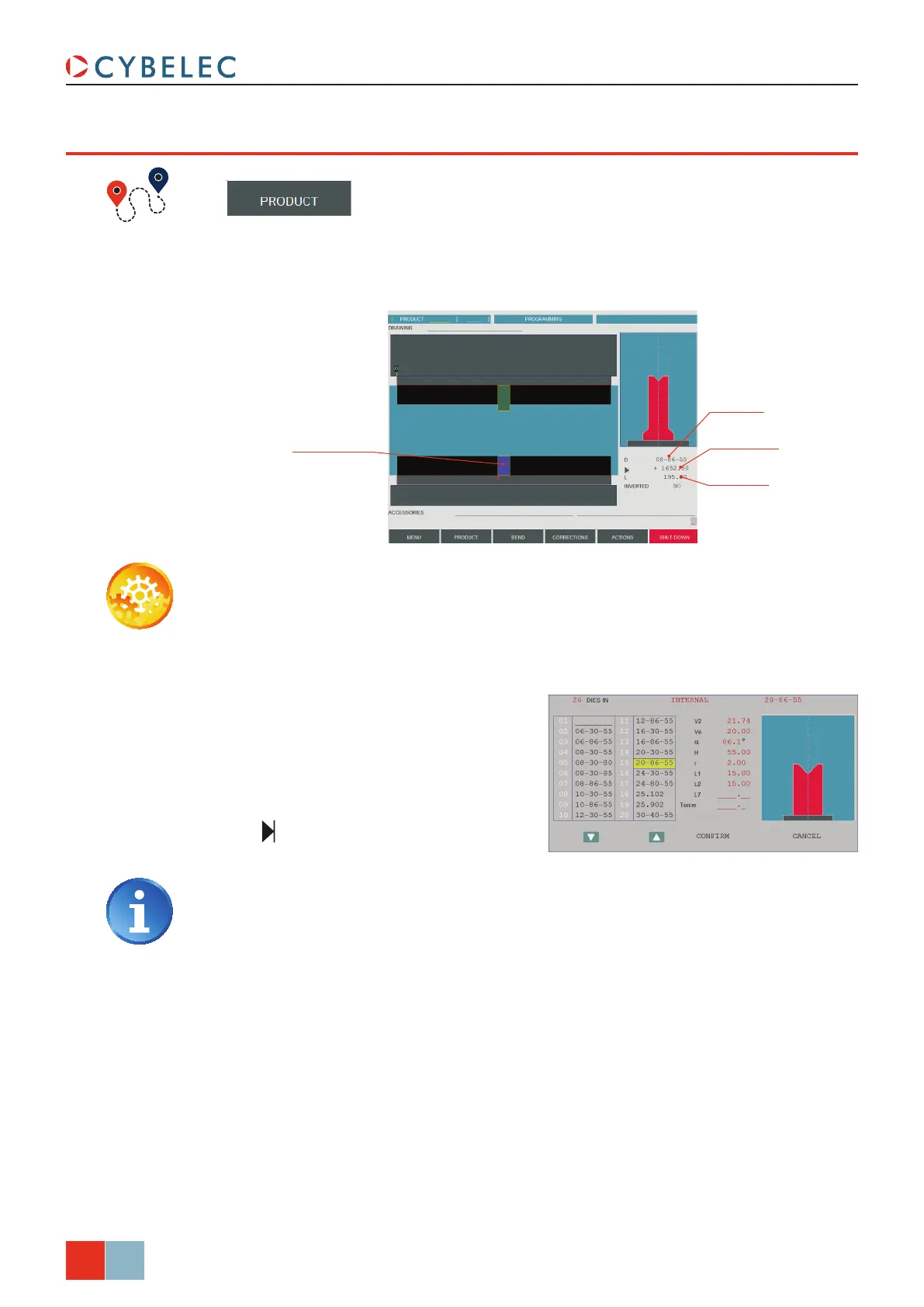
Die position
Die length
Die placed in the middle
of the machine
Die name
ModEva Pac User Manual
April
2016
V2.3
poSiTioninG a die
→ Tools position
Setting inStructionS:
1. Touch the table (it will turn blue) to
select the die. The letter d is displayed
next to the die name’s selection field.
2. Touch the d field. The window to the
right is displayed.
3. Touch the desired die. Touch it a second
time to select it, or simply touch
conFirM.
4. Enter the tool’s desired position in the
field.
Introducing a value equal to the half
of the table’s width minus the half of
the tool length will place the tool in the
center of the machine (in our example:
3500/2 – 195/2 = 1652.5 mm).
5. Modify the L field by introducing
the value (here 195.00) which
corresponds to the required tool
length. In the front view the selected
tool appears in dark blue.
Proceed in the same manner as for Punch Adjustment.



 To Next Page